2.8, sculpting hotkeys not working.

Forum Archive 2.8, sculpting hotkeys not working.

Viewing 3 posts - 1 through 3 (of 3 total)
  • Author
    Posts
  • #10549
    shisou
    Participant

      Is anybody experiencing the same problem as I am? Whenever I sculpt in Blender 2.8, some of the brush shortcut keys don’t work. More specifically, the numbered ones. 

      I used to be able to use the keys 1-9 to select various brushes in 2.79, but I can no longer do that in 2.8. The only shortcuts that work are the lettered keys. Is this intentional or an oversight?

      #50188
      spikeyxxx
      Participant

        Hi shisou, that is intentional. It’s called a minimal keymap….

        You can, however change that.

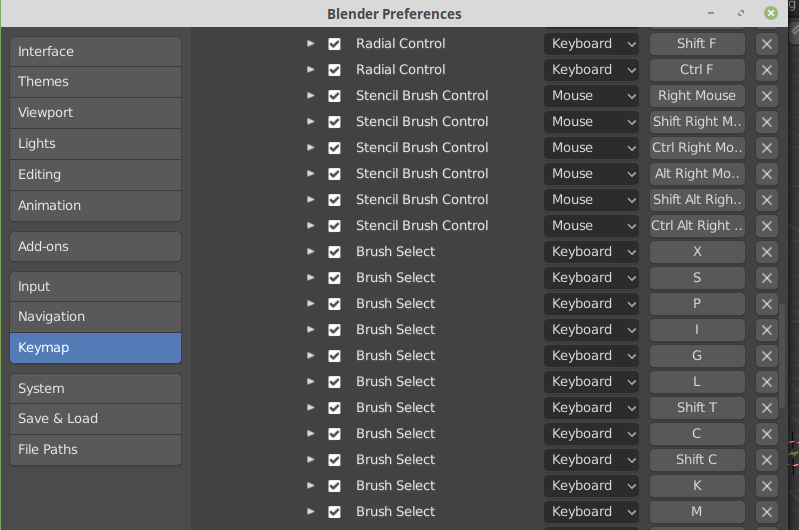
        Go to Edit > Preferences > Keymap > 3D View > Sculpt > Sculpt(Global)  there you can find, change, even add shortcuts.

        #50189
        shisou
        Participant

          @spikeyxxx So I see. That’s a minor inconvenience, but one easily solved. Thank you for your help.

        Viewing 3 posts - 1 through 3 (of 3 total)
        • The topic ‘2.8, sculpting hotkeys not working.’ is closed to new replies.