@yukinoh1989 These look so much better than mine it’s unfair damnit.
In all seriousness thought they look excellent, nice amount of details.
To fix your problem, it appears your face has a Y value of 0, as you can see in the properties panel (under scale):
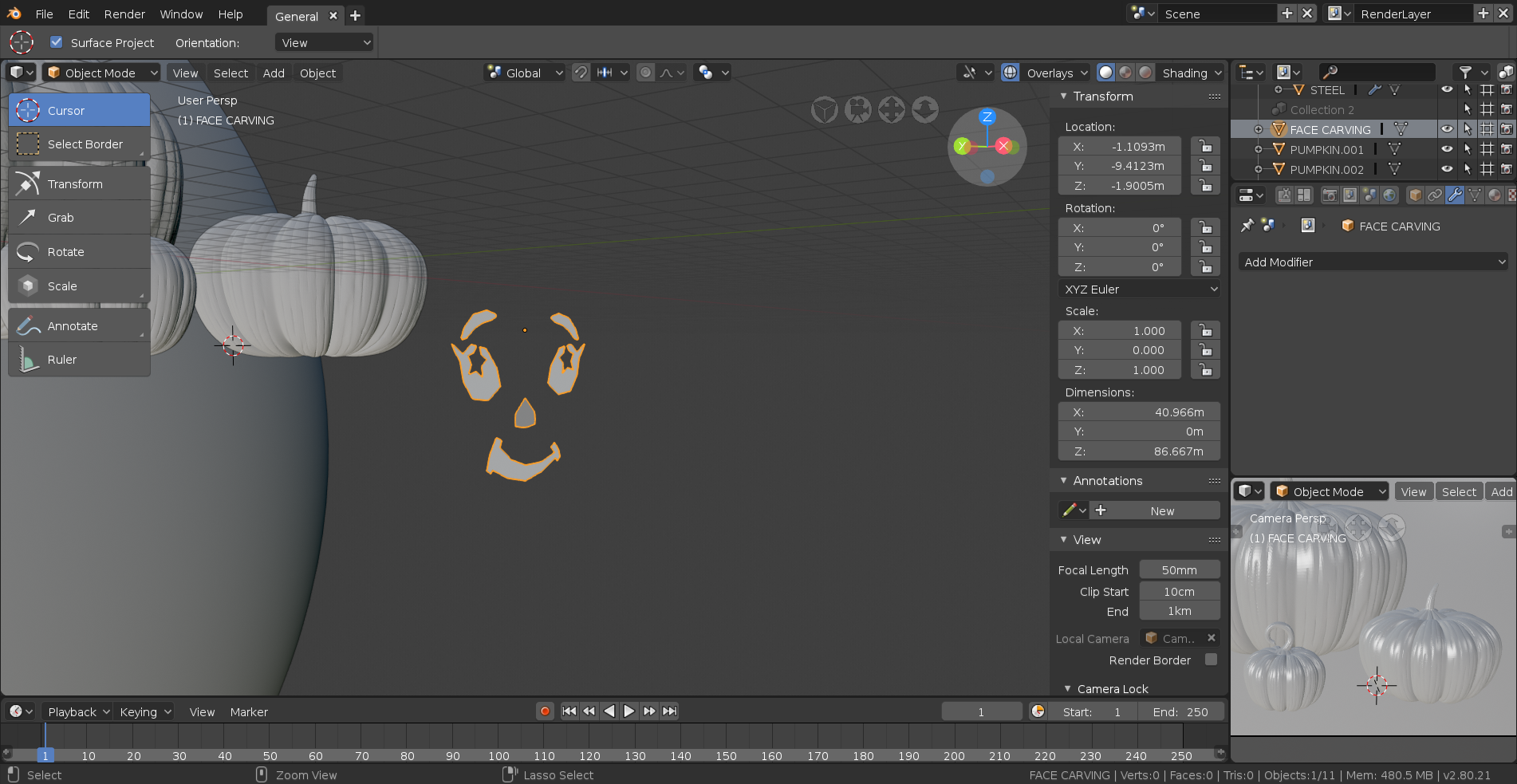
Simply select your mesh and hit Ctrl + A and then select Apply Scale and you’ll be good to go.

