
Reply To: UV unwrap
Forum Archive › UV unwrap › Reply To: UV unwrap

Good morning Shale @CookiePuss,
there’s a lot going on with your front. Martin already pointed out a few good things and Omar is right too. Never hurts to look up specific basics again, when you get stuck.
I’ll just go over everything so I don’t get a knot in my synapses 😁:
First a couple of trouble shooting tips:
– as Martin said I’d turn off the bevel modifier in edit mode, so it doesn’t get in the way visually.
– Under the mesh edit overlays you can turn off certain things like the bevel weights or seams, depending on what you want to trouble shoot. Here I’d turn off everything but seams to just see those.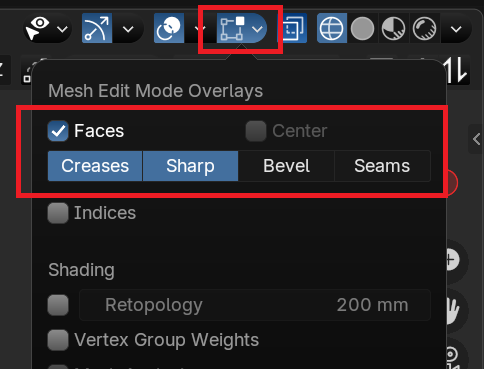
– In the UV editor you can turn on the sync selection to find the faces that give you the most trouble: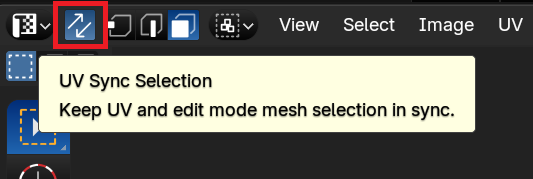 Just make sure to turn that off again, when you’re done!
Now let’s get into the weeds of it:
As Martin pointed out, you have some edges marked sharp, which shouldn’t be. Maybe they’re remnants from your previous trouble shooting? Anyway I would select them all and right click -> clear sharp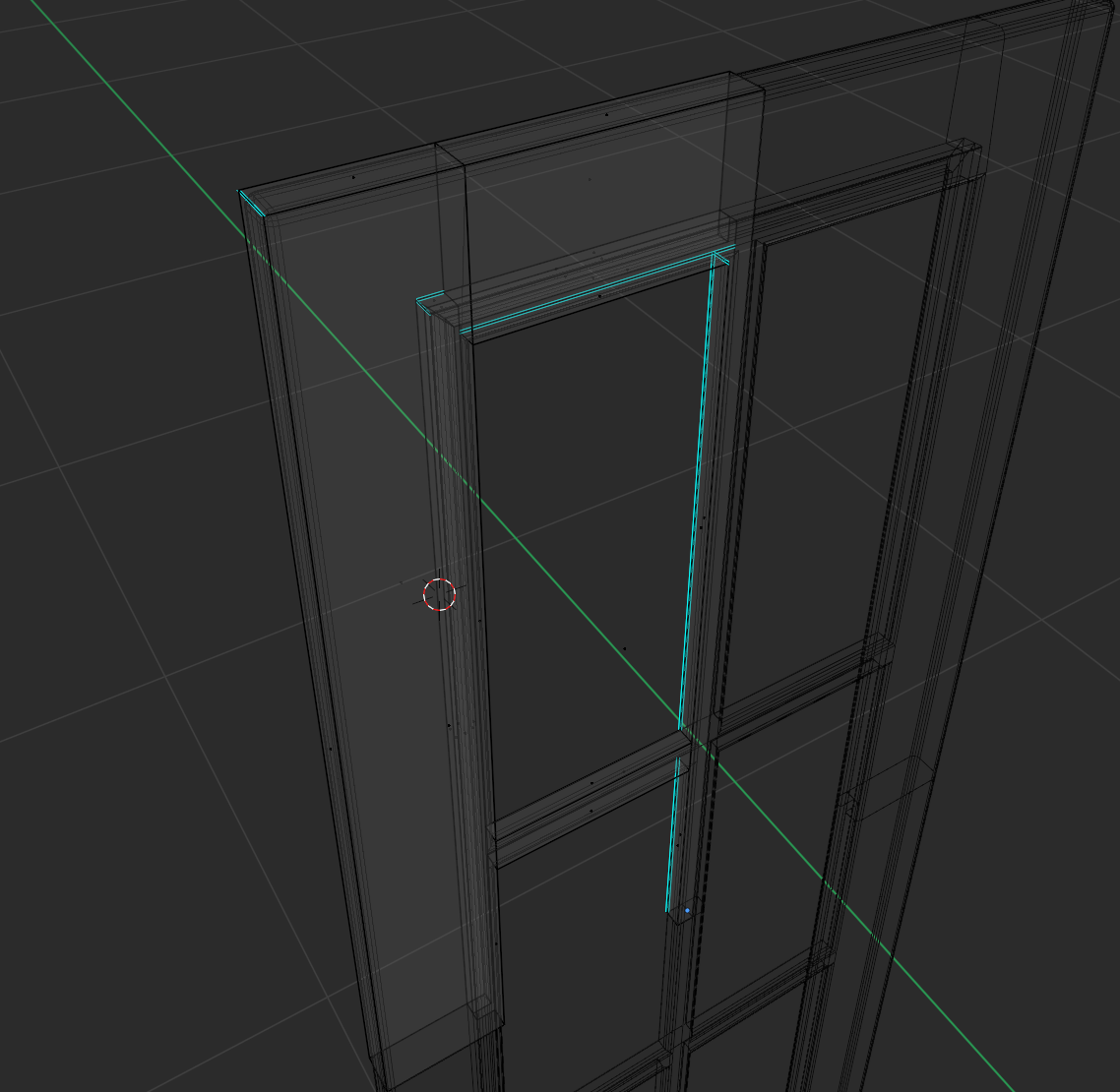
Next, viewed from the front, the stile will not unwrap properly, as Martin said. I suggest selecting two edges on top and marking them as seam.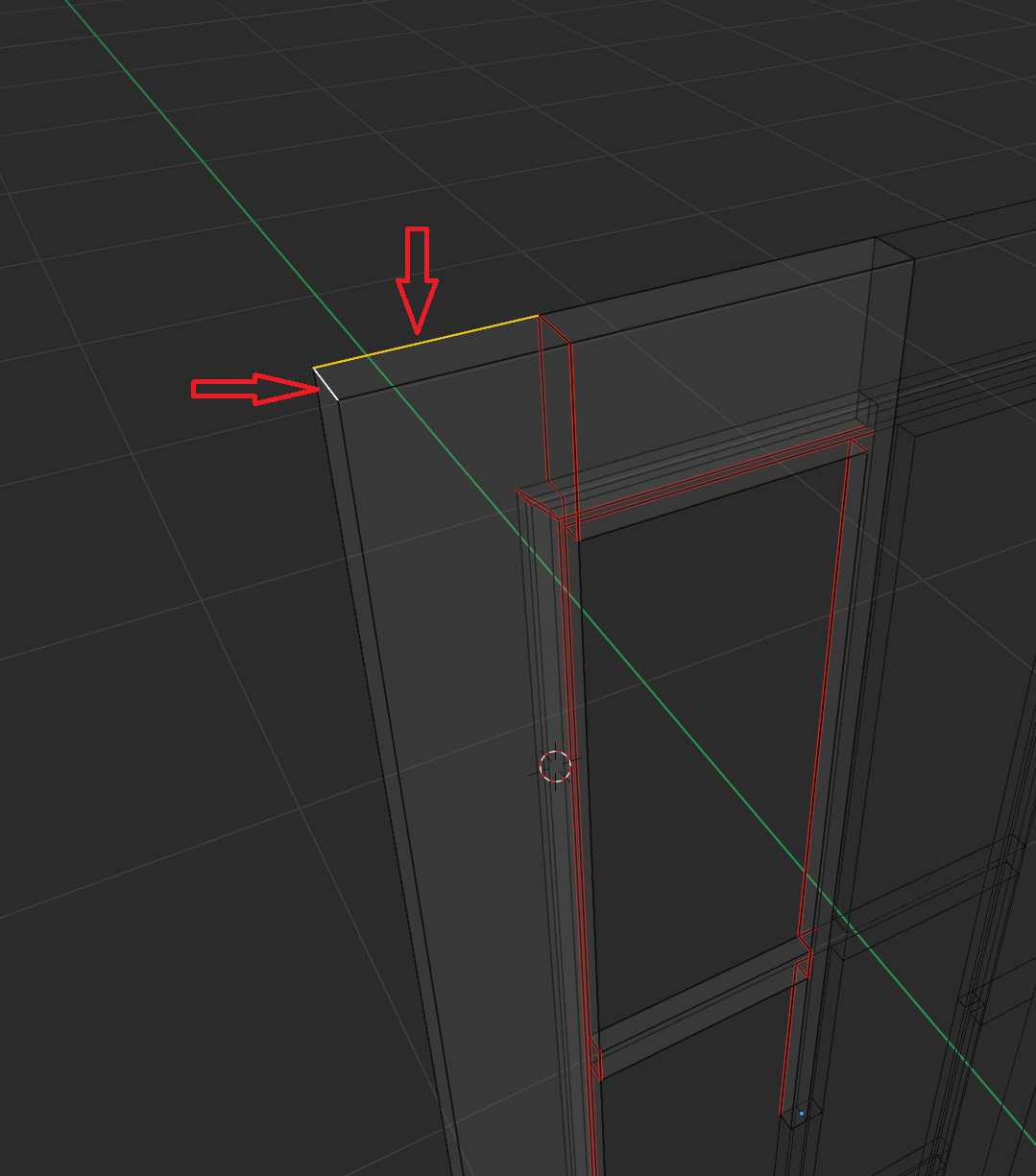
Your horizontal muntin needs an additional seam too, here seen from the back: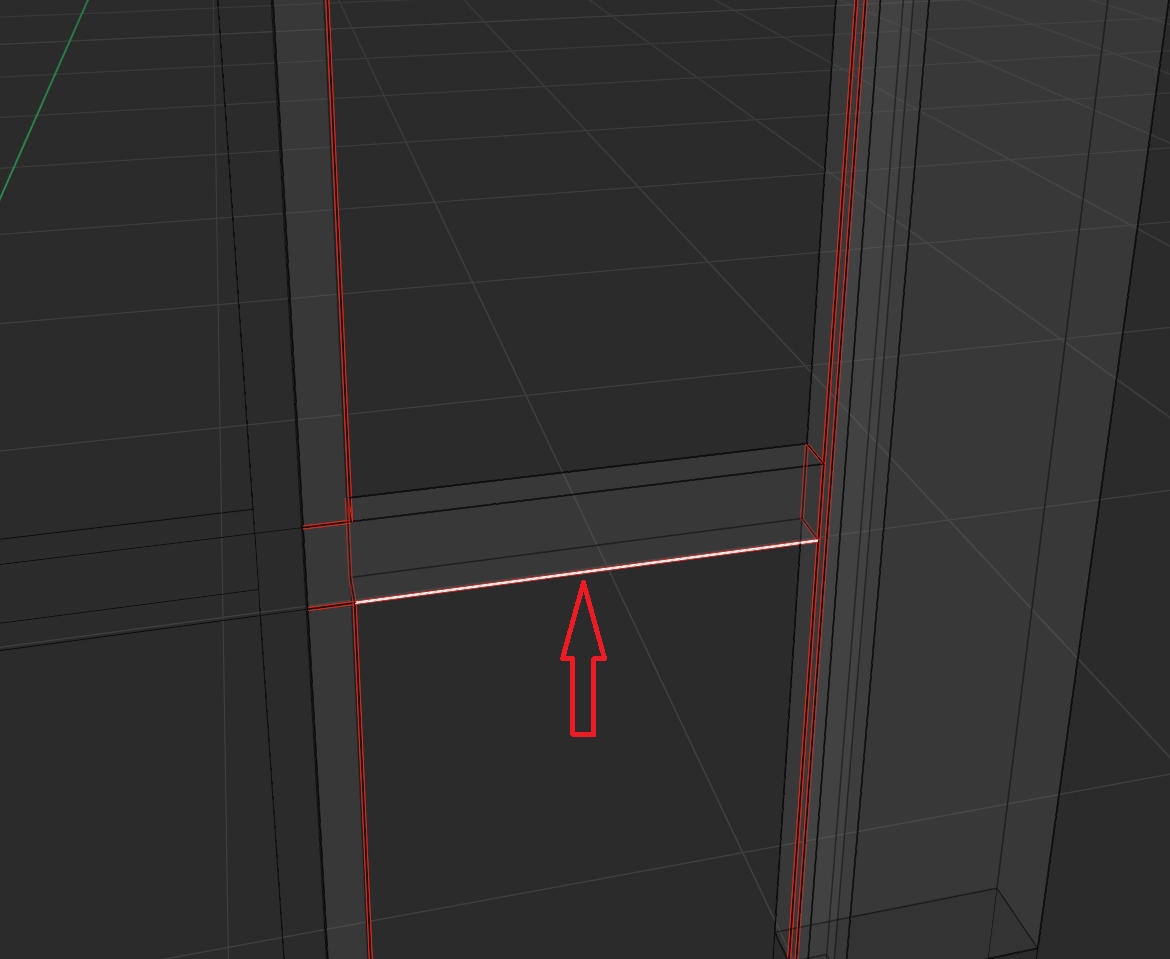
Now to the big one: A single face on the front, which needs to be cut up some more: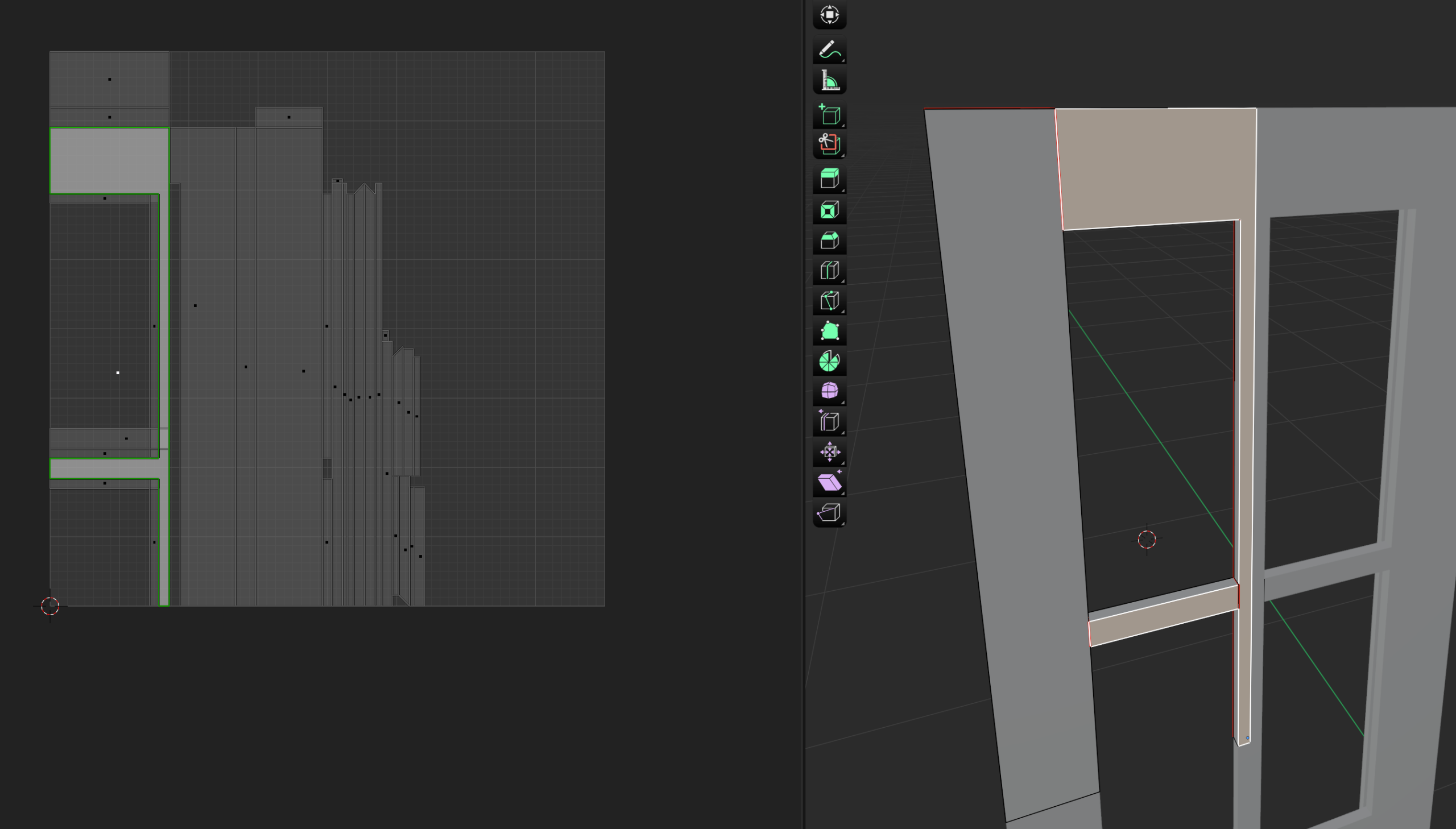
First you need another edge to separate the vertical muntin from the rail. You can do that easily in front view with the knife tool and constrain it to the x-axis. Then mark that newly created edge as seam: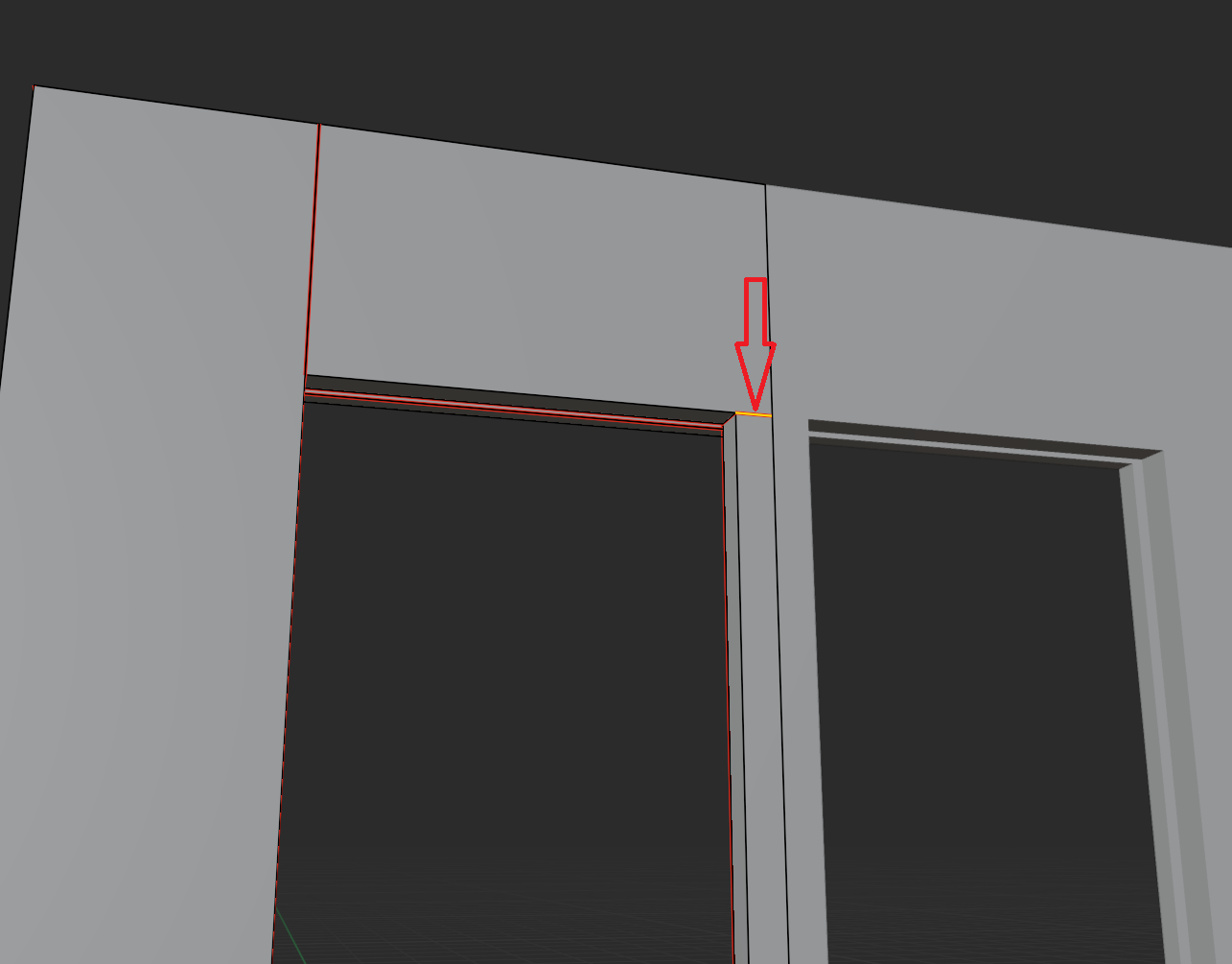
Then there’s an edge on the front where the horizontal meets the vertical muntin, which isn’t connected to the faces. I’m not sure what happened there exactly (I assume f to fill?), but it doesn’t make two faces: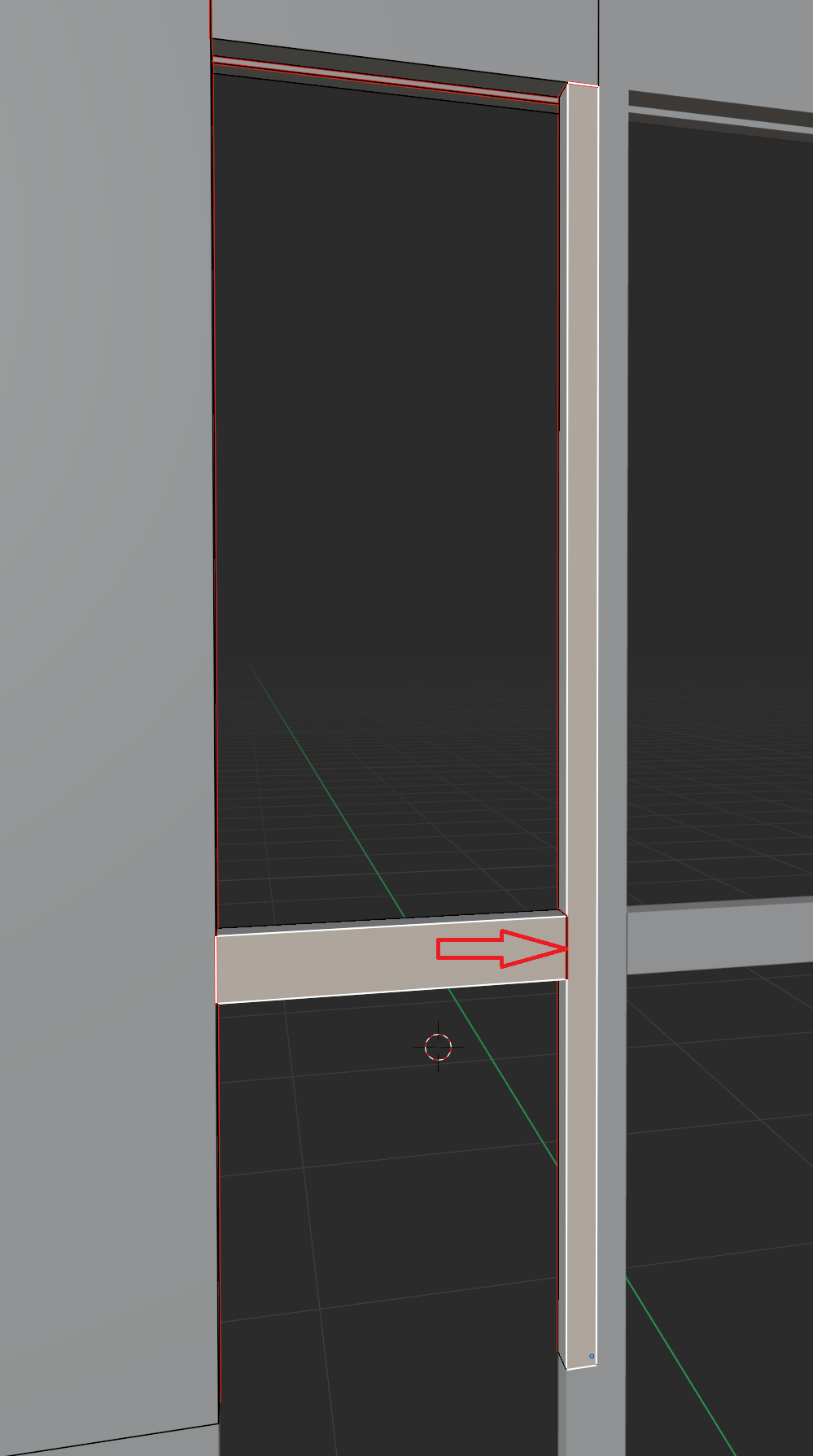
You can delete that edge, then select the two vertices in the corners and press J to join them, this will cut up your face. Then mark the new edge as seam: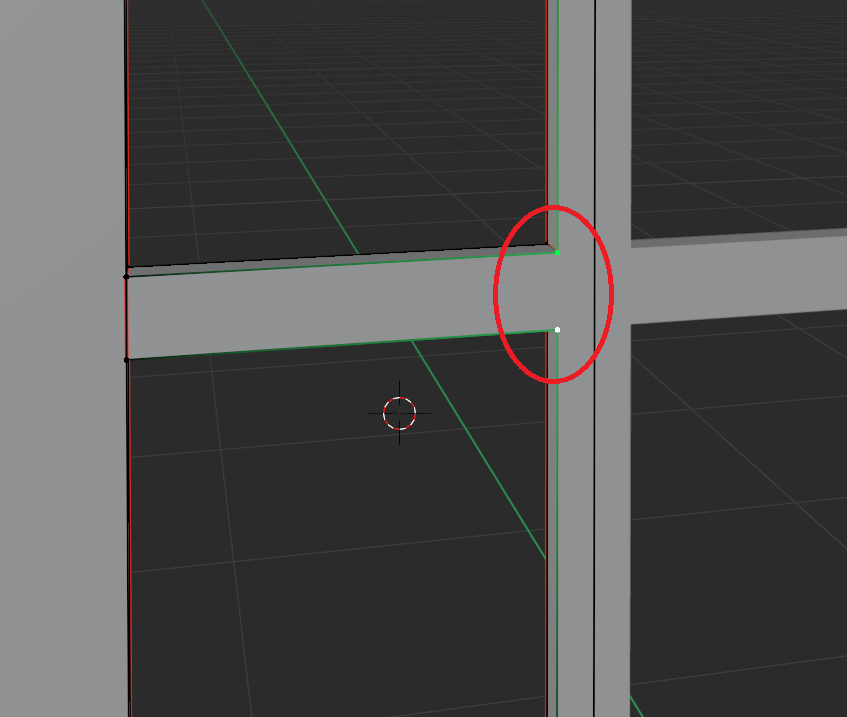
Once that is all done, you can check the unwrap, apply the mirror modifier and after a bit of clean up as I show in the lesson unwrap again, so the textures don’t get mirrored, and all should be fine.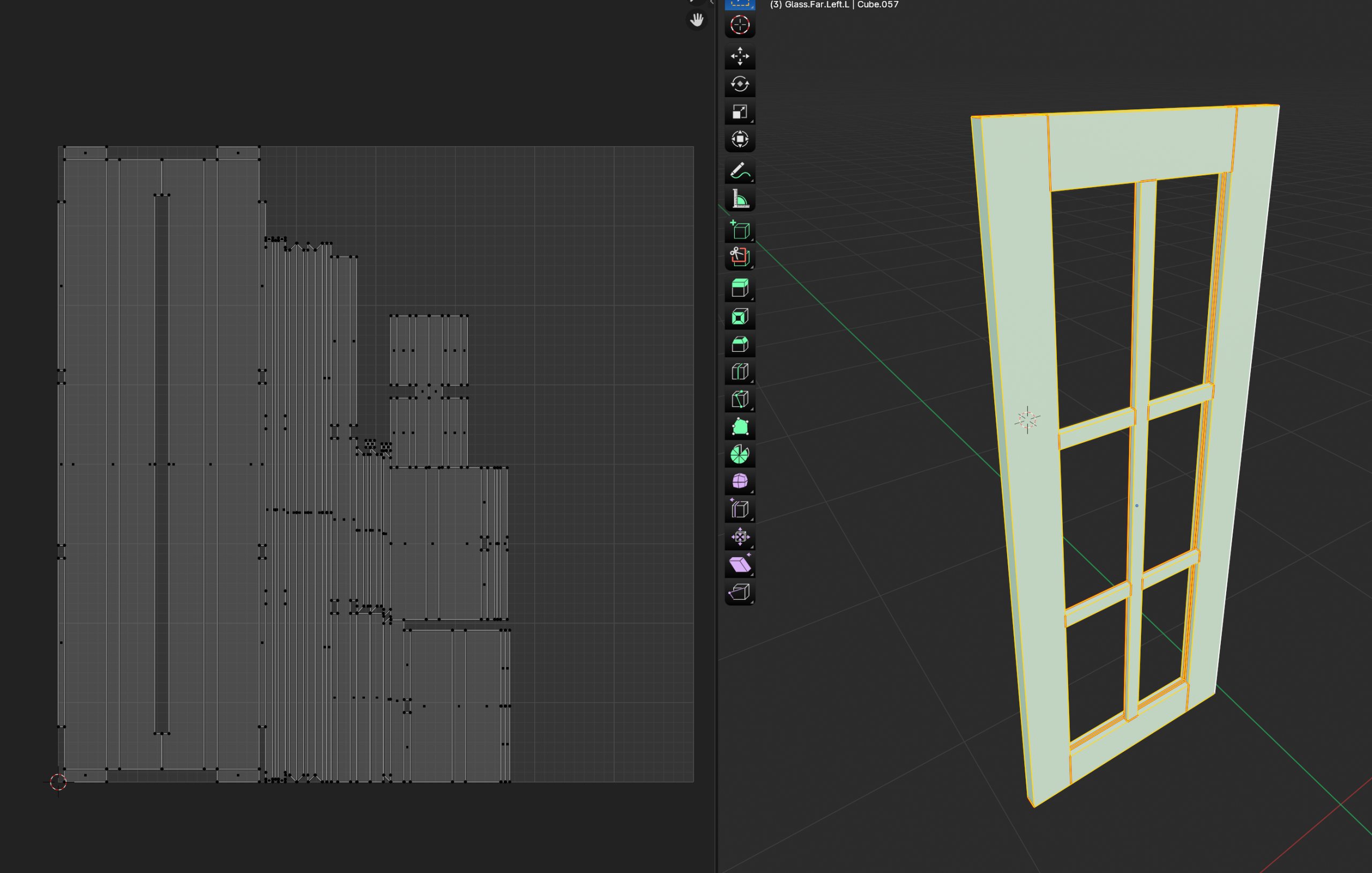
As for the interior faces Martin mentioned: They don’t seem to cause any trouble from what I can see, although internal faces are rarely a good idea. The whole glass trim on the back should technically have been a separate mesh island, which it isn’t in your case. It looks like you skipped or missed a step there.
Long story short: Lots going on with your front there. You can fix it all with the above tips, however with all that I highly recommend to start the front over from scratch and go through the lesson again, check what you missed and where you might have gone wrong. That way you can really make that lesson sink in.
These fronts are quite a bit more complicated than the rest, so it’s totally fine to go over it again.
Hope this helps 🙂