Instead of using an “Add Node”, a “Subtract Node” can also be used in order to create a diagonal which is rotated 90 degress around “Local Z” compared with the use of the “Add Node”. It’s also important since although the remapping necessary for the “RGB Curves Node” will work for the “Object X Coordinate” it won’t work when doing the same remapping for the “Object Y Coordinate” with an “Add Node” after this:
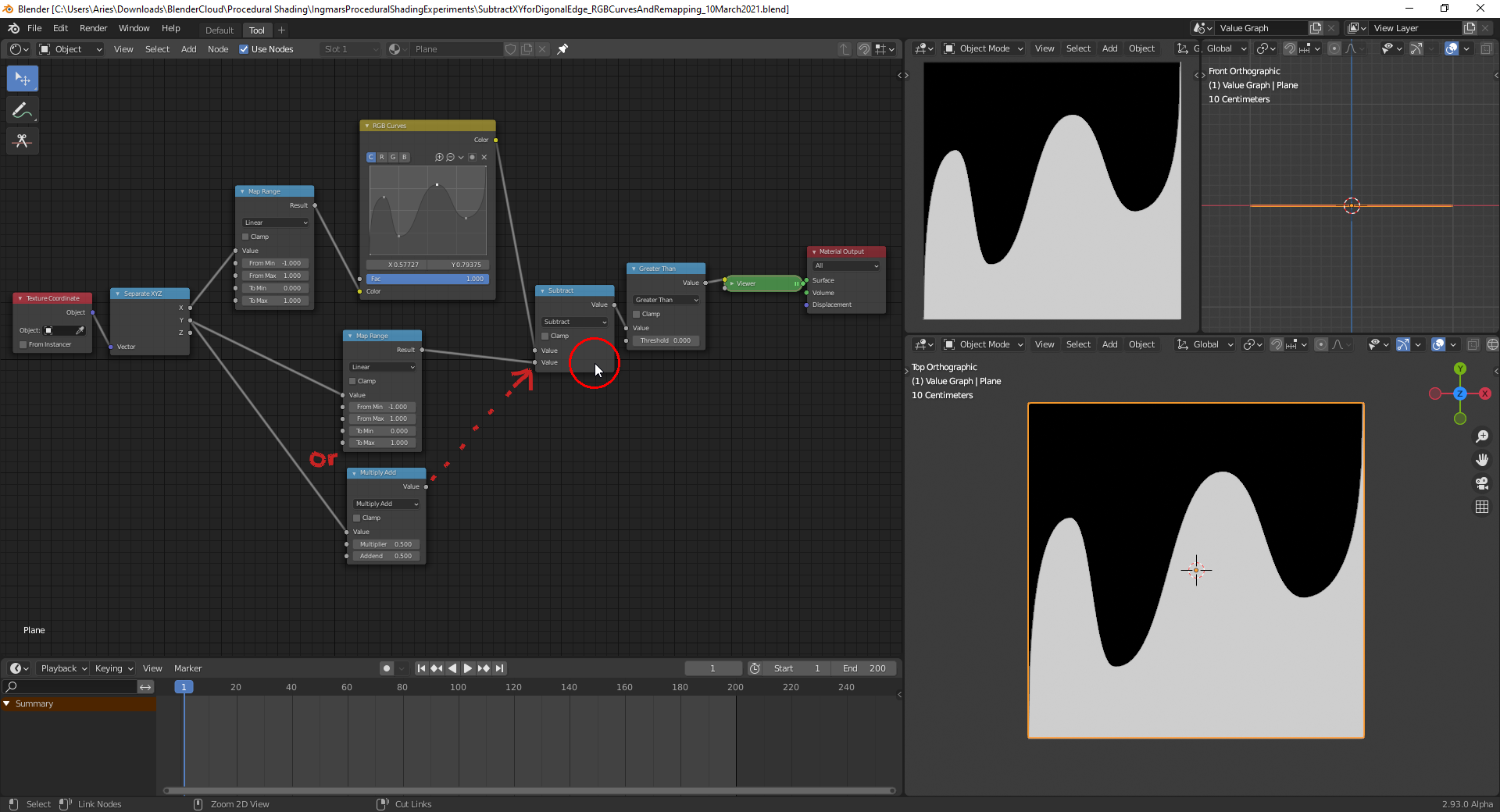
An addition would make everything white when replacing the “Subtract Node” in the node setup above. File is here.

