
Reply To: Spikey’s Math Lab
Forum Archive › Spikey’s Math Lab › Reply To: Spikey’s Math Lab

@duerer things are somewhat different than I thought and the Blender Manual is not quite clear….
Scaling scales along the input coordinates axes, not along the World axes! This Cube is rotated 90° around the Z-axis, so the Generated Coordinates have rotated with it:

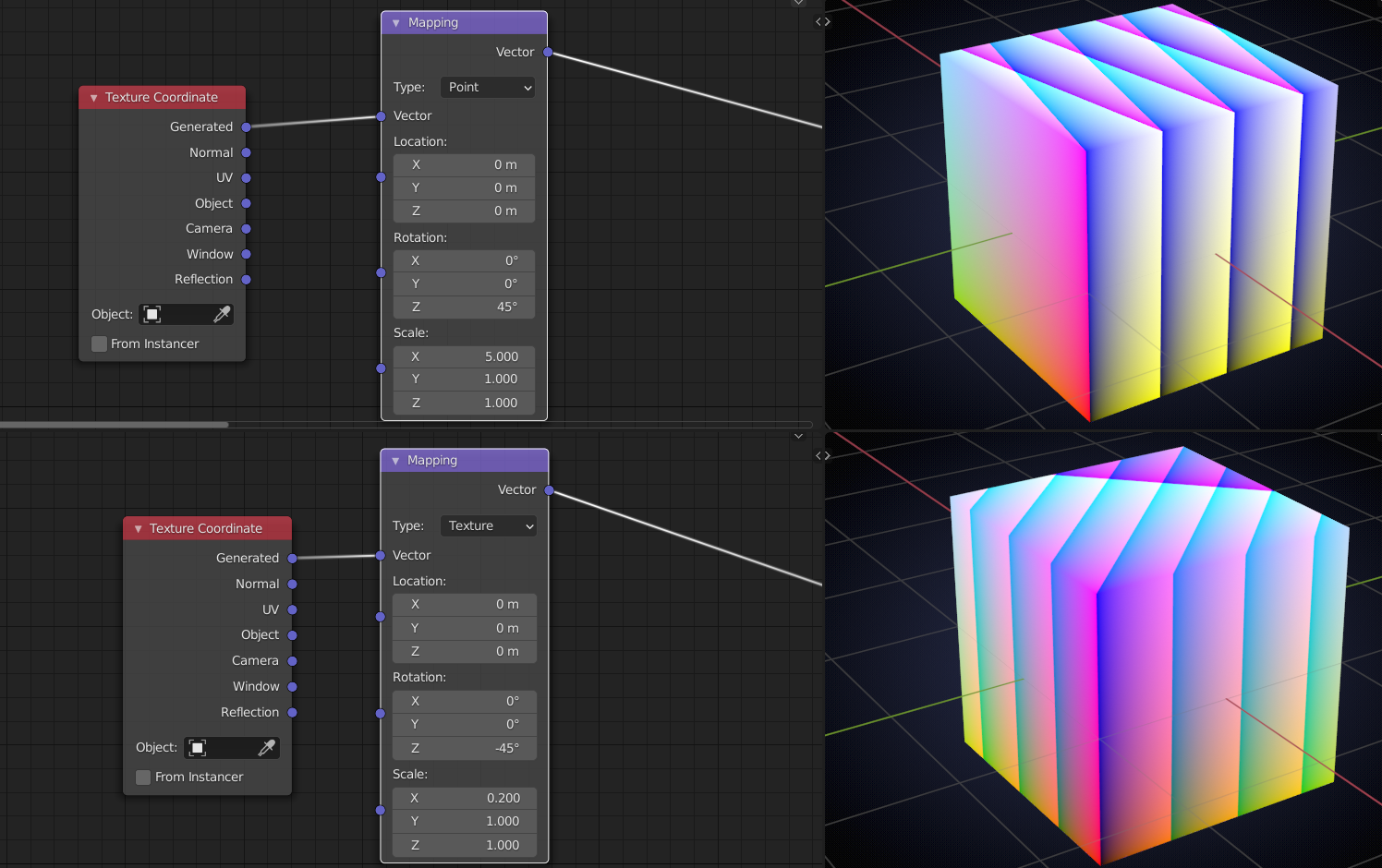
Point has scaled first along the Cube’s X-axis and then rotated. Texture has first rotated and then scaled along the rotated X-axis.
Again, seen from the top:

A slightly different setup to show the different X- axes when changing the Location:
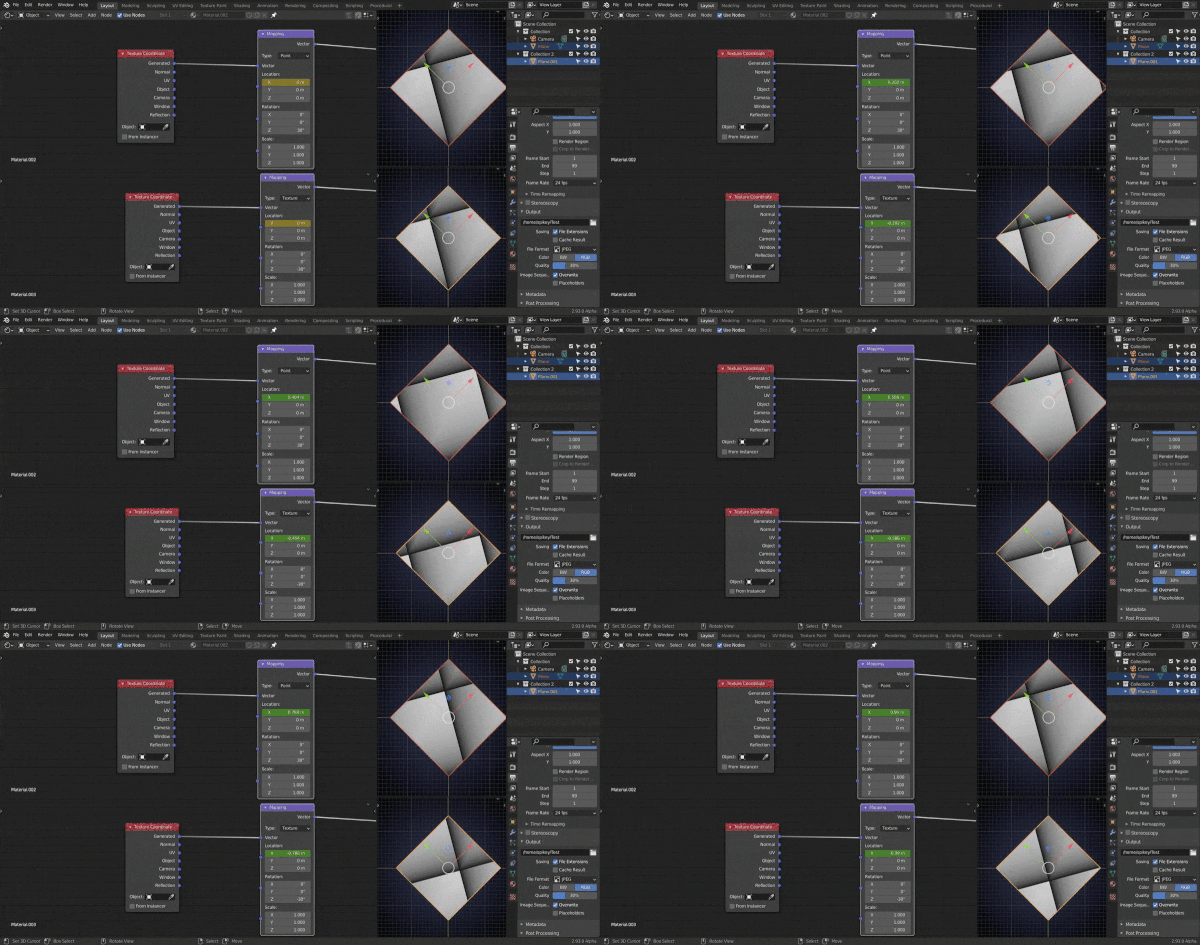
When set to Vector, that is the same as Point, but without the (ability to change the) Location.
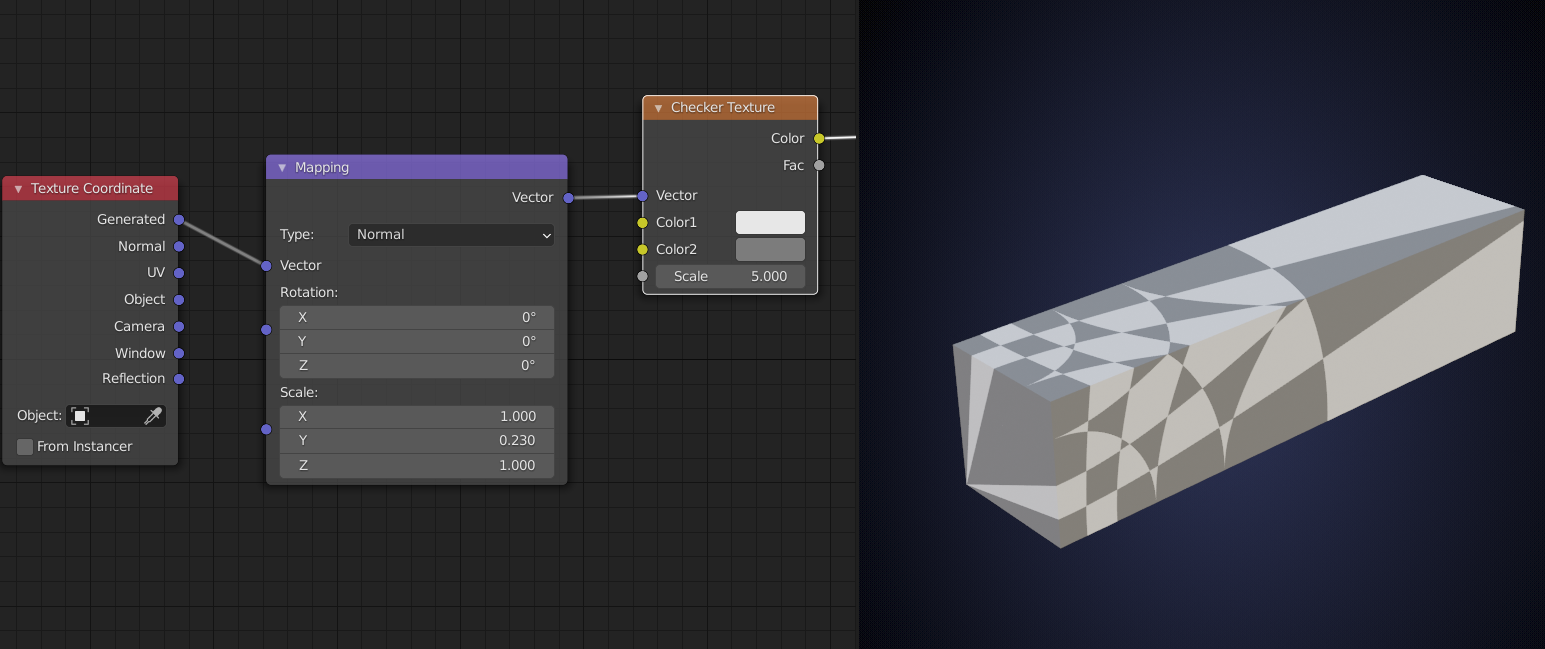
Normal is the same as Vector with inverted Scaling and then the result is normalized (divided by it’s length when not zero and left (0, 0, 0), at the Origin (where the length is zero)):
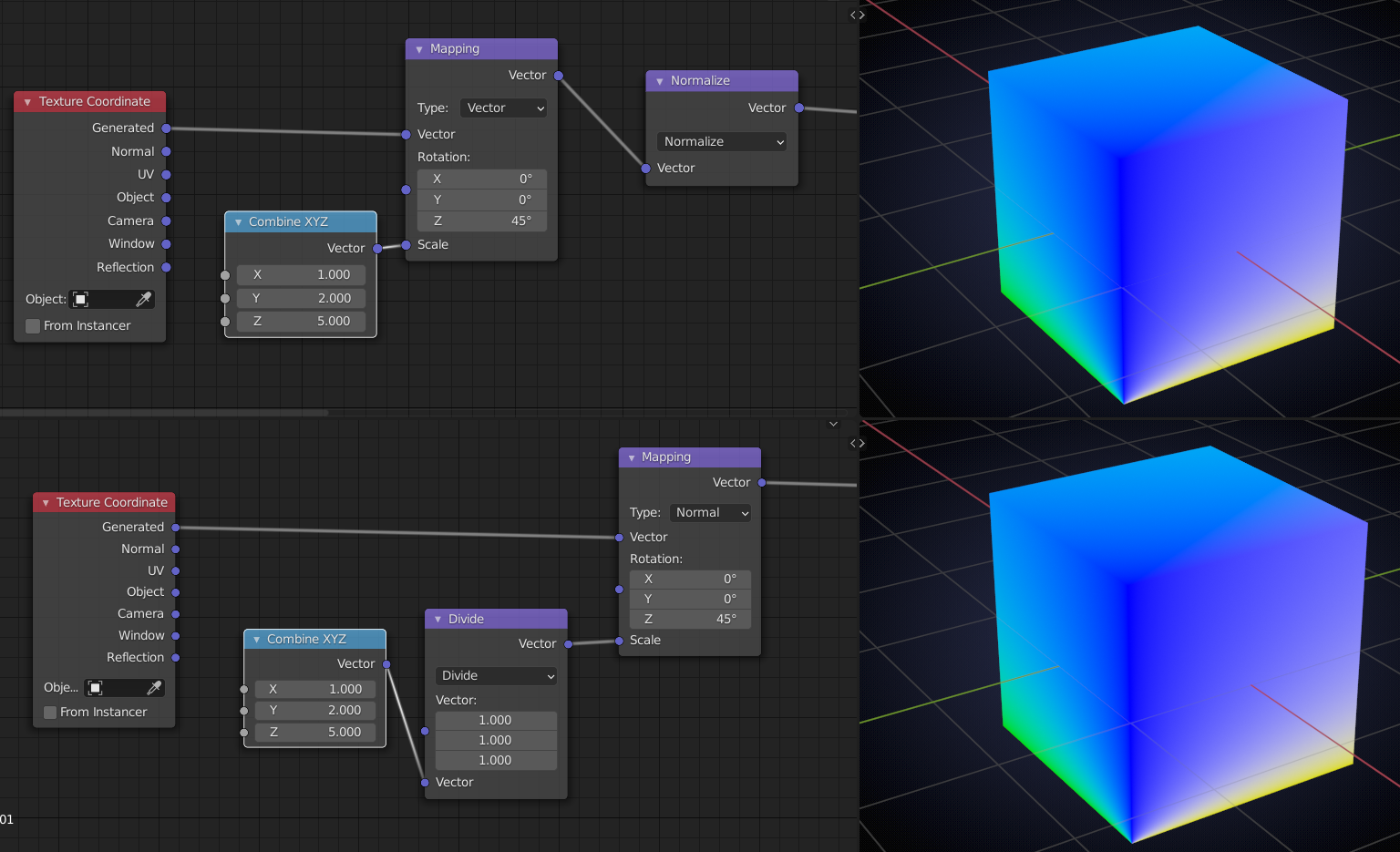
Because the resulting Vectors are normalized, scaling uniformly has no effect:
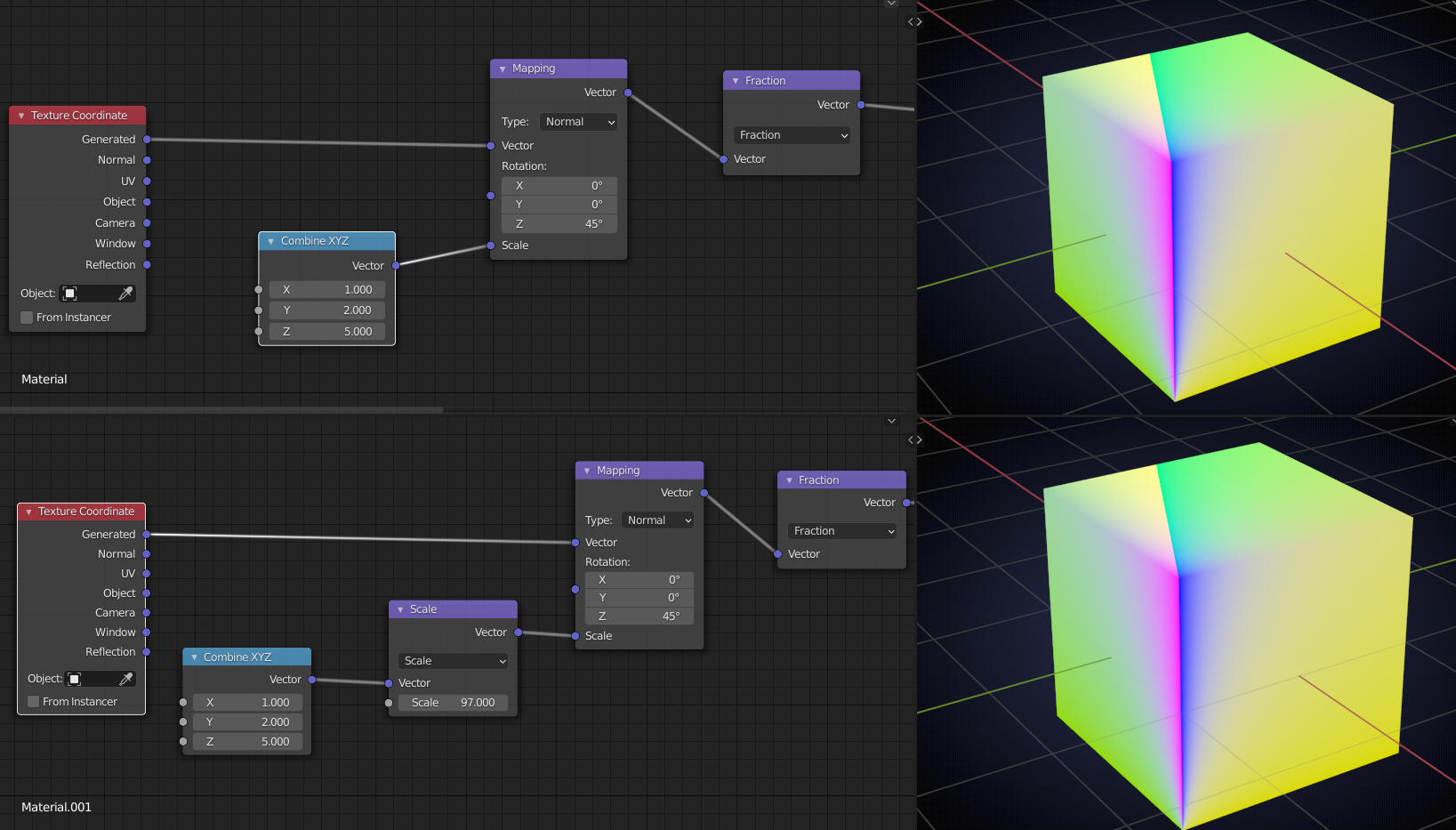
When to use these? Maybe to create cool effects like:
I don’t know. The Manual says:
For this vector type, the node performs the inverse transpose of the transformation and normalize the result.
Such transformation ensures correct normals after non-uniform scaling.
So this type should be used when transforming normals.
I do not know what they mean by ‘transforming normals’ 😢
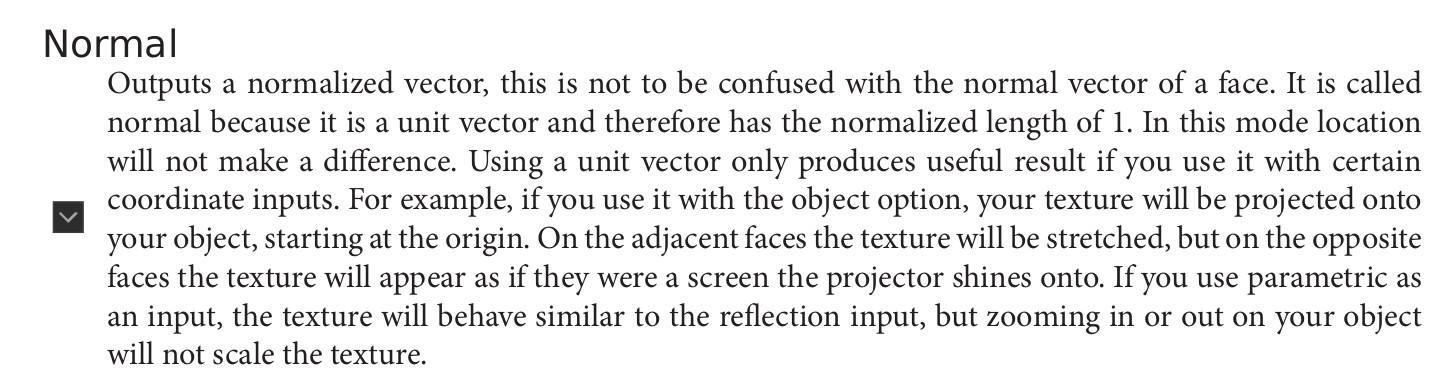
The Cycles Encyclopedia says:
(Btw. did you get the 2.83 version yet?)
So far I have not seen anyone use Vector or Normal yet.
I’ll have to re-watch @jlampel ‘s Shading fundamentals. As far as I can tell (but I haven’t finished it yet…) he doesn’t cover them in his new Texturing course.