
Reply To: {SOLVED} Particle Hair appear black in Cycles Render
Forum Archive › {SOLVED} Particle Hair appear black in Cycles Render › Reply To: {SOLVED} Particle Hair appear black in Cycles Render

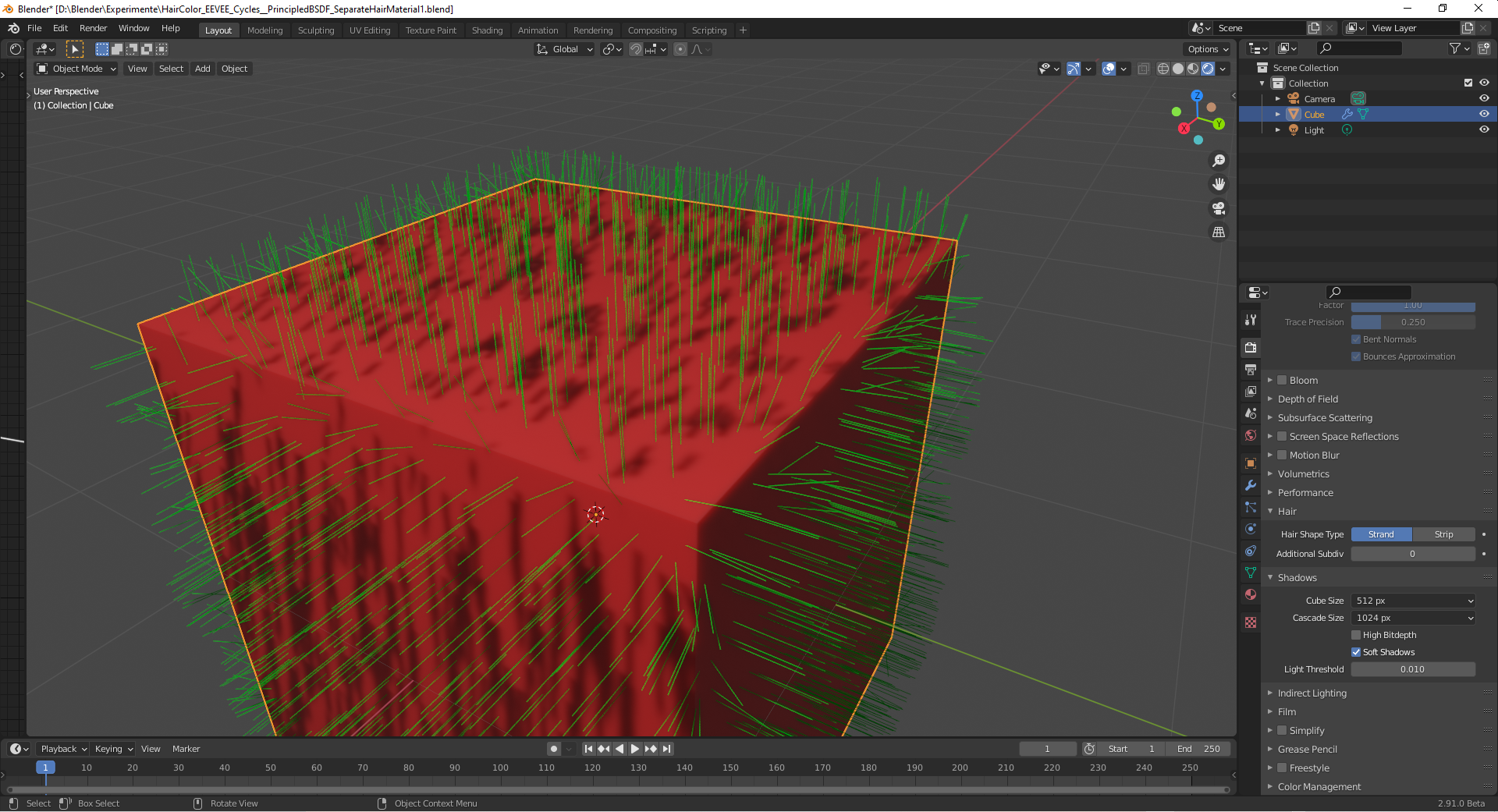
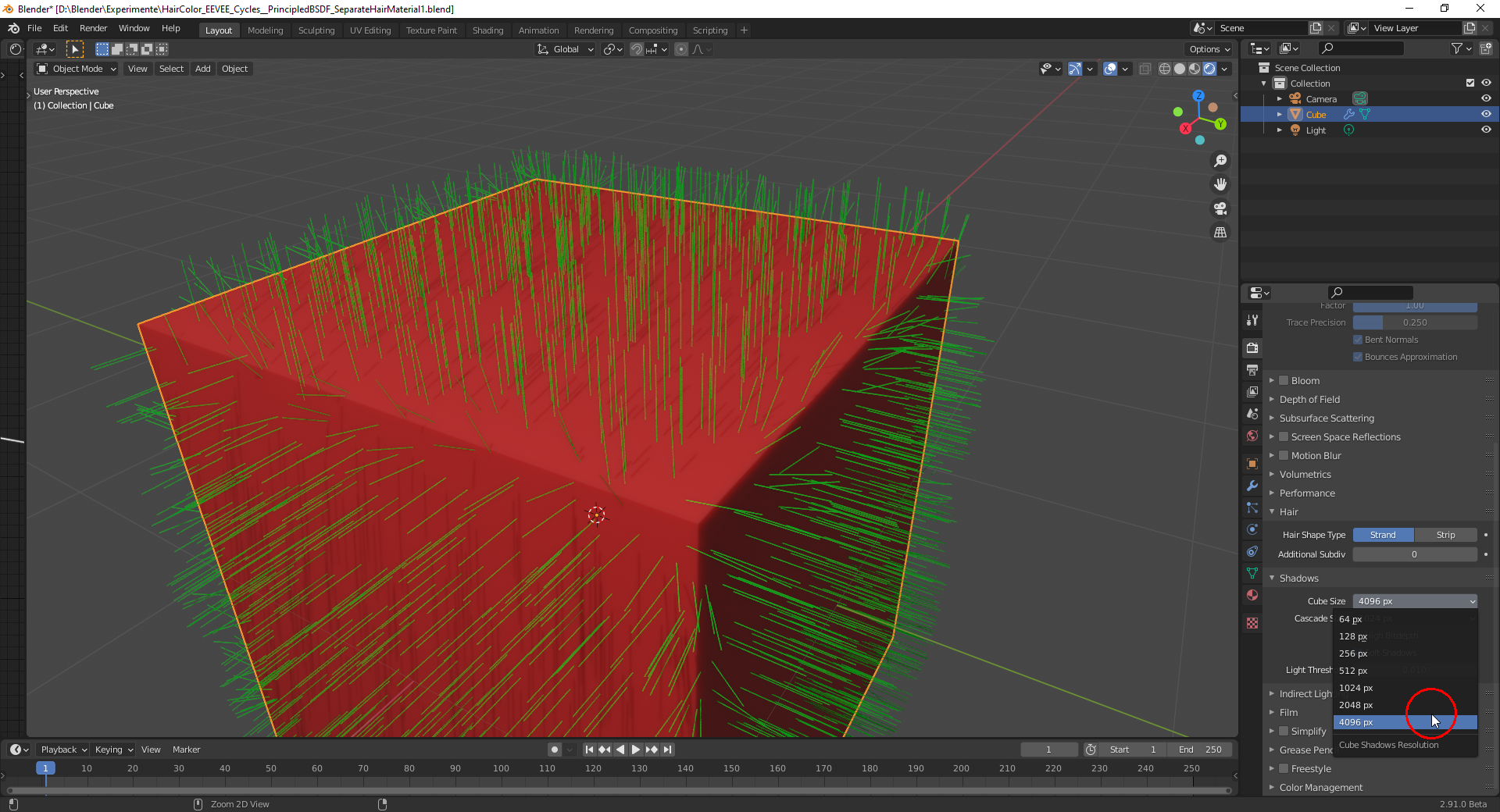
If you render the hairs with EEVEE it also helps to adjust the “Cube map size so that the shadows of the individual hairs are much thinner:
Cube Map Size 512 Pixels:
Cube Map Size 4096 Pixels:
Some maybe useful hair and fur tutorials and one breakdown with Blender 2.8:
(Note: Some turorials don’t have the best sound or a nerving background music, but I think it’s the information that counts. I haven’t seen them all but as far as I have seen them, they could maybe help with the creation of hair and fur in Blender 2.8 and 2.9)
Skin Texturing And Hair Grooming Tutorial Series
https://www.youtube.com/watch?v=qA59GdGdVtw&list=PLEsrV69Gx1KJ1XlU2ydiiC8L9SW9ADWBP
Blender 2.8 Hair Beginner Tutorial
https://www.youtube.com/watch?v=Oq0q8AmTnDU
Blender 2.8 Eevee – hair shading tutorial
https://www.youtube.com/watch?v=wiYk0I3_xss
Blender Detective Pikachu Tutorial Part 2: Fur
https://www.youtube.com/watch?v=Sl-eoGuhpvE
Blender 2.8 Hair Tutorial
https://www.youtube.com/watch?v=0m7uCkUhrZo
Tiger – Breakdown – Blender 2.8 Eevee development test
https://www.youtube.com/watch?v=CSc_aH25cUY
For using the “Principled Hair BSDF” in Blender 2.8, I can recommend @jlampel ‘s tutorial:
https://cgcookie.com/tutorial/using-the-principled-hair-bsdf-in-blender-2-8
And a tutorial by Danny Mac 3D
How to CONTROL HAIR in BLENDER 2.8 – 2 Minute Tutorial
https://www.youtube.com/watch?v=vu6MQC6qdRY