
Reply To: Rendering – a lack of clarity
Forum Archive › Rendering – a lack of clarity › Reply To: Rendering – a lack of clarity

Yes you are corrrect , basically you render out an animation as individual .Png frames, this way if your computer crashes , it is easy to begin rendering where you left off. It also means you can render out parts of animations if you make changes or just want to do a bit of rendering at a time. You can then use Blenders VSE (video sequence editor) to merge all of your frames together into a video file.
As for compositing and render layers, if you have it set up correctly in the compositor node editor, then the Blender will render out each frame, composite it and save it in a sequence in your chosen folder 🙂
I first learnt about the basics of this whole process during the animation bootcamp from Wayne Dixon . If you watch this video , it will give you a good insight into what you need to do :
https://cgcookie.com/lesson/stomp-walk-cycle-multi-angle-render
Watch the whole vidoe, its only 6 mins long.
As for a node setup for compositing, here is how I render out a walk cycle which then gets run through the compositor to sharpen and brighten it, and then save it as the filename chosen in the folder highlighted in the file output node :
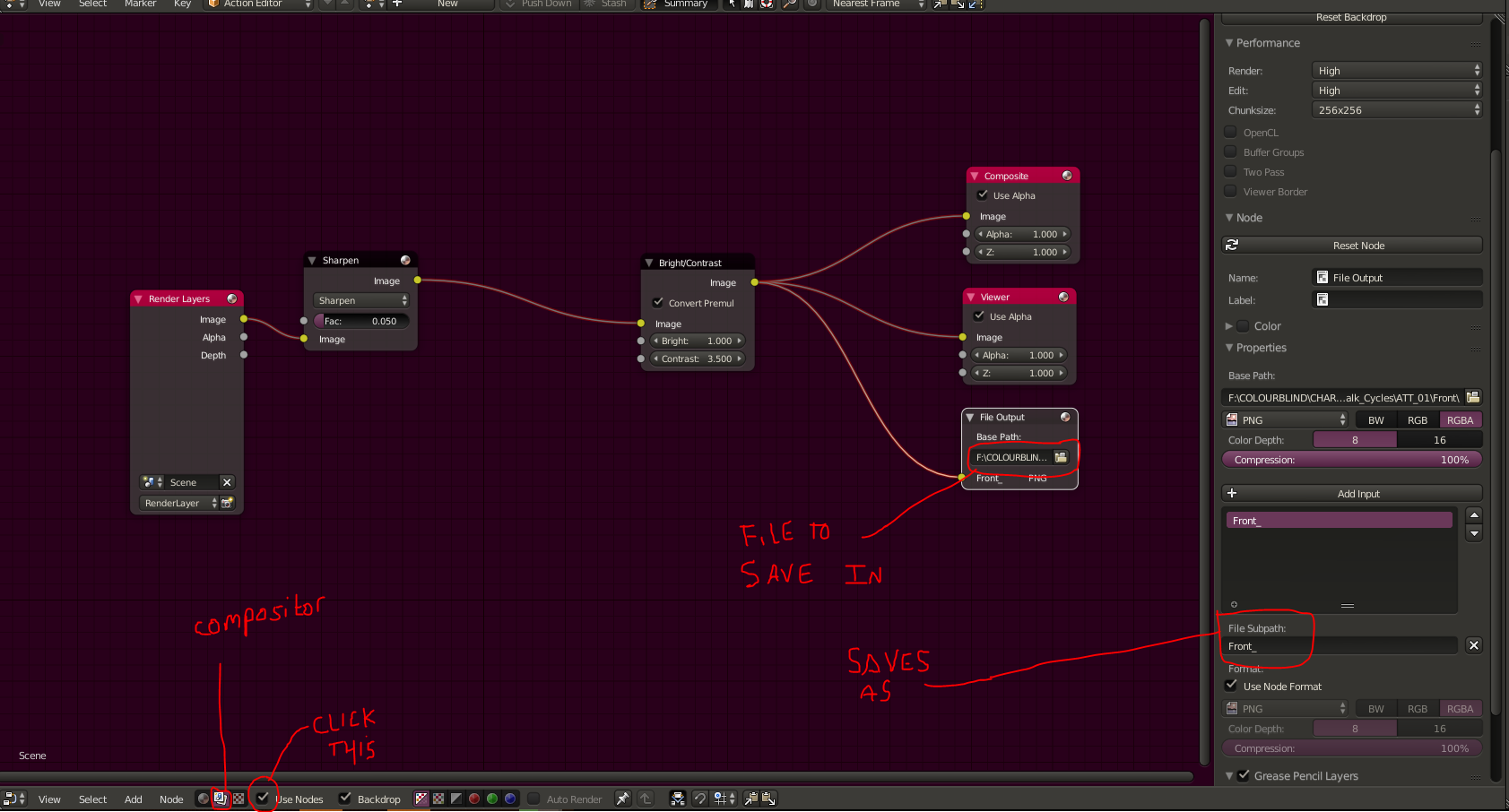
Right click – open in new tab to view full size.
So basically above , the file subpath (highlighted) will mean each frame saves as Front_(frame number) , so frame 1 would be saved as Front_01 , and then 2 would be Front_02 and so on. Once you have a sequence of images like this, you can add them into the VSE and convert them into a video file. The VSE also allows you to add effects, multiple shots etc.
Hope this helps 🙂