Hello Paul Caggegi,
I really appreciate you taking the time out to help me. Judging by the example you sent me, I think that I am doing it correctly. Like you demonstrated– I started with a cylinder, went to my “Add Tool” and select the “Add Cone”, placed my curser over the area of the cylinder I wanted to “Snap” it to, left clicked and dragged it diagonally from the corner point while holding “Shift” and “ALT to scale the cone, uniformly, and from the center. I then left clicked to commit, and moved my mouse “outward” to heighten the cone. My result is as follows– 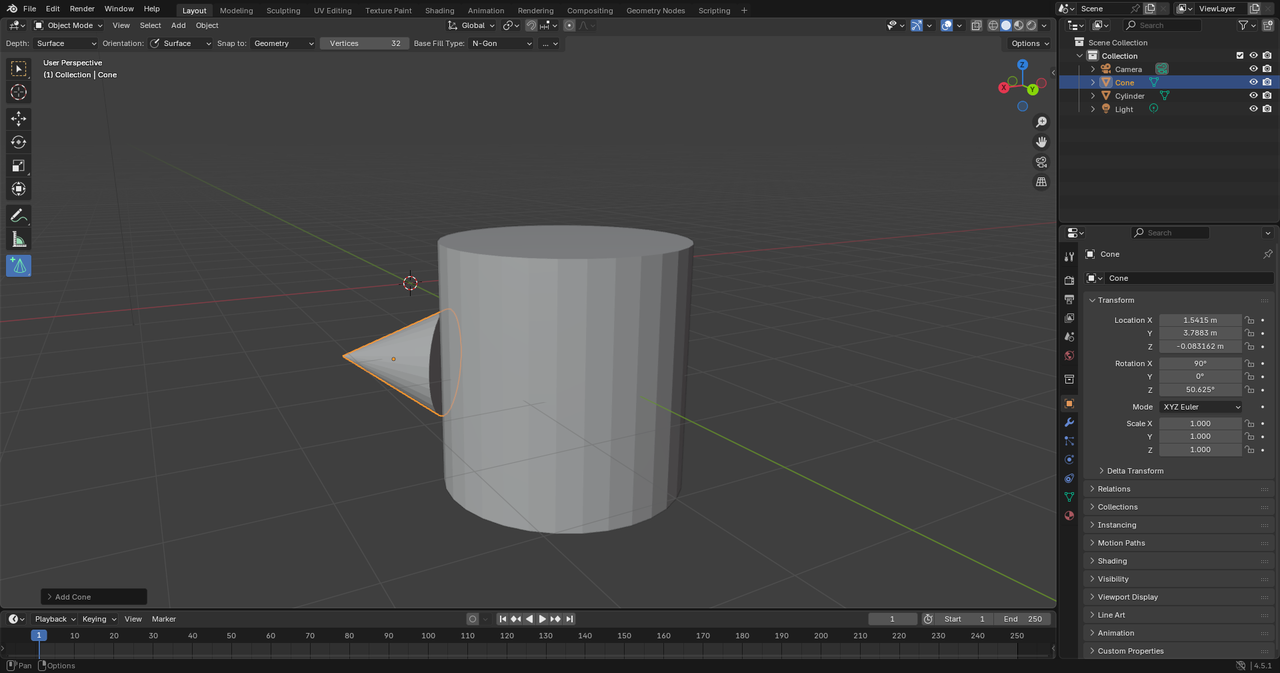 I mistakenly thought that the “snap” function meant that the cone should contour, and attach, itself to the cylinder– That they would become, one, solid object. I guess I was mistaken. What do you think? Did I do this right? Please let me know when you can. Thanks again for the help!

