@smurfmier1985 Miranda said it best. Although I am fond of the ‘Screen’ type of Cavity detection.
@williamatics It’s all found in the Viewport Shading Menu in the Header. The cavity feature is by far one of my favorite little nuggets in blender 2.8. I like it so much I wish it was native to the Eevee shader. You can also adjust the exterior edge and internal edge width settings using a slider bar (say you want more pronounced outer edges but less pronounced inner edges).
One cool thing is that you can technically render in the Workbench (LookDev) mode and send out quick renders with that enabled.
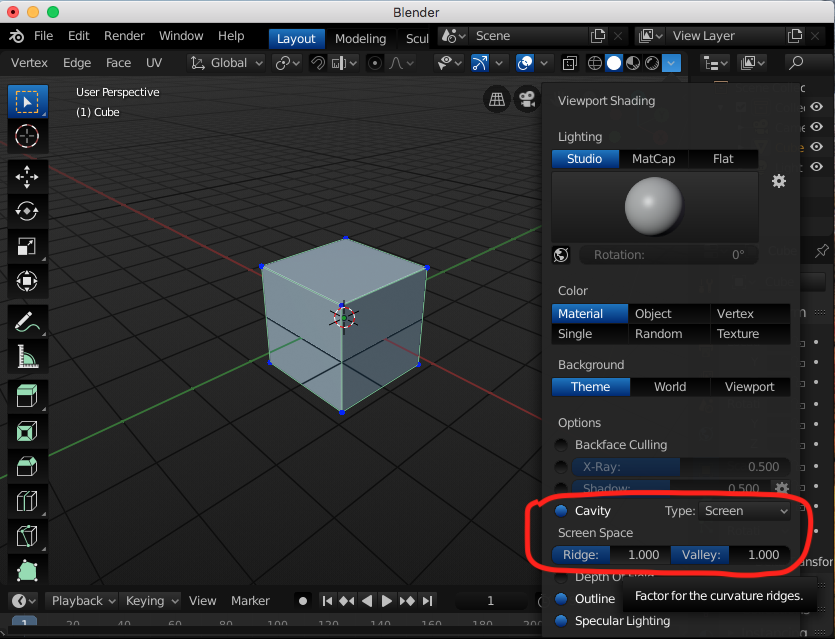
One question I have is: What do Specular Lighting and Depth of Field exactly do? I have toggled them various times and I don’t seem to see anything different.

