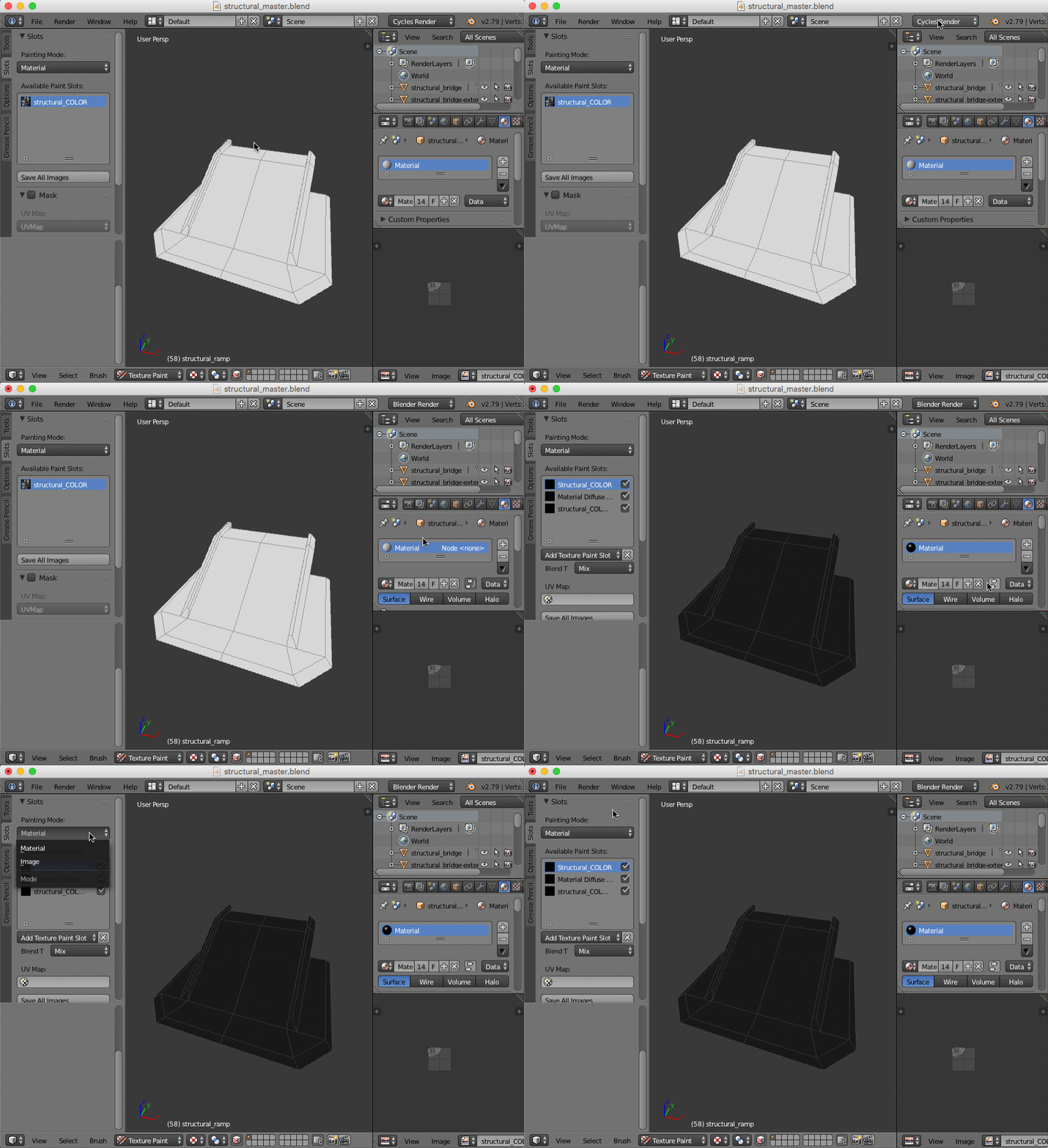
I see what’s happening now – thanks for the .blend file! Here’s the steps:
- Change from “Cycles” to “Blender Render”
- Disable the “node” option on your material
- Texture slots UI should be visible at this point. If not, make sure you have “Material” mode selected in that UI rather than “texture”