Hi @AgainstTheFlow ,
To your first questiion: you can, when making the Loop Cuts, set the Factor to (+/-) 0.5 (top left corner of your 3D Viewport,, when your still in Slide Mode, or in the Adjust Last Operation Panel, when you’ve already confirmed twice):
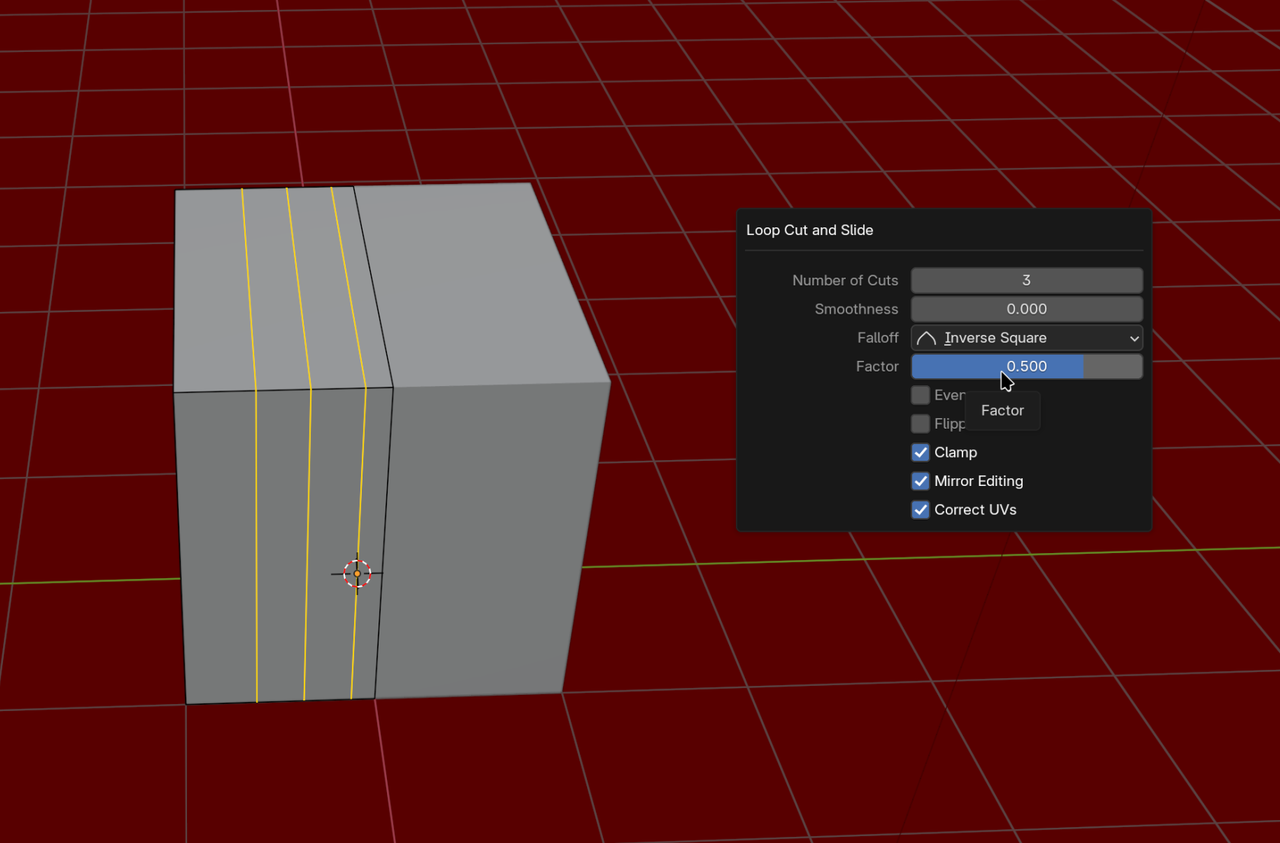
Then Bevel and Extrude to get this:
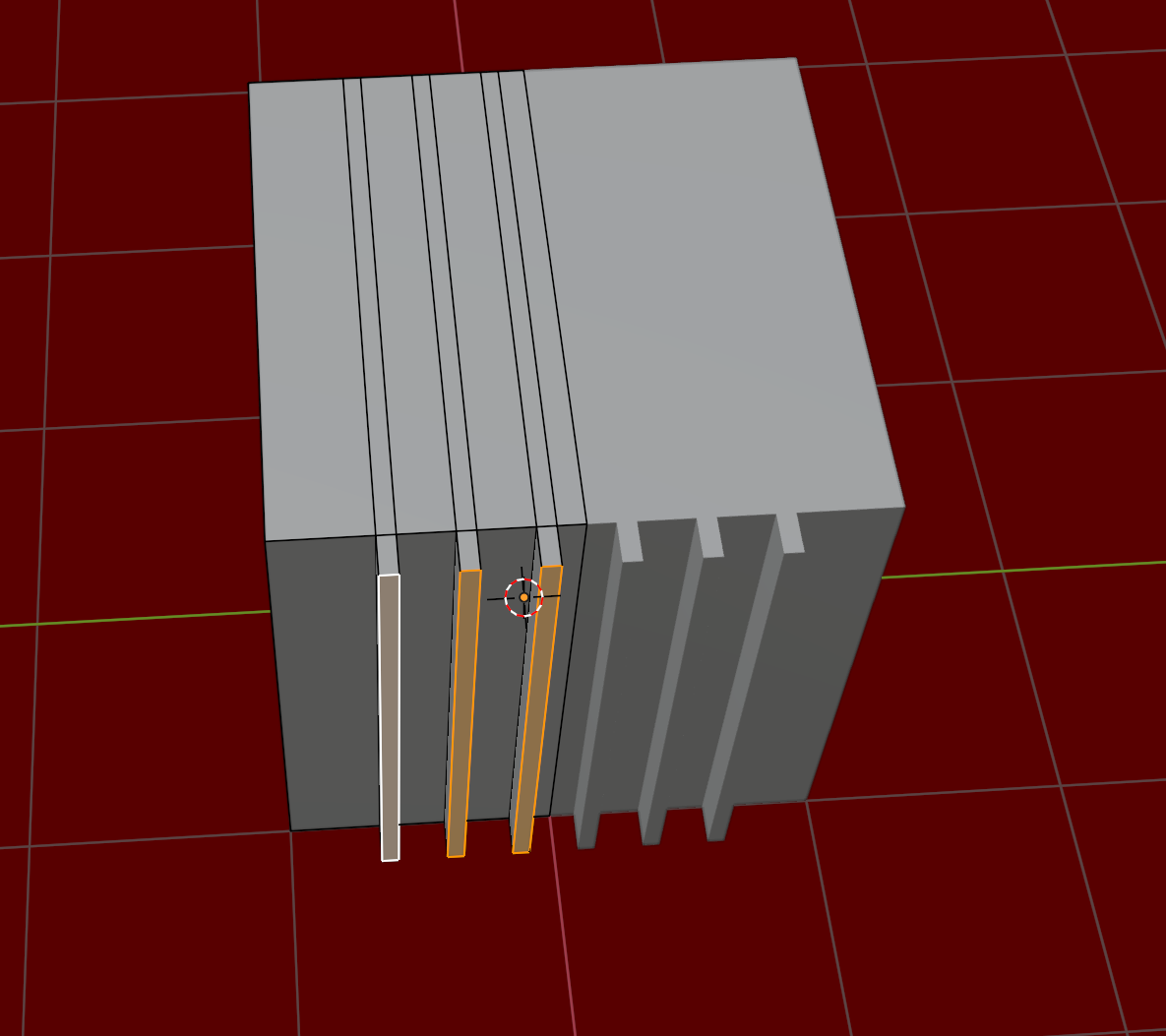
Another way, would be to Apply the Mirror Modifier (make sure it’s the first of your Modifier stack), then make those ‘ridges’ and then Add a new Mirror Modifer again.
Depending on the exact situation, you might need to Move the Edges by hand.
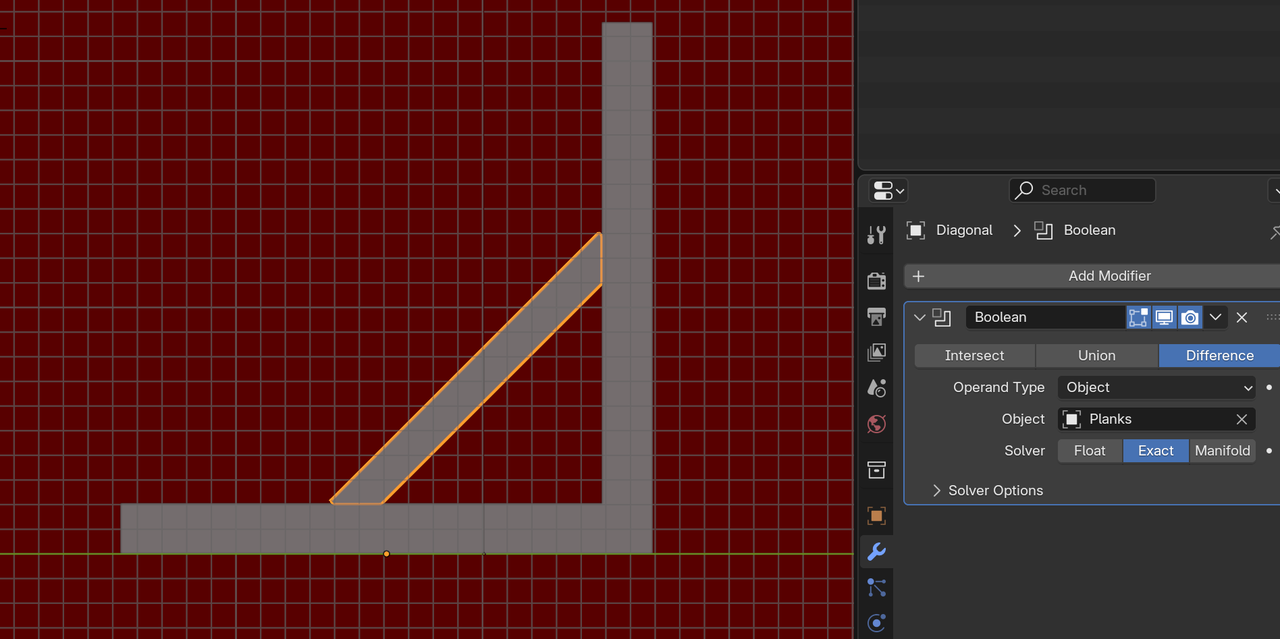
As for the second question, there are many ways, but the easiest might be to simply use a Boolean: