The link works now 🙂
You are baking the Emit Pass, but there is no Emission Shader in your Node Tree. You need to plug the Displacement (in this case the Math Node) into an Emission Shader (or Viewer Node). You can disconnect the Principled Shader and the Displacement (from the Displacement socket in the Output Node) like this:
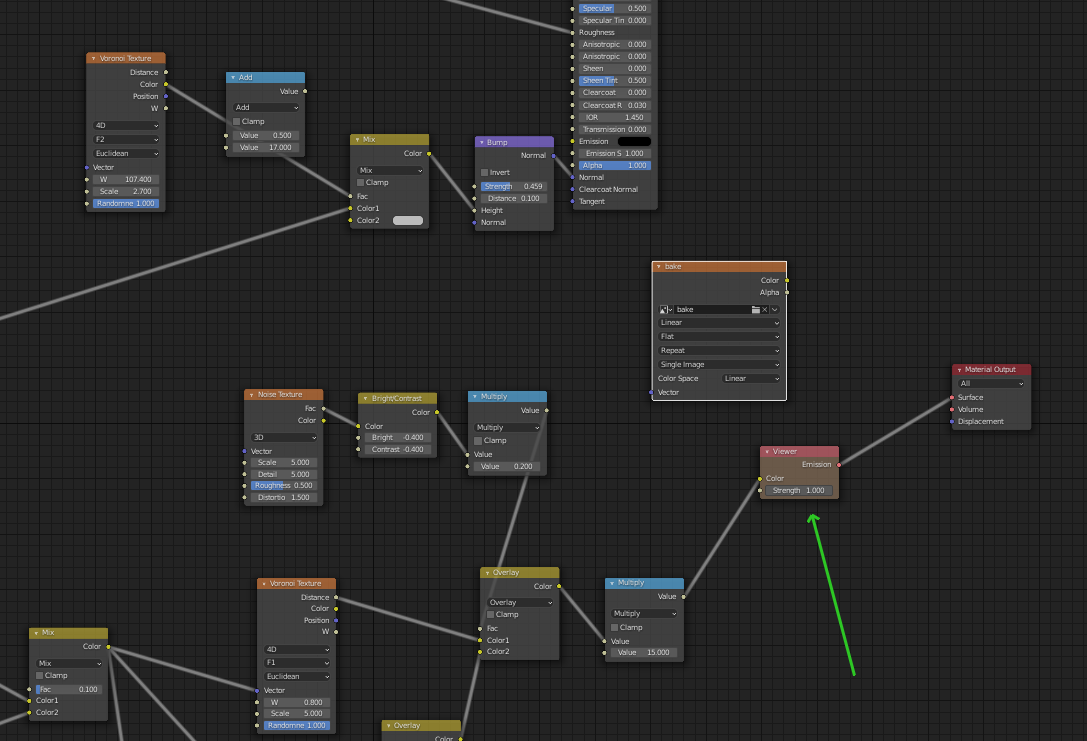
Make sure the Image Texture Node where you want to bake to is selected and press Bake.
(In the video Kent mentioned this at 3:45)
I’ve tested it on a 32 bit 4K map (because my computer couldn’t handle the 8K image) to make sure that you didn’t make any other mistakes and it seemed to work all right.

