Hi Leonardo, this is a special Forum and there are no silly questions here 😉 You can ask anything.
So, what does the intersection looks like? Here are 6 spheres. For easier ‘cutting’ I placed 5 of them in their own Collection.
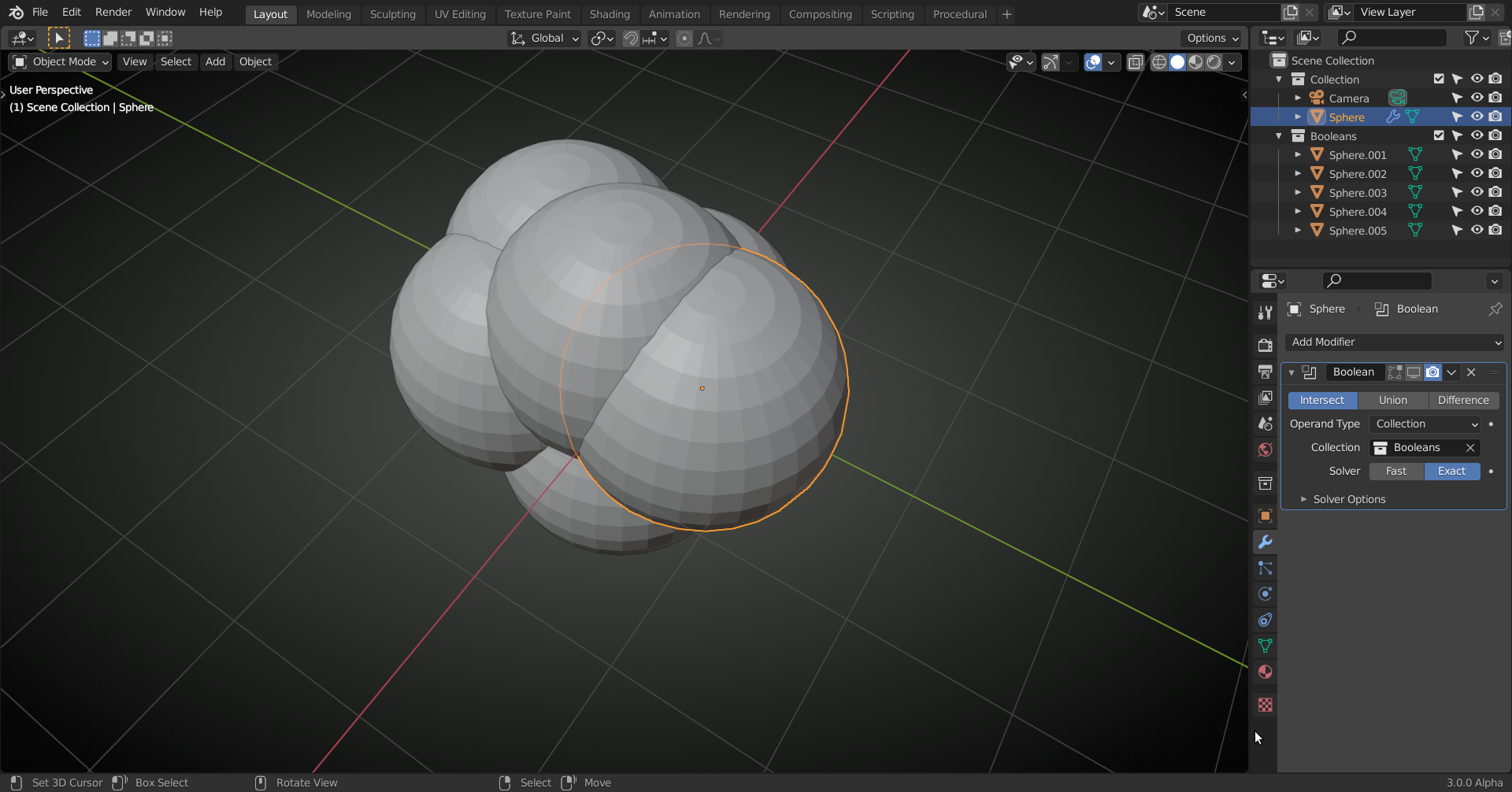
Now, when I enable the so-called Boolean Modifier (I have it set to Intersect!) in the Viewport and ‘hide’ the Collection with the other spheres I get:
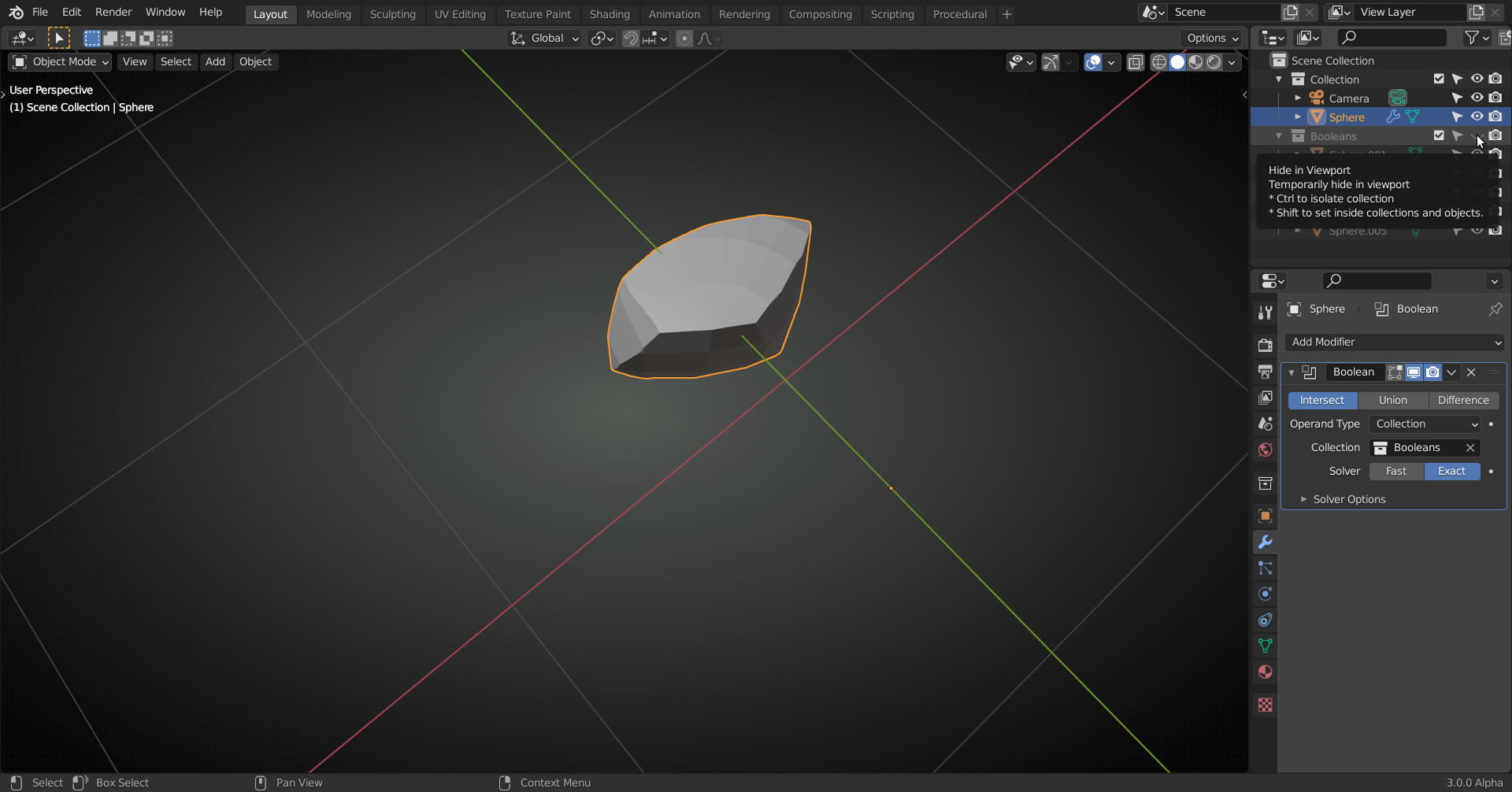 This can just as easily be done with 13 spheres. You can use UV- Spheres, Icospheres or ’rounded Cubes’ for that. It doesn’t matter for the Boolean. Try it and compare the results.
This also answers you fourth question; you don’t need to. Blender does that for you.
As you are a beginner, you might still have some questions left, there are quite a few things going on that I take for granted, but might be unclear to you, so feel free to ask more.

