You can change the scaler amount in the preferences,
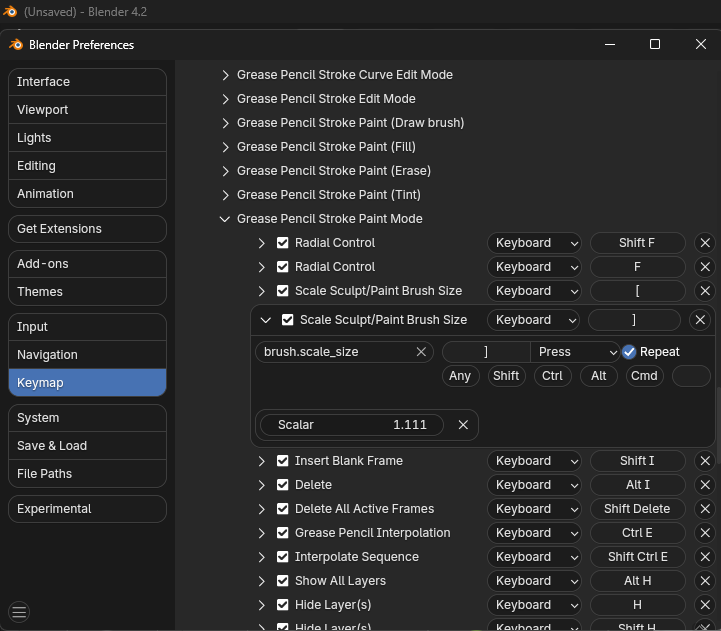
But this won’t help, as Martin said [ and ] scale the brush size. So a value of 2 will multiply the size by 2…
1, 2, 4, 8, 16, etc., etc..
You could swap the radial control (Shift F and F) hotkeys with the scale size ( [ and ] ) hotkeys, if you prefer to use those.

