Hi Martin,
Thank you for your response. I haven’t learned how to use geometry nodes yet, but I can see that your demo is very useful. I will keep learning to understand how to use them.
I hope this sketch helps explain what I’m trying to achieve. I’m looking for a way to replace all “light meshes” with a “light collection” (mesh + light).
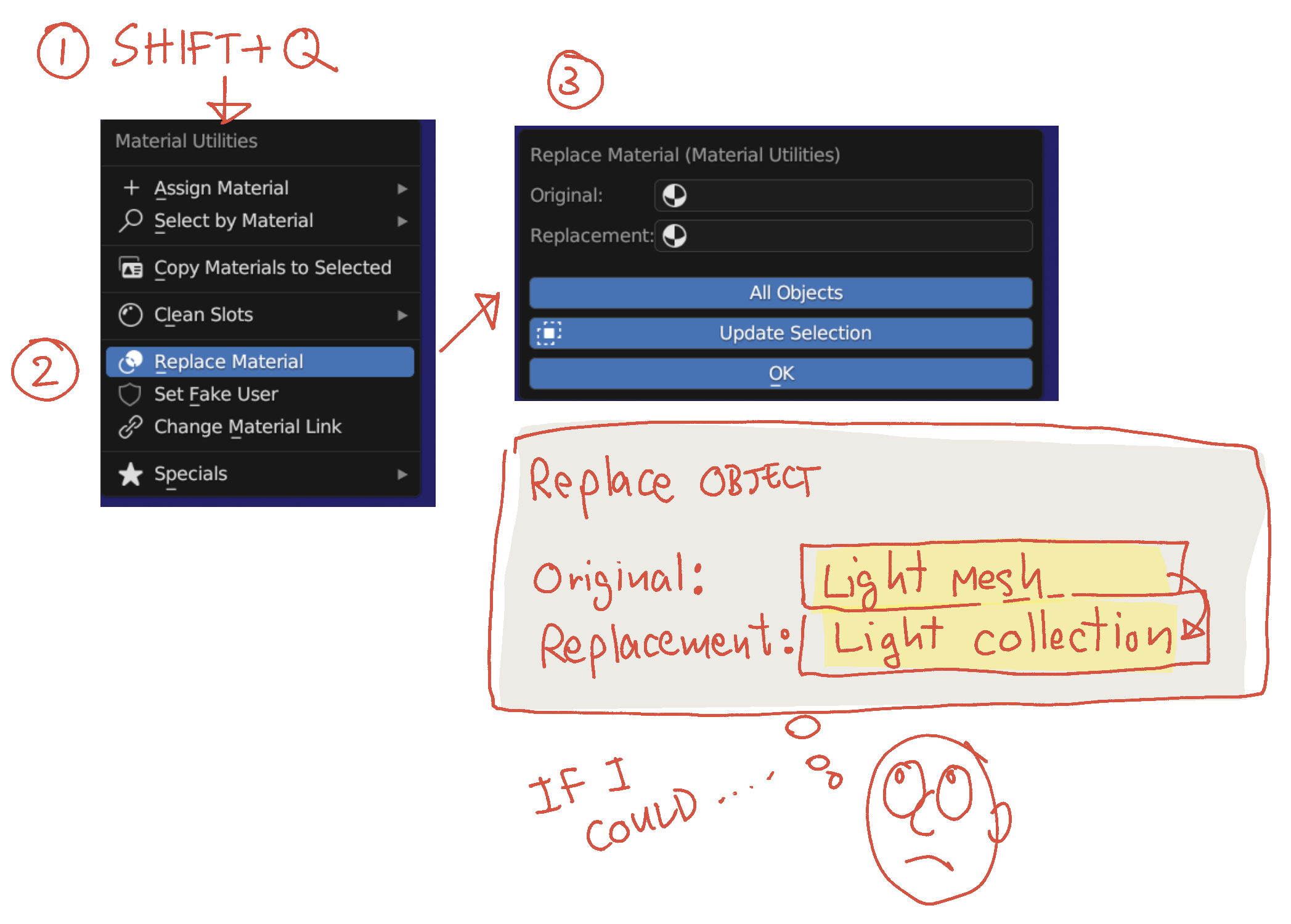
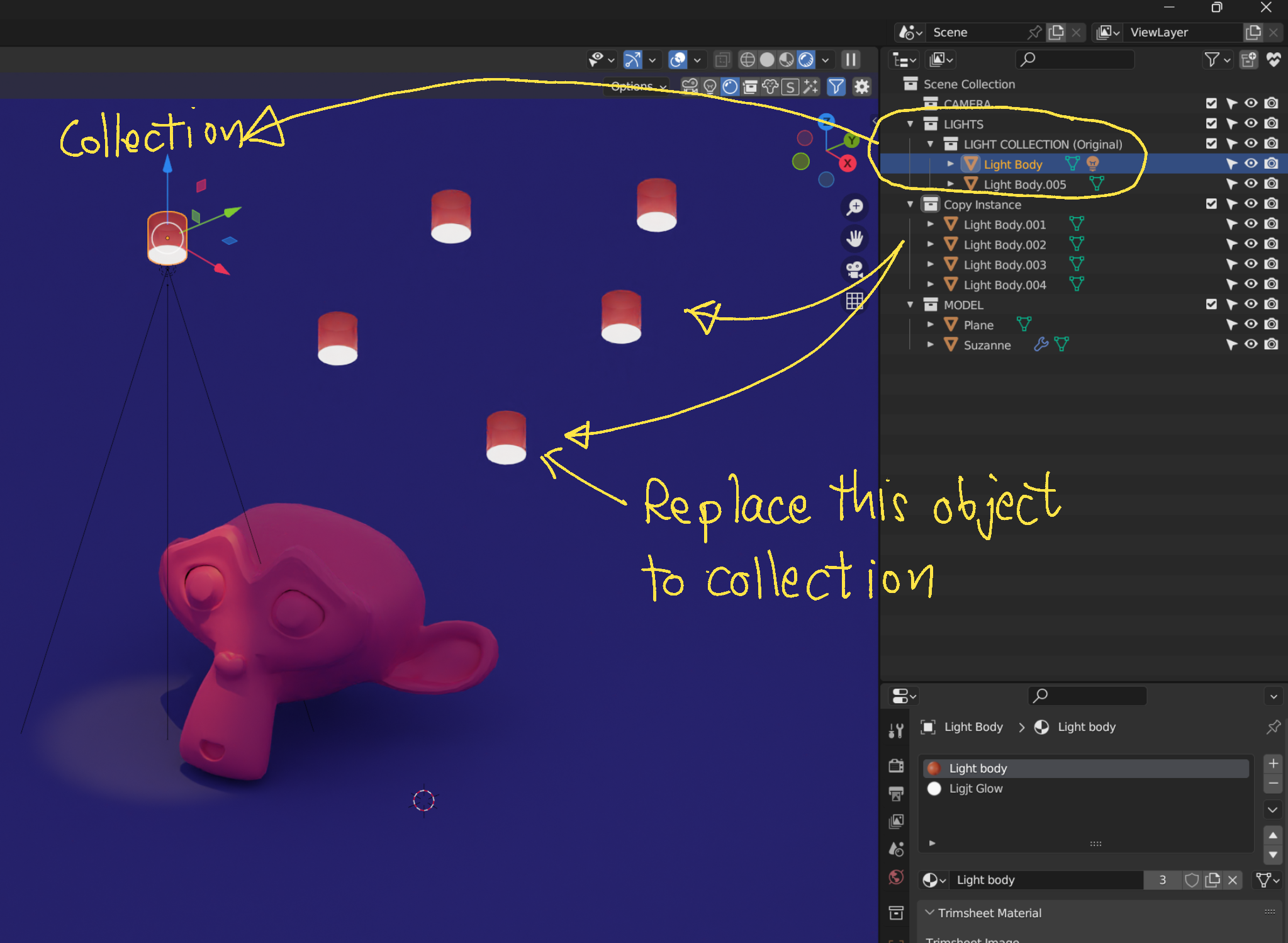
Currently, I manually copy the light to every light mesh location. If I could create an original collection (light + mesh) and have Blender replace all similar meshes in the scene, it would automatically distribute the lights without much effort.
This is similar to how I change materials in the whole scene using “Shift+Q” to replace them all at once. If I could apply the same concept to meshes, it would be perfect.
Thanks again!

