@williamatics Here’s a way to solve your issue using particles system, or rather hair particles system:
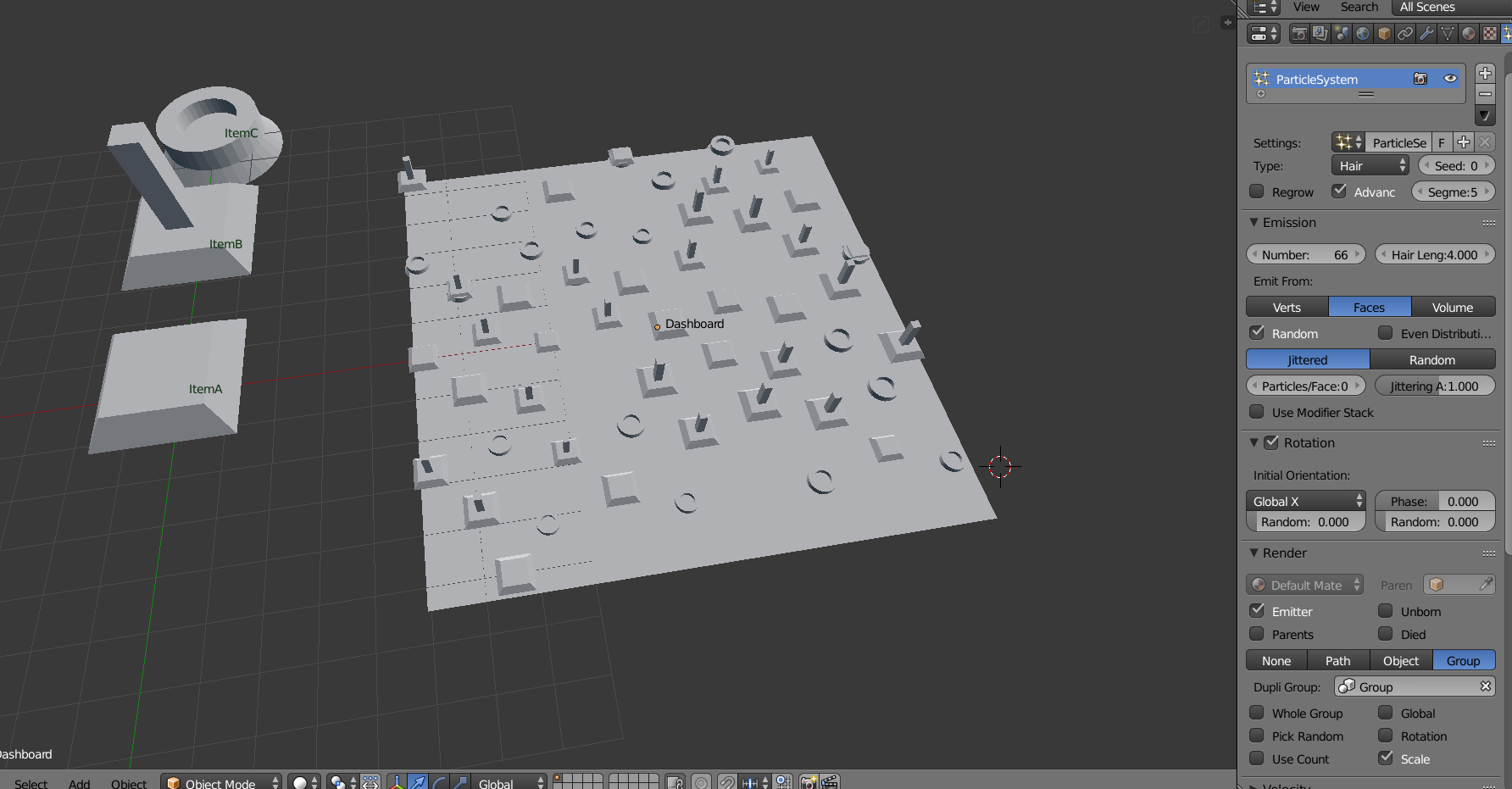
You first have to model some buttons,switch, gauge and so on (namely ItemA,B and C on the image above) and create a Group (ctrl+G) in which they all belong. Then on your dashboard (here I used a plane that I subdivided with W so I can get mort verts) you create a Hair particle system. Don’t forget to activate “Advanced” so you get access to the rotation sub-menu. Use the Group render mode and adjust the rotation as needed (in my case, Global X, depends on your object orientation).
You will then have to play with the emission setup to get a result you like: the difficulty is not to get a dashboard that looks too random, as if someone just threw stuff on it. Good luck!
Edit: i read too quick! You want to avoid particles, my bad. If you have your assets ready, simply duplicate them (shift D or Alt-D for instancing) and use the Ctrl button to snap them. You need to activate the “Align Rotation” as well.

