@thecabbagedetective
For the distortion you mention, the part that is encircled in yellow is quite usual when you have a sharp feature, it’s the purpose of such sharp edges: catching light. The red part is indeed a little bit unusual.
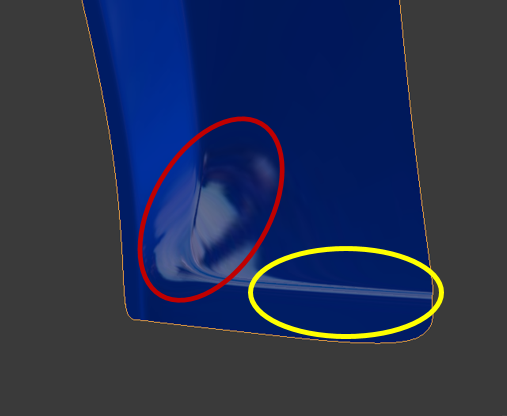 As William says, having more circular loops should help having more flow on your mesh, and could improve a bit the red area. Also, looking at your mesh, are the red 4 vertices in the same plane ?
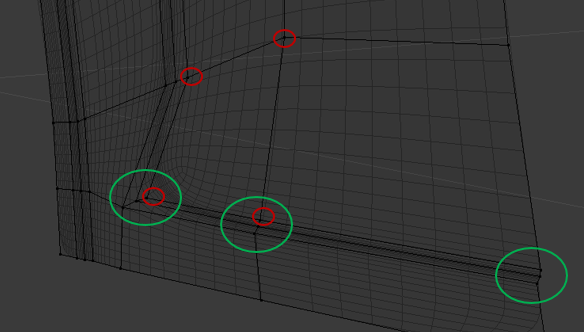
I would aslo look at the distance along the Y-axis for the sets of vertices in the green groups: you have a very dense mesh in a short distance, it can sometime lead to distortion.
Finally, try also with different shiny matcaps, some have low resolution and can be misleading. It can also be due to the orientation of your object: try to rotate it (double R can useful!) to see how the light behave on this area.
Hope that helps!

