
Reply To: [ENDED] BC1-1801 – January Class Homepage – Getting Started with 3D Modeling & Blender
Forum Archive › [ENDED] BC1-1801 – January Class Homepage – Getting Started with 3D Modeling & Blender › Reply To: [ENDED] BC1-1801 – January Class Homepage – Getting Started with 3D Modeling & Blender

BC1-1801 Week 1 Homework Submission
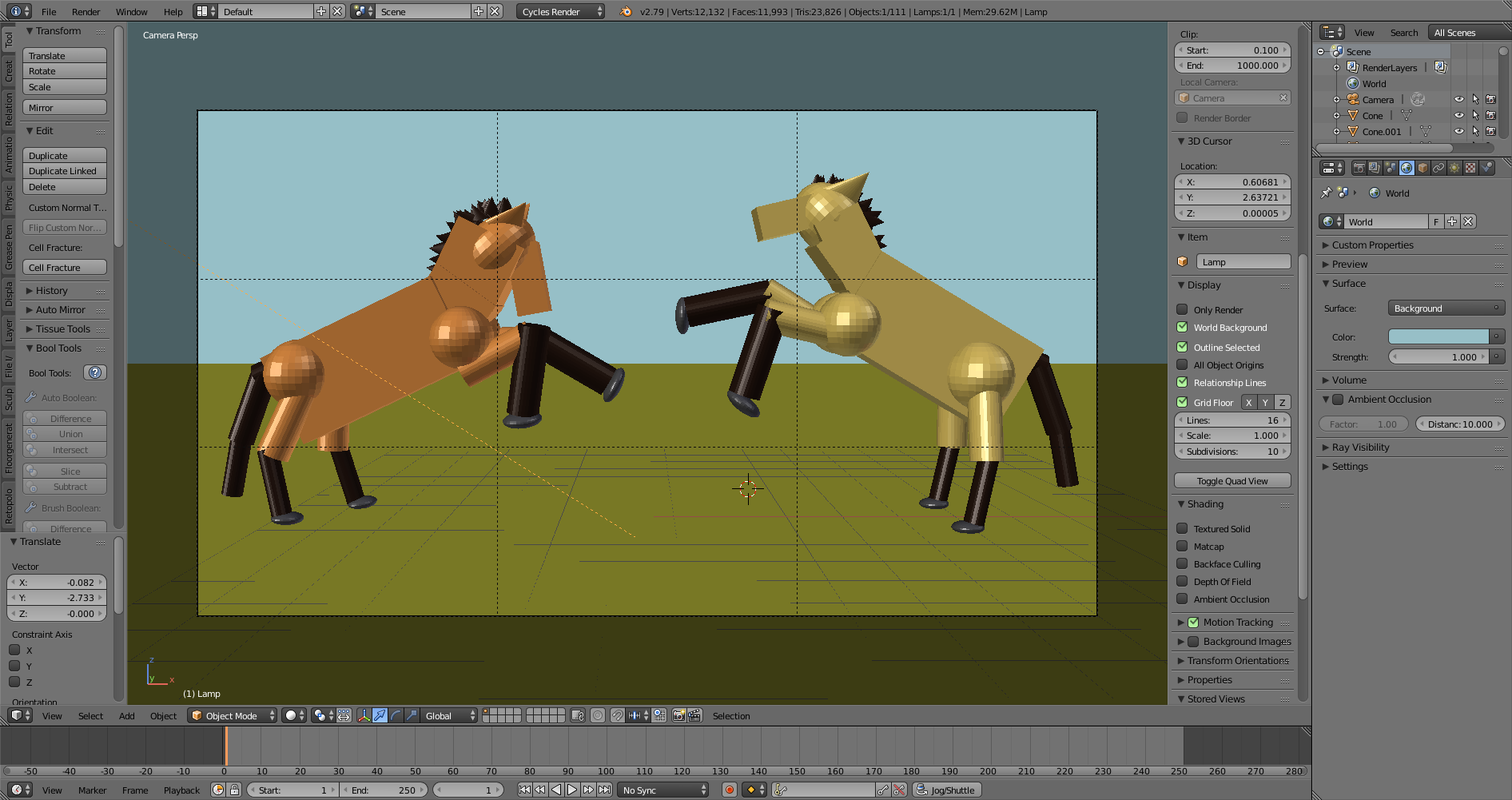
One of the things I really like about using primitives like this, as can be seen from several of these already, is how quickly you can test an idea for a scene… Particularly once you get into edit mode and can tweak the primatives here and there just a bit to get closer to the right shape.
I did this one without going into edit mode, but just as an example, going into edit mode would allow you to change the different ends to different size to create a more tapered look for the neck, head, and legs. But, since this week’s was just about “navigating” the viewport, I kept it in object mode and, while proportions could be a lot better, I still think you get the idea of what this is supposed to be.
This (combined with the techniques for moving pixels from next week’s lessons) is how I created my knight and dragon test shot. Once I had the figures, I could play around with camera angles, limb angles, lighting, composition within the camera.. All before really starting work on the piece.
It’s also a great way to piece together a nice basemesh for sculpting that can sometimes be closer to what you want than using the Skin modifier… but I’m sure that’s a whole nother set of lessons 😀
As for why I would do this class though I’ve been using Blender for year? One, I wanted to see how the classes functioned, but more importantly, one thing I’ve learned is that achieving mastery at many things is really a matter of mastering the basics, and so every so often, I’ll go through a basic course just to see what I can pick up… as well as share my experiences with those who are new.
Also, I thought this particular exercise would be a good time to practice a more active pose 😀
Looking forward to seeing what others share!