
Reply To: [ENDED] BC1-1801 – January Class Homepage – Getting Started with 3D Modeling & Blender
Forum Archive › [ENDED] BC1-1801 – January Class Homepage – Getting Started with 3D Modeling & Blender › Reply To: [ENDED] BC1-1801 – January Class Homepage – Getting Started with 3D Modeling & Blender

BC1-1801 Week 2 Homework Submission (Part 1/3)
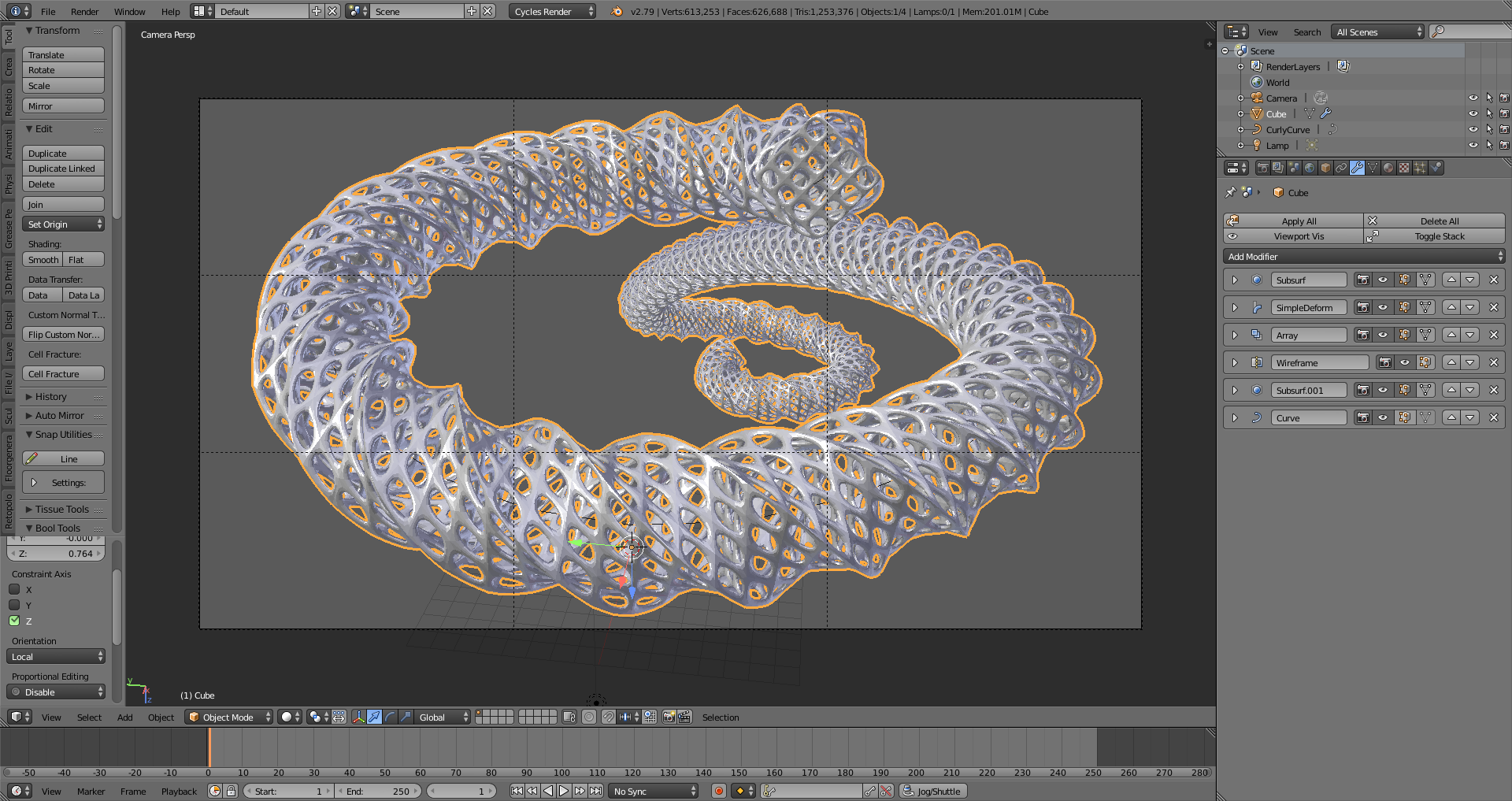
If you’ve never done an exercise like this, this is a fun one to do… If you look in the upper right in the outliner, you can see this scene only has 1 object added to the default scene — a Curly Curve. (I’ll get to that in a second.) Everything else is all modifiers. I share this one as a demonstration of just playing around and experimenting to get a feel for how these modifiers work. With a little coloring and texturing of the object and background, and you have an interesting abstract that could be used as a desktop background. Pieces like this are great ways to practice color theory, composition –all the technical aspects that are useful to understand when creating a scene — and in a way that is non-threatening because it started off as just a piece to play around with.
Best of all, these don’t have to take long at all. When I do one like this, from start to finish (except maybe rendering time) usually only takes me an hour, maybe two, to create, texture, compose, and prep for rendering.
Now, as for that CurlyCurve… Blender has a number of mesh and curve objects that aren’t turned on by default. In the User Preferences under Add Ons, in both the Add Curves and Add Mesh categories, there’s one that says “Extra Objects”. These have a number of useful meshes and curves with everything to bolts, to shapes, and more. In the most recent update to Blender, 2.79, one of the curves added is the Curly Curves, which is a collection of the curly flourishes used as decorations on a lot of things, such as mirrors, chairs, walls… These flourishes are found as decorative elements in so many places.
So feel free to experiment and explore! You never know what you’ll find that is useful or interesting — or that just might come in handy on a project down the road.
(The idea for doing something interesting came from Michael Pan, who, several years ago, did several of these in a month. He used particles and probably a few other tricks beyond the scope of a beginner class, but the idea here is to experiment with what you know to see what you can do. To see some of his, check out http://mikepan.com/cubes.html )