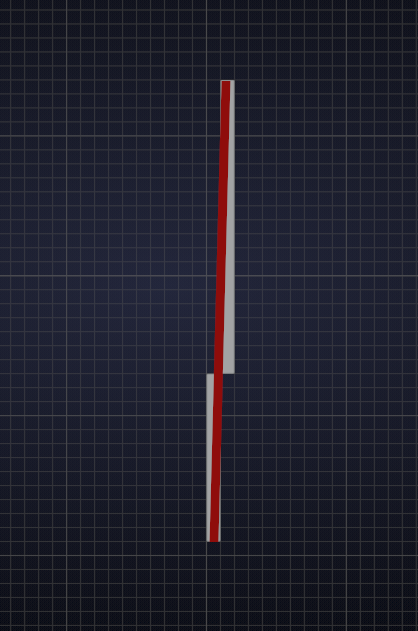
Hi Jonathan, don’t worry about that; those lines actually are straight, this is due to the fact that a straight line that is not completely vertical or horizontal gets ‘split’ like this when drawn on the screen:
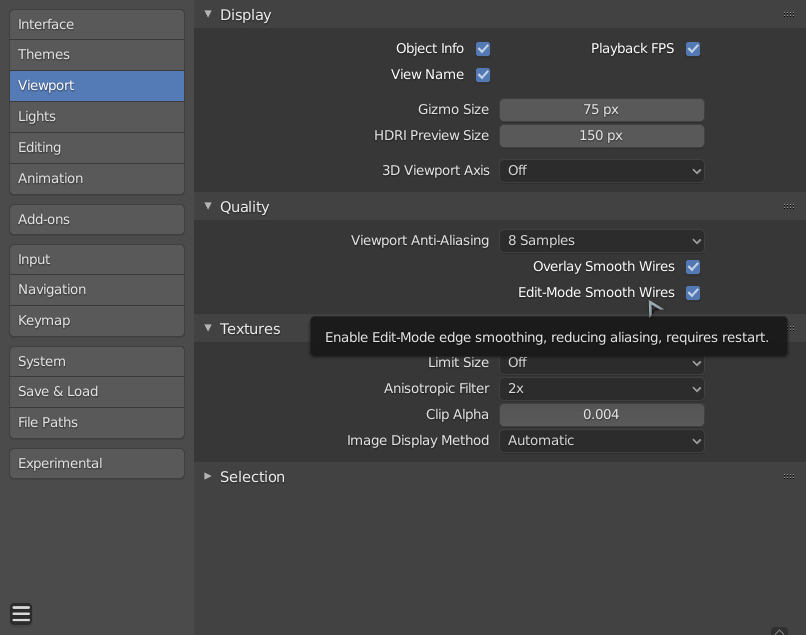
In your Preferences there is a setting ‘smooth wires’ also the Anti-aliasing setting might influence the look of your edges:
As far as Blender is concerned these line are straight, only we might see some ‘pixelation’.
Some people prefer to un-check Smooth Wires, in order to get a visual clue when an edge is not completely horizontal/vertical.
Again: an edge between two vertices is always straight!

