Hi @almo1
Is it when you enable GPU rendering or when you Render (F12) ?
Unfortunately the drivers for your AMD GPU that are updated automatically (basic drivers) are not supported in any 3D software .
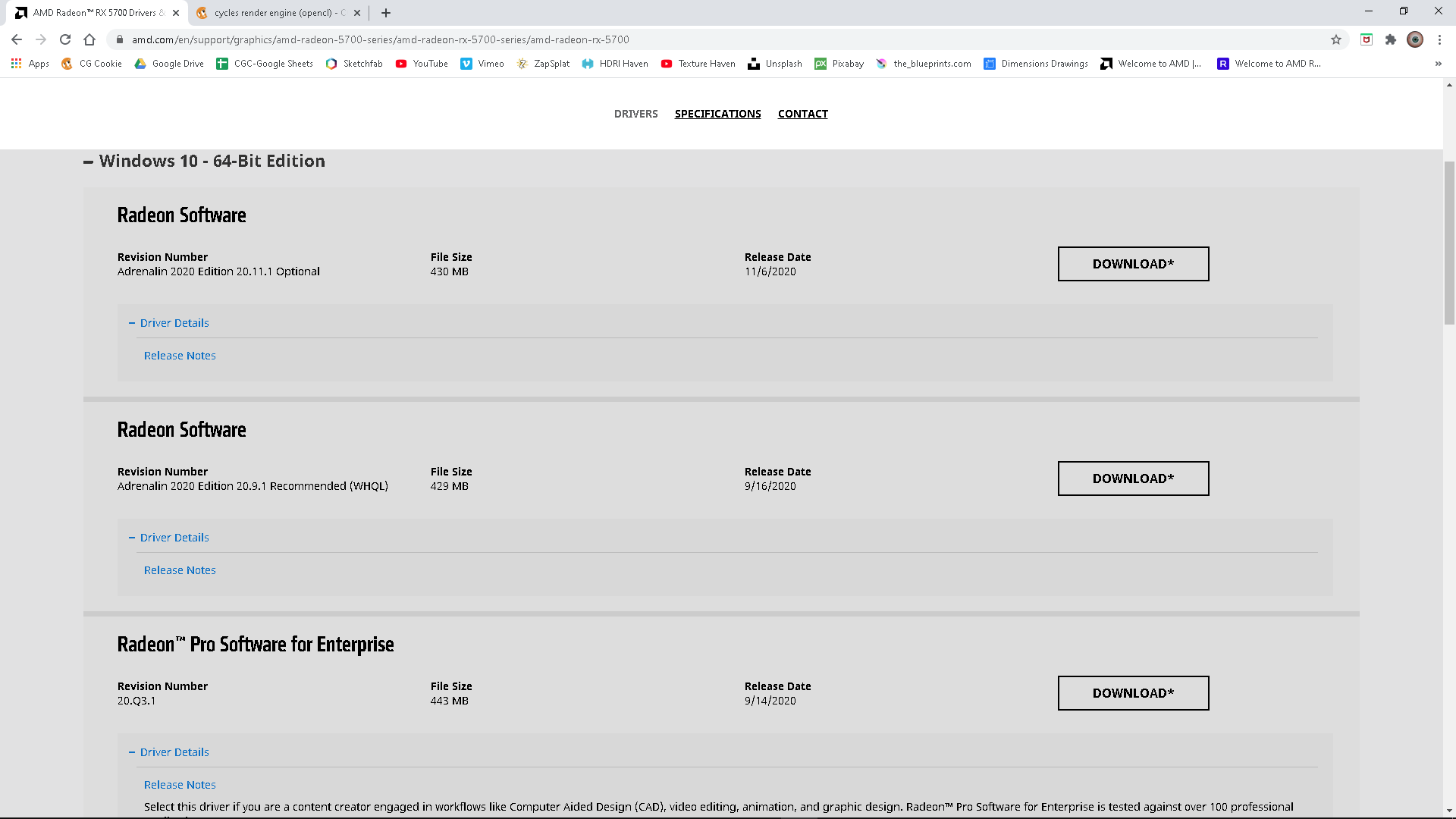
However don’t despair all you need to do is manually download and run the AMD Radeon Pro Software for Enterprise.
I assume you are using Windows 10, if you are you can DOWNLOAD HERE
Click on the + next to Windows 10 to expand the selection of available drivers, scroll down a little and you will see
AMD Radeon Pro Software for Enterprise,
Click the Download button to the right and when done run the software. I don’t know what browser you are using, with Chrome you will probably see a download status at the bottom of the browser window you can click the up arrow and select open and the installation will start. If not you will find it in your downloads folder and double click it.
Hope this solves your problem.

