Hi Cristian,
| Because as we can see in my picture and yours, at least Blender allows us to do this kind of “not polygon” stuff without warning us about it.
Well, in my pictures I cheated:
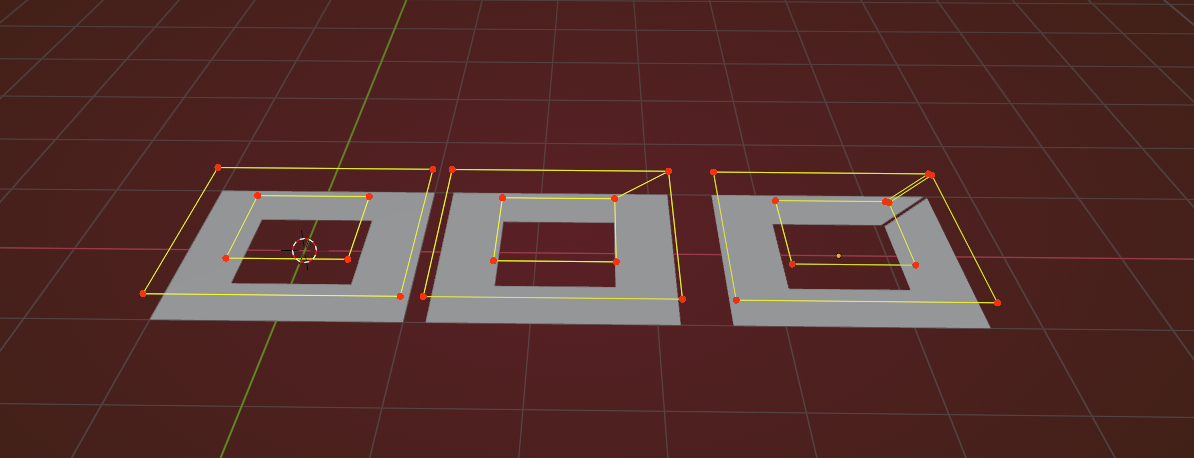
I don’t know what you did exactly in your picture, but that is also not what it looks like. That is not a small Quad inside an N-Gon with a hole…Try to go into Face Select mode and select each of the Faces..they are most likely partially overlapping…
Also, you can enable the Face Normals Overlay, to more clearly see the mess you are making…
If you connect the inner quad with two Edges, you are making three Faces (Polygons) and that is what you want:
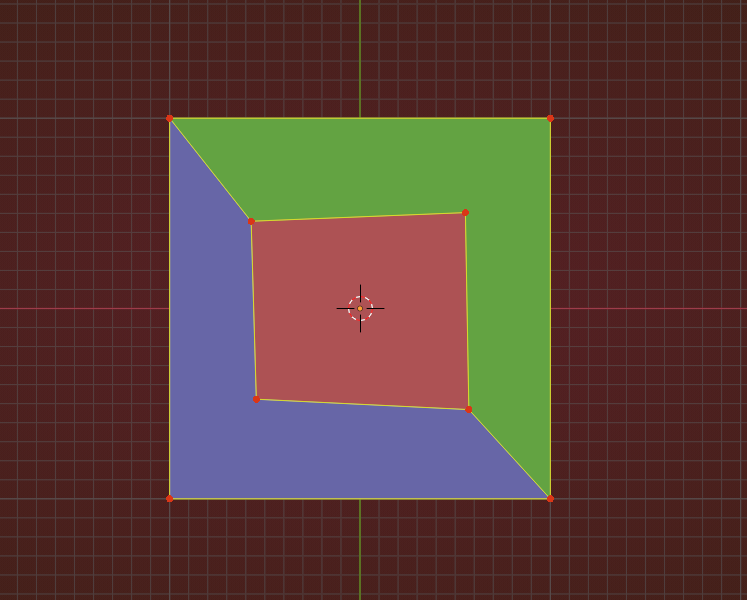
When trying to only use 1 Edges, you get two, partially overlapping Quads…(shouldn’t even be possible, when using the Knife Tool…)

