
Reply To: Connecting polygon to at least 2 points (instead of 1)
Forum Archive › Connecting polygon to at least 2 points (instead of 1) › Reply To: Connecting polygon to at least 2 points (instead of 1)

I remember when I started using Blender, there was talk of a Bmesh system being integrated into Blender and it was all the rage, people loved it. Turns out that in the past, 10 years ago or so, Blender didn’t let you do all the crazy things you can do nowadays with your mesh, it only allowed quads and maybe triangle. So as you said, Blender used to only let you do the mathematical definition of a face, but it being so strict, a more loose method was developed called Bmesh that let you do Ngons and have floating edges and stuff.
In the first 5 minutes of this old video you can have an idea of how it was back then.
https://www.youtube.com/watch?v=L2iy3V3GtcI
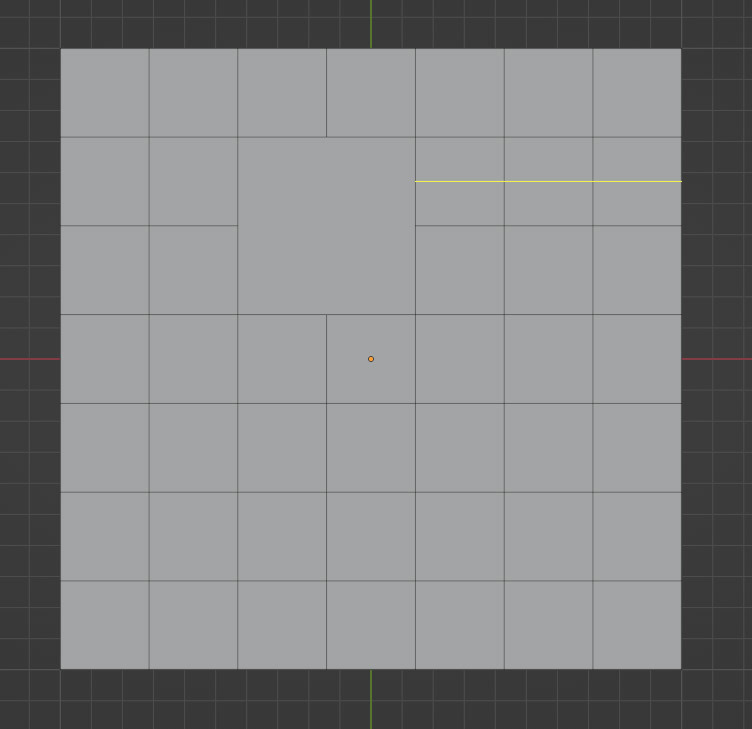
But still there are rules that have to be followed in order for you to have the most optimal control of your geometry. Even though we can now break all the rules, you have to try and achieve optimal geometry or all quads, it’s not obligatory, but people strife for that goal because it is just optimal for control. Edge loops wont go all the way if you have a triangle or an Ngon in the middle.
Here you can see by the yellow line that I’m trying to cut and edge loop but it wont go pass the Ngon:
Yet here when I try to cut an edge loop and it’s all quads, the loop goes all the way:
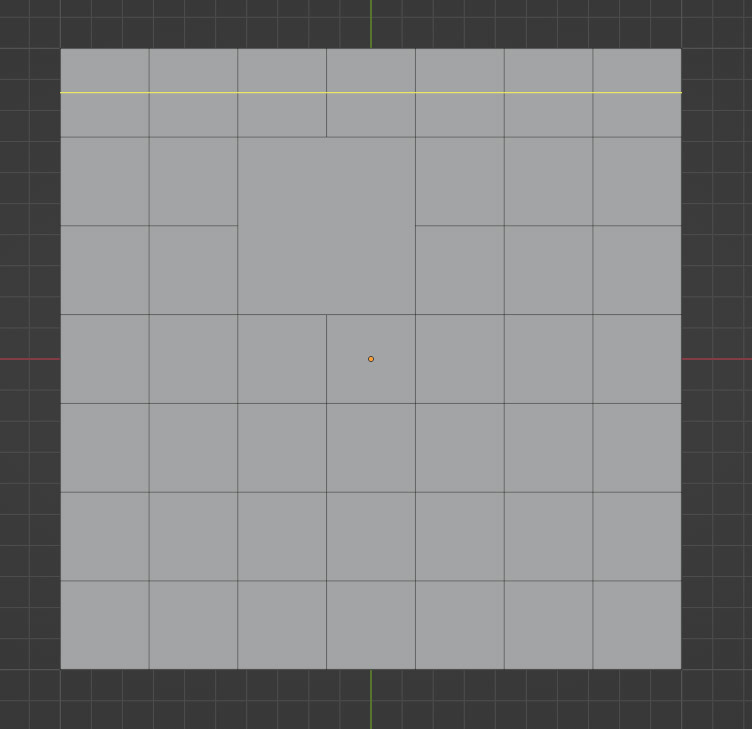
So yes, in a sense Blender has a dictatorship, if you want good geometry that deforms good, that lets you achieve the edge flow that you want and control it better, if you want geometry that works great under a subdivision modifier, all quads or having perfect faces is the way to go. Blender lets you have a mess and have one or two connecting edge, but you are operating as an outlaw, of sorts.
So to illustrate it a bit better, if I wanted an edge loop with only two edges like in your initial two edges setup, it wont start, it’s just stuck as a point on the edge, as you can see here by the yellow dot. That’s the edge loop cut trying to cut through another face but it can’t, because it is not an all quad face. That is an Ngon there, and the loop wont go through the Ngon as you saw in the other image up there.
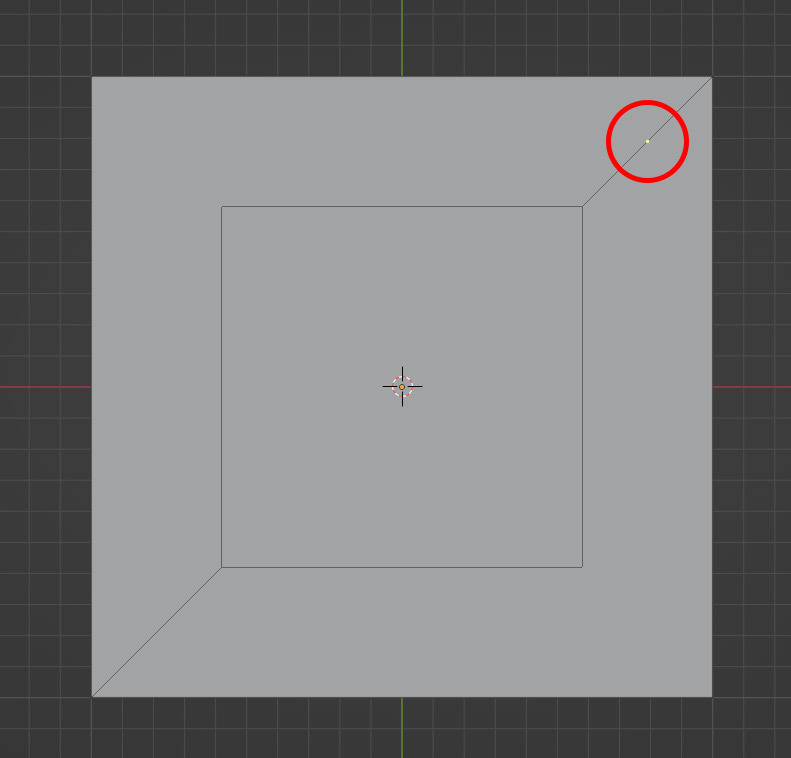
But then if I connect it with a third edge and make a face, the loop cut will now go through until it reaches another Ngon and stops there
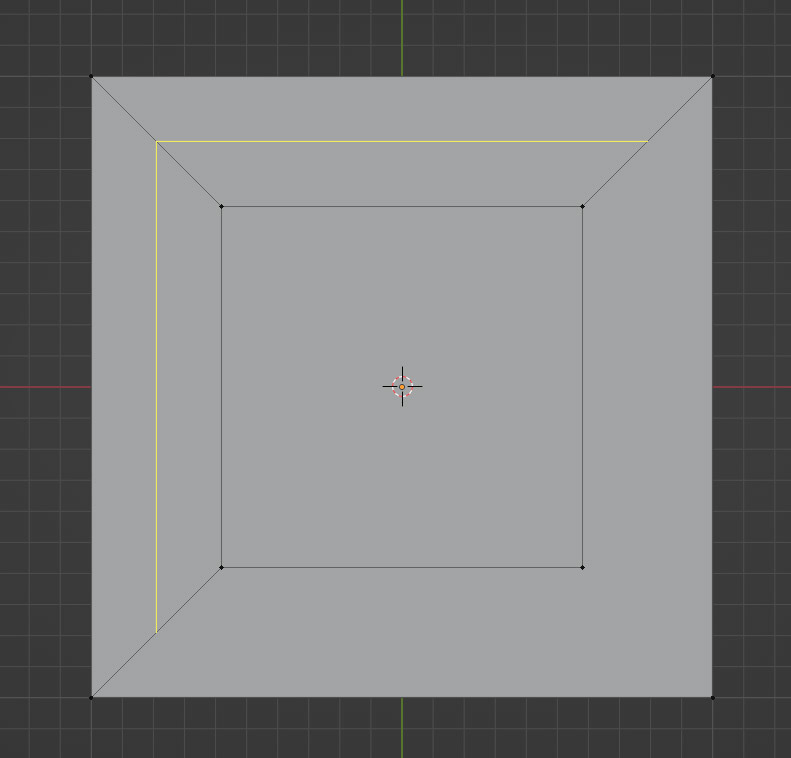
It works now because this is a face, followed by another face:
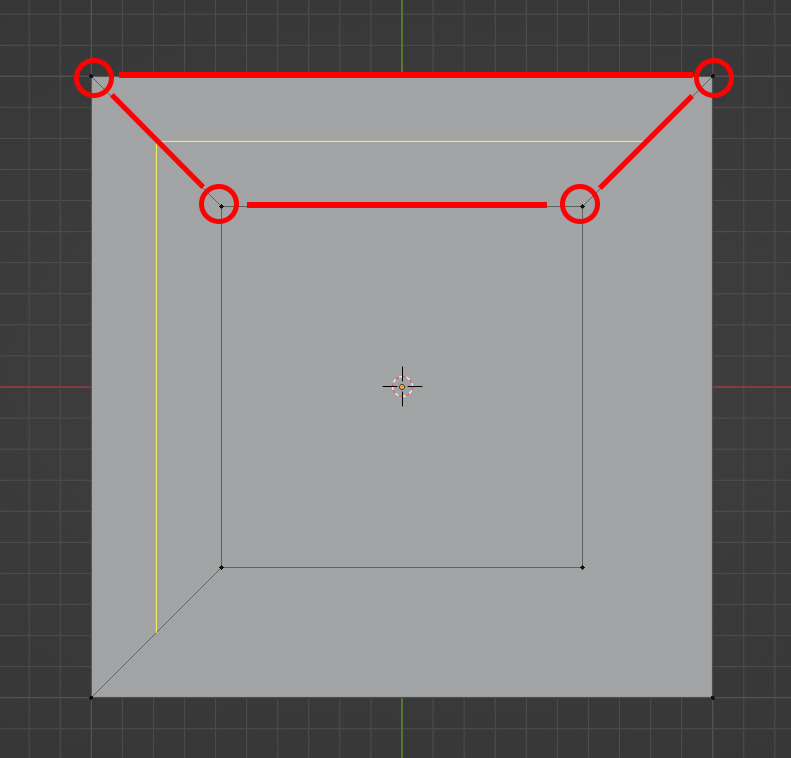
But it stops because it gets to an Ngon, it has more than 4 vertices:
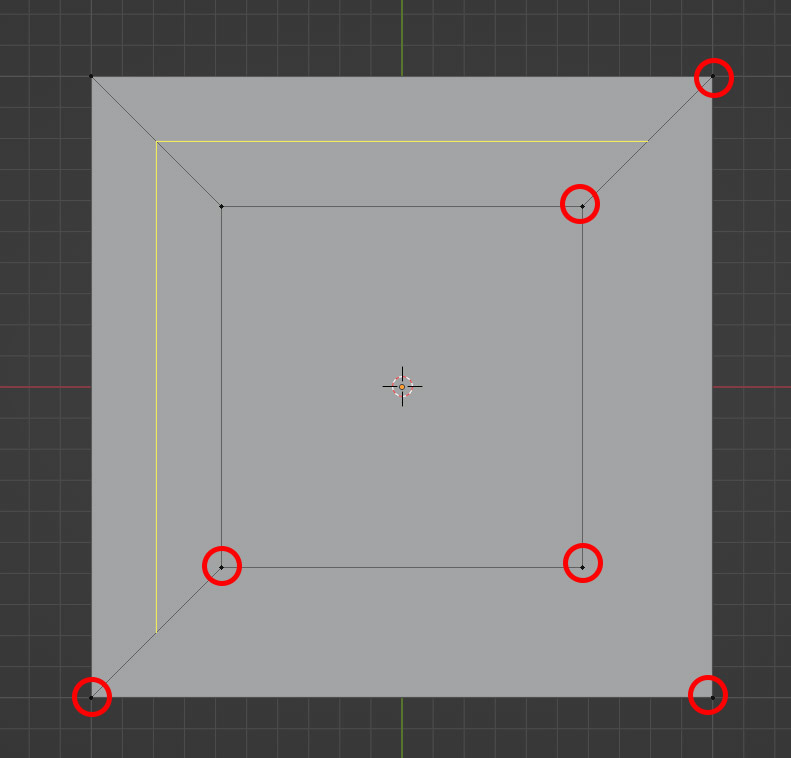
But then if I join it by a forth edge, then it finds faces all around and the cut goes through entirely:
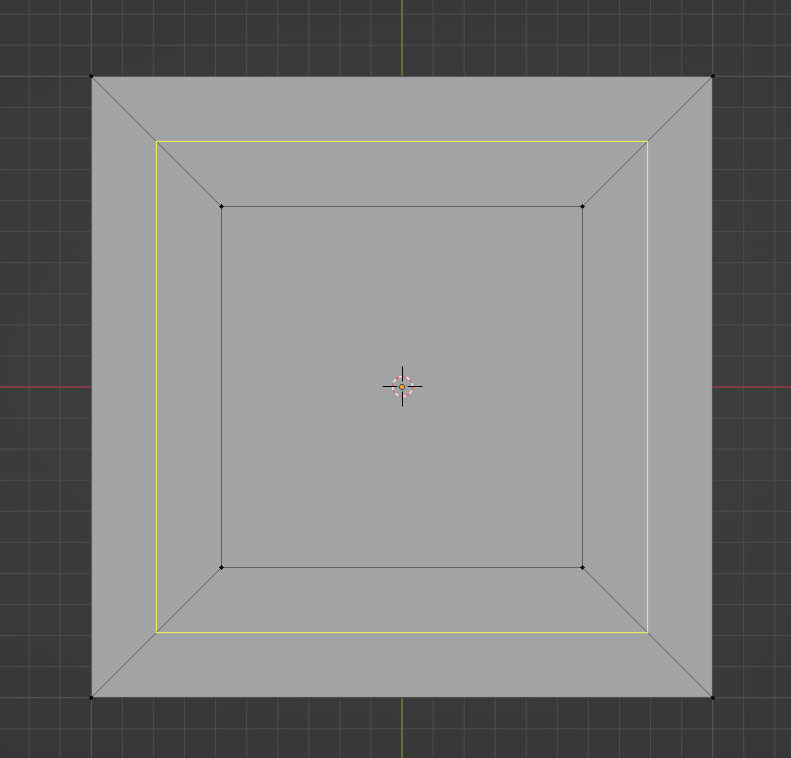
So again, there are rules that Blender has to see there, you can break them, but then stuff wont function properly .