
Reply To: COLLAB2021-WIP_procyonlotor
Forum Archive › COLLAB2021-WIP_procyonlotor › Reply To: COLLAB2021-WIP_procyonlotor

This is looking great! Easily full points for week 2.
I talked to Kent and he mentioned the ‘please don’t use procedural’ thing was for all the little assets, with the creek and clouds being specific exceptions, so you’re good to go!
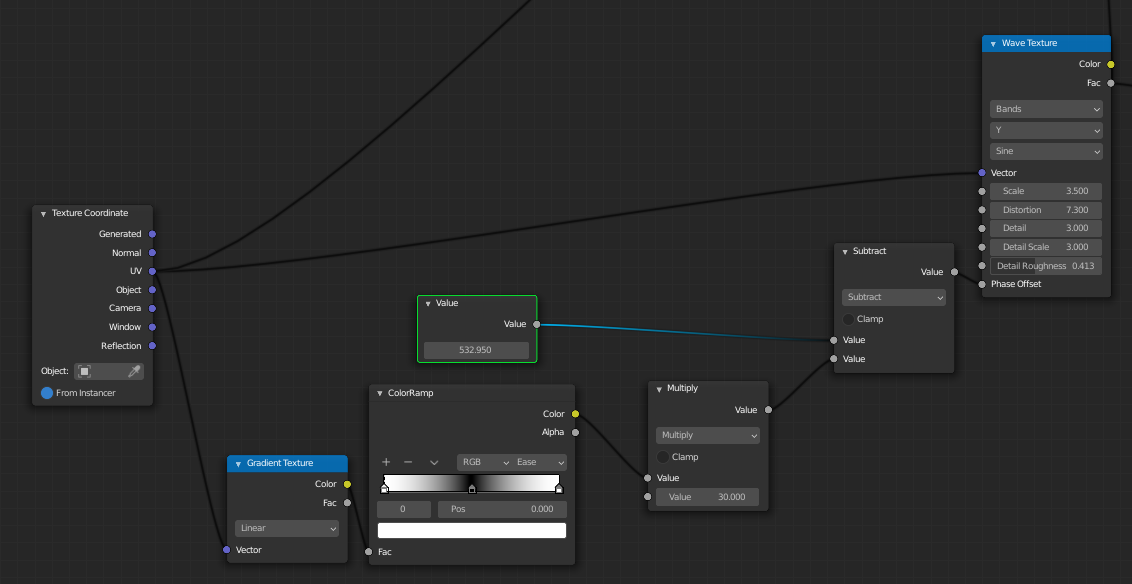
I agree with @spikeyxxx about using UVs to animate your texture – that should help it to flow around corners and such.
You could also then take a gradient from the left to the right side of the creek and make the sides lag behind a bit:
Backing up a bit though, there’s one key problem I see – we can’t use an emission shader! If we did, it would ignore all the shadows from the house and look like it’s glowing:

So, while we still want it to look stylized, we’ve got to start with something that at least reacts to light believably.
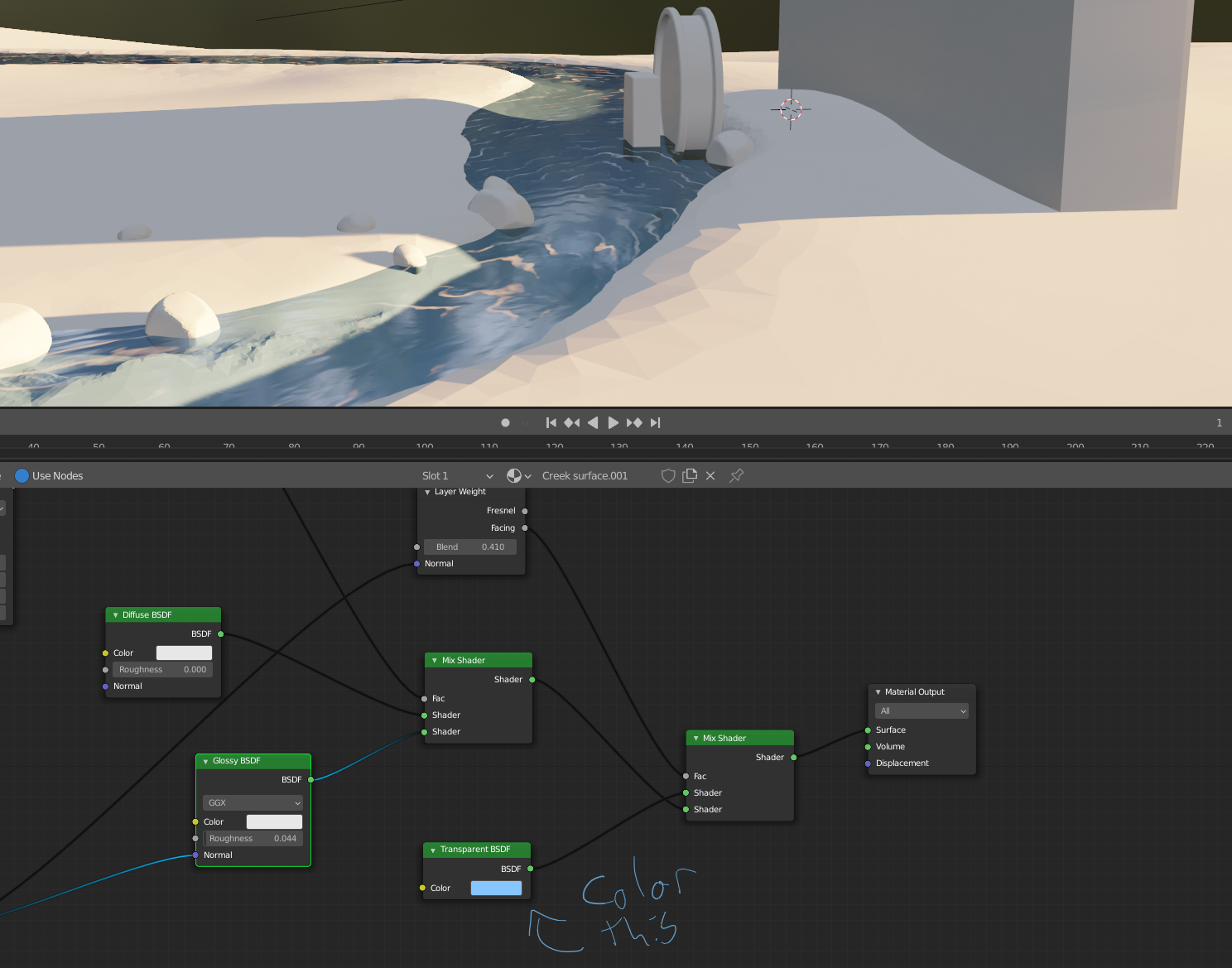
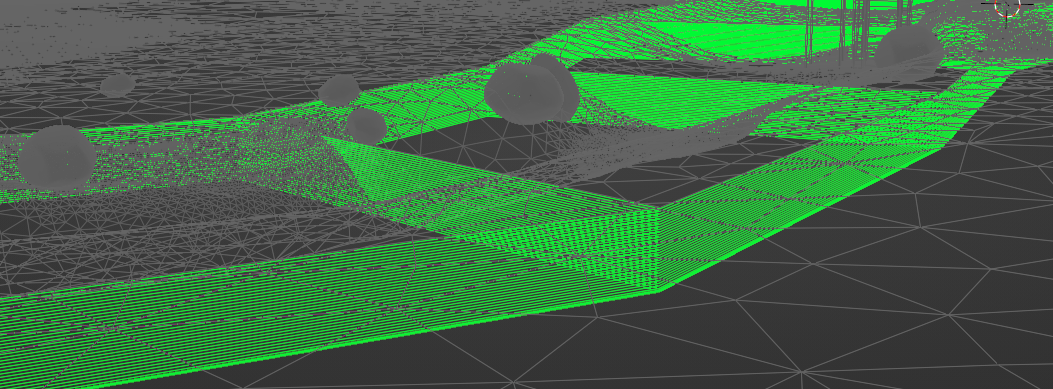
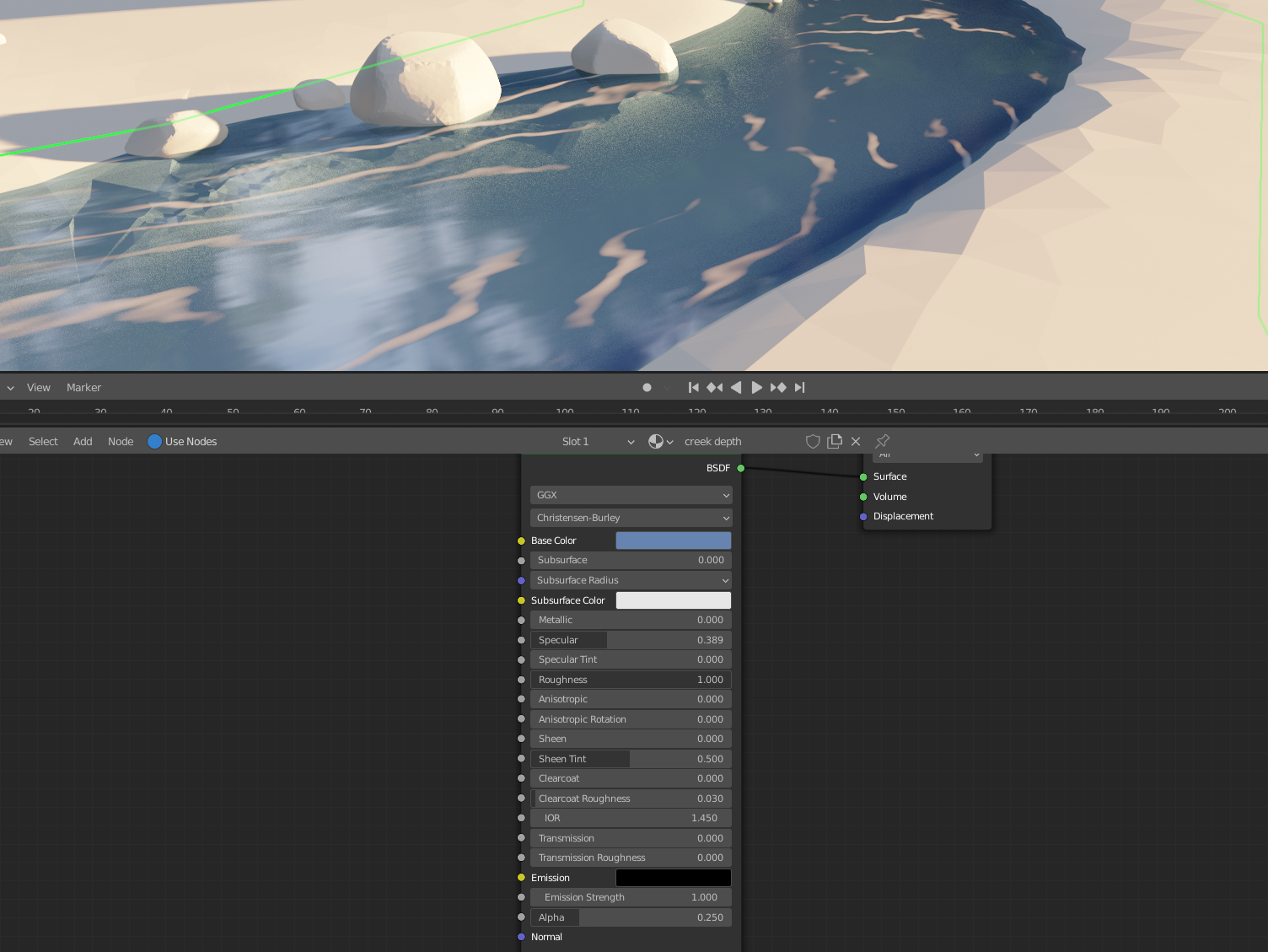
Eevee can’t cast colored shadows, so I’ve turned shadows off, but we still need the water to have some sort of absorption so I duplicated the river, moved it ever so slightly down, and gave it an array and a super basic material with alpha hashed transparency and also no shadows.
Now it’s not super stylized, but that just comes down to what texture you plug into the color for the transparent shader and into the normal for the glossy shader to smear those reflections nicely.
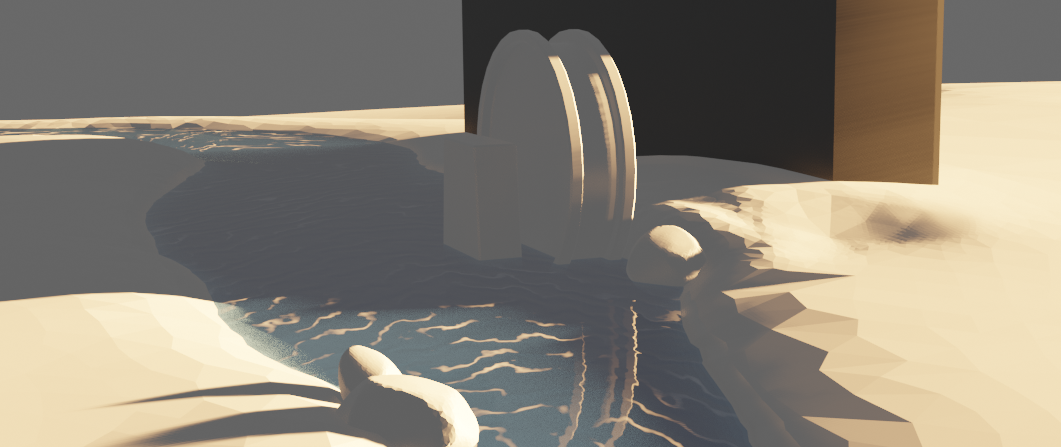
It’s not a perfect example because the shape of the reflections and foam would need a lot more work (which it looks like you’ve already done well), but hopefully it points you in the right direction! It’s in the WIP folder as WIP_nature_creek-tests_lampel_00 if you want to dig through.