
Reply To: Collab2021-WIP-ketre
Forum Archive › Collab2021-WIP-ketre › Reply To: Collab2021-WIP-ketre

These look really good! Wow! Full points for week 3 and a little extra for the effort.
The last step is to make convert each particle system to a separate object. To do so you can click Convert on the particle system in the modifier properties, make each instance a separate object with Object / Relations / Make Single User / Object & Data (needed to apply scale), Ctrl + A to apply scale (necessary so that they don’t scale up crazily in the next step), and Ctrl+J to join all the leaf objects into one.
We can then use the Data Transfer modifier to copy the normals from the original blobby bush object to the leaves so that it appears more like a rounded shape than a bunch of planes:
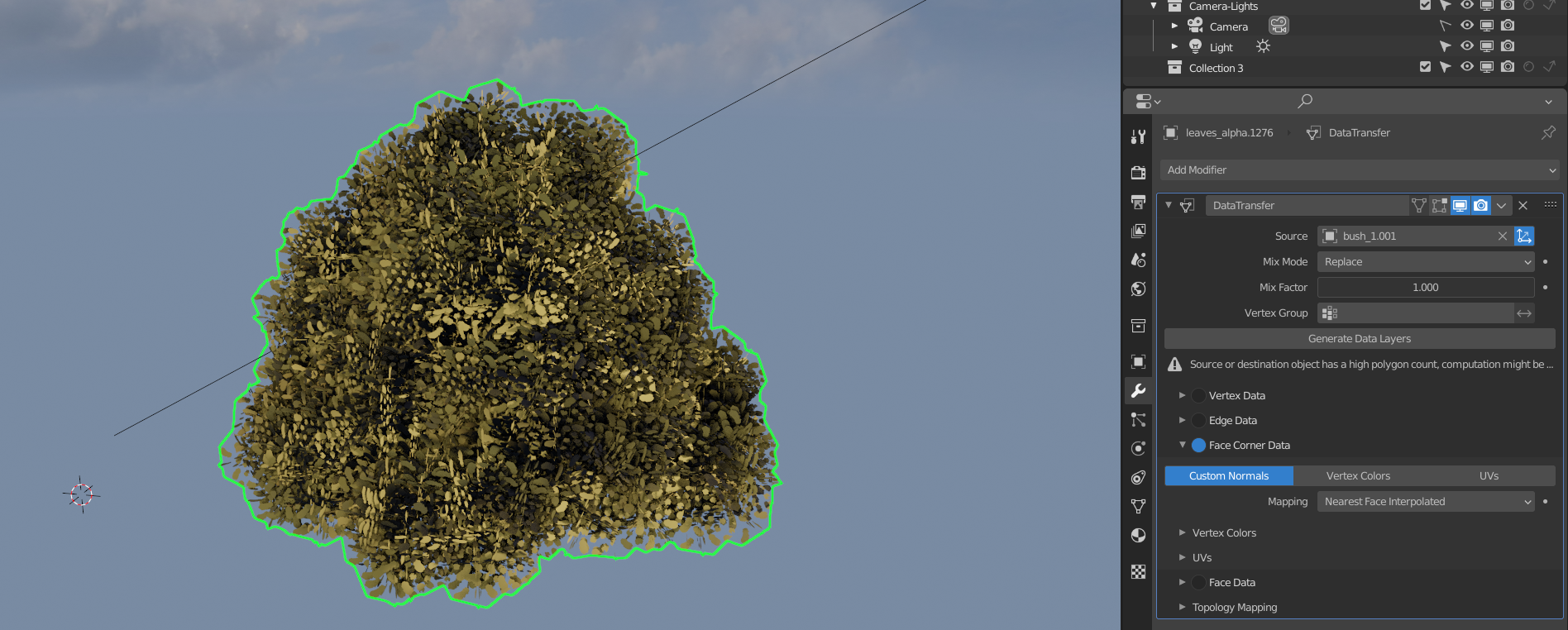
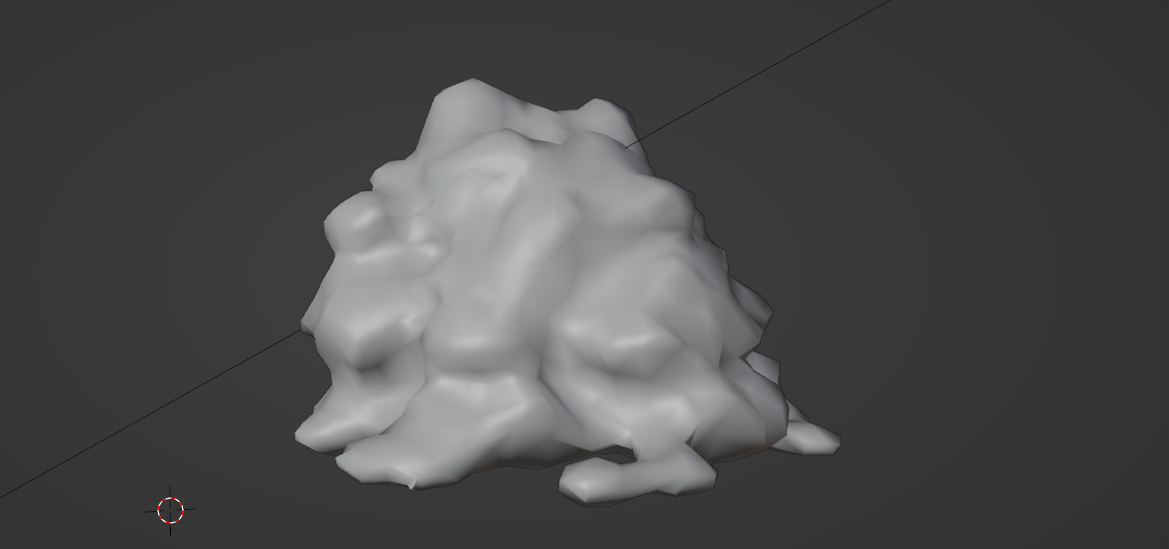
I decimated the original bush so that it’s a bit simpler to speed things up a bit, but it should be fine either way. We do want it set to smooth shading though so the leaves will be copying the normals of the smoothed version.
For the shader, a little bit of translucency goes a long way to helping it look soft. We want to use that instead of emission so that it looks good regardless of the lighting:
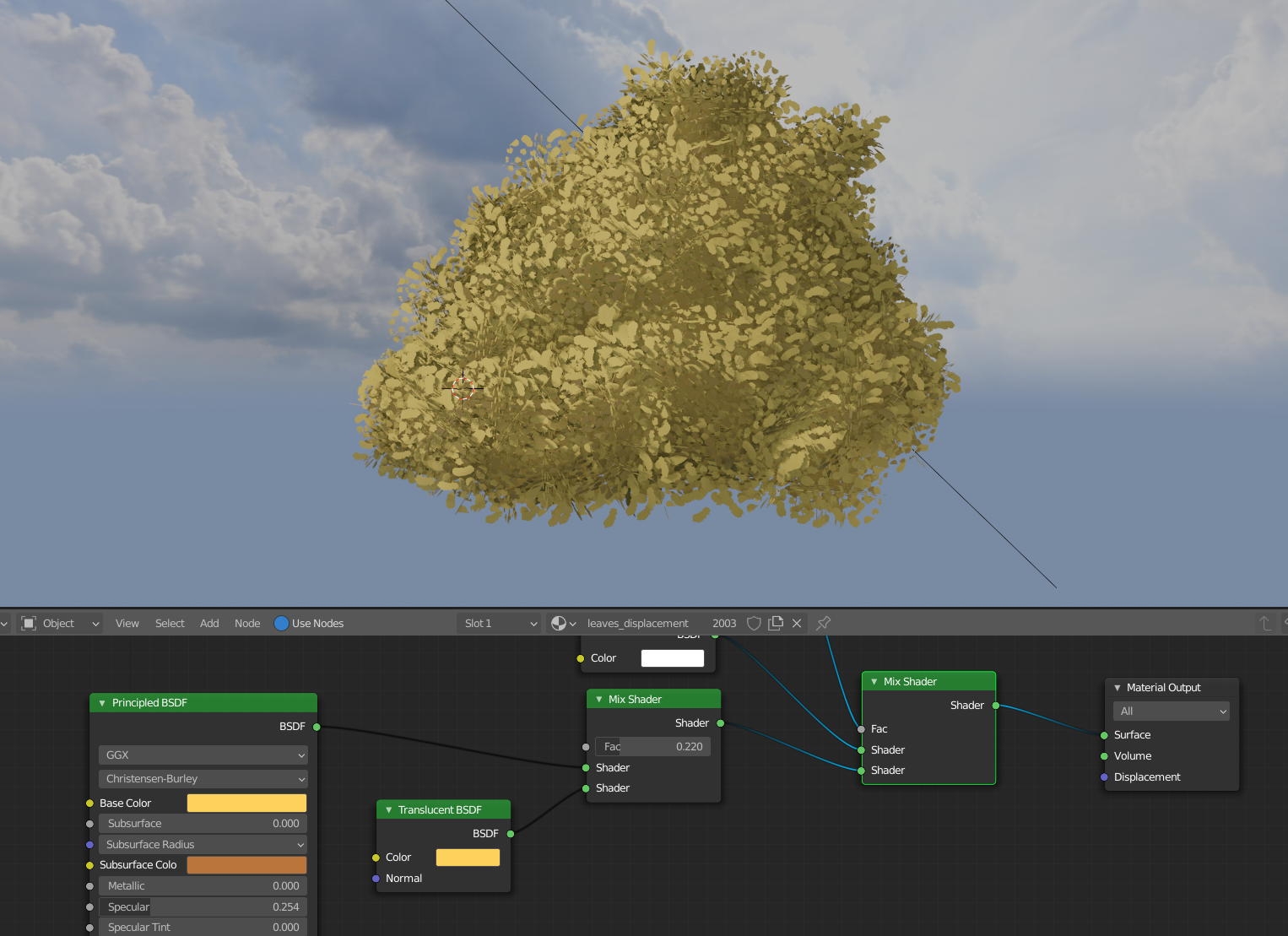
This process will break the procedural texture setup unfortunately (which looked really good!) since the bush as a whole is now the object instead of each bunch of leaves individually, but you could bake the original leaf object’s procedural color to a color map if you’d like to keep it.
Hope that helps and let me know if you have any questions along the way!