Hi Enviritas,
You can un-link an Object several ways in Blender. What I like to do is go to the Object Data Properties Tab:
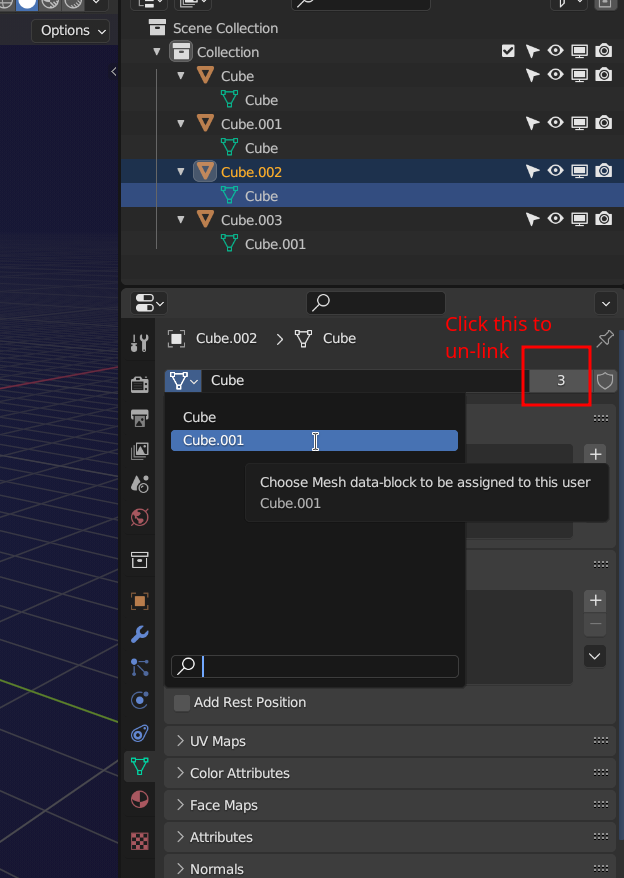
So, what you are looking at: I had 4 Cubes that all used the same Data called ‘Cube’ (they were linked), then with Cube.003 selected I clicked on the number (was 4). That made its data unique (un-linked it): Cube.001. Now, when selecting another Cube, in this case Cube.002, I can change its data to Cube.001, so it uses the same data as Cube.003. That means it is then linked to Cube.003.
Try it out, that is easier than me, trying to explain it 😉

