It looks to me as if you only have 1 Object. To rotate part of that Object you need to go into Edit Mode.
Look at the outline color.
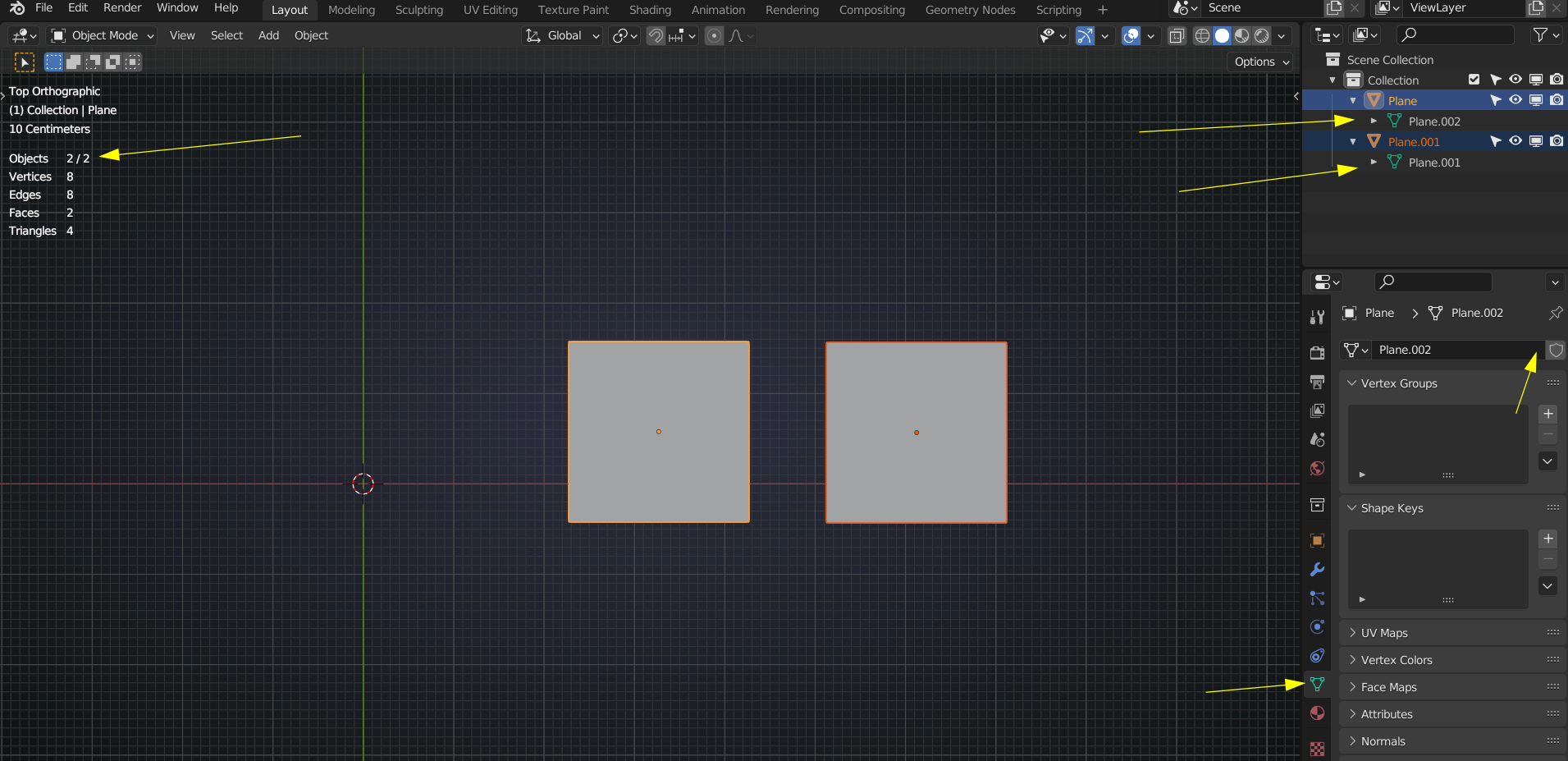
Here are some situations and places that gtell you what is going on; 2 separate Objects:
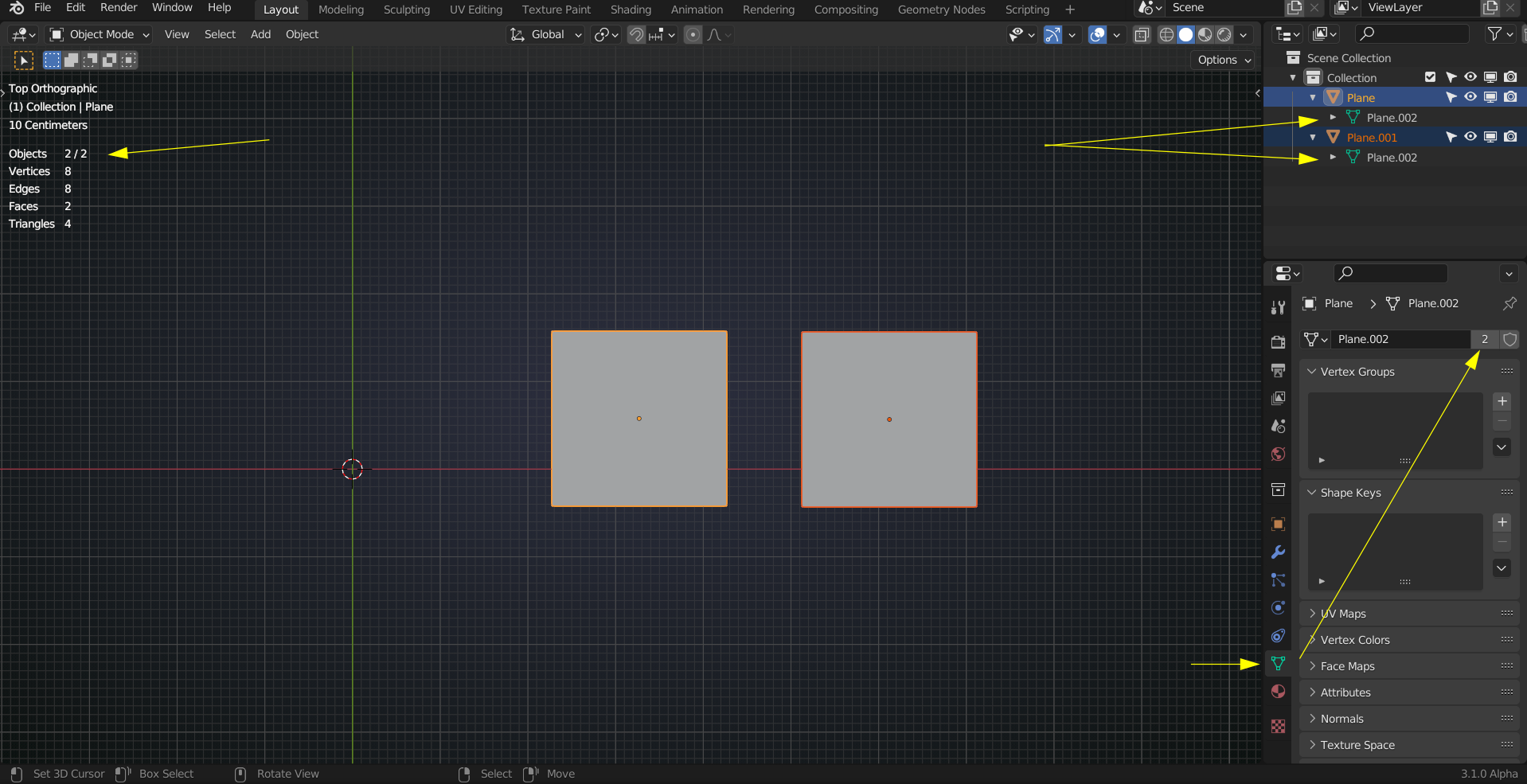
 2 linked Objects:
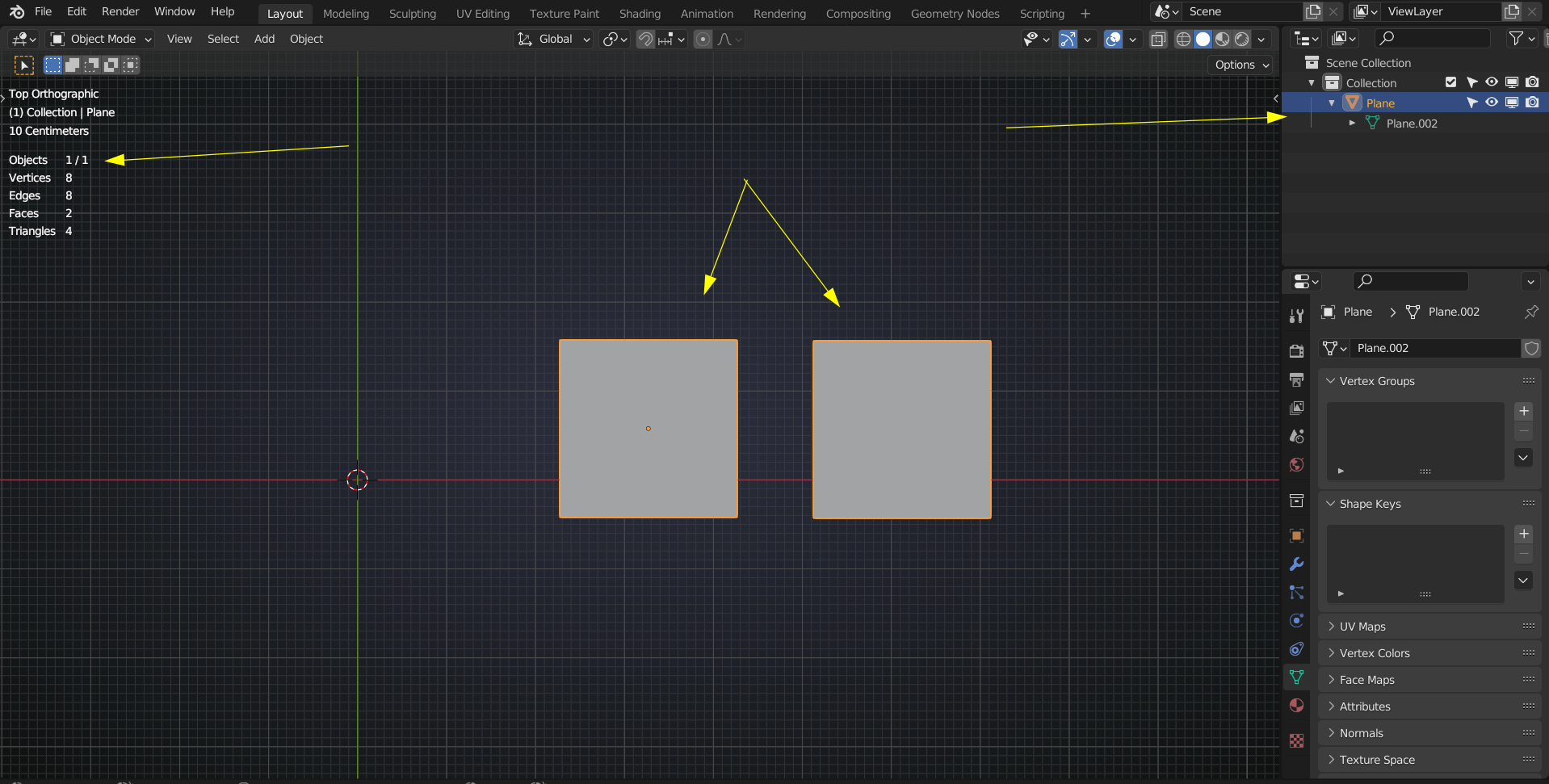
 And 1 Object:
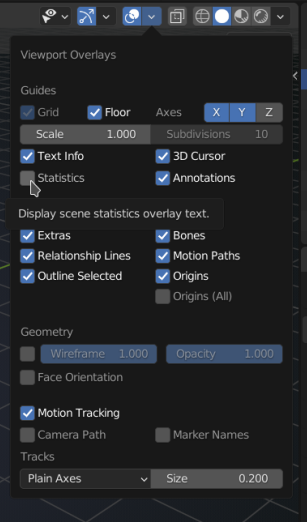
 The info in the top left corner of the viewport is an Overlay, that can be handy sometimes (I leave it off most of the time):