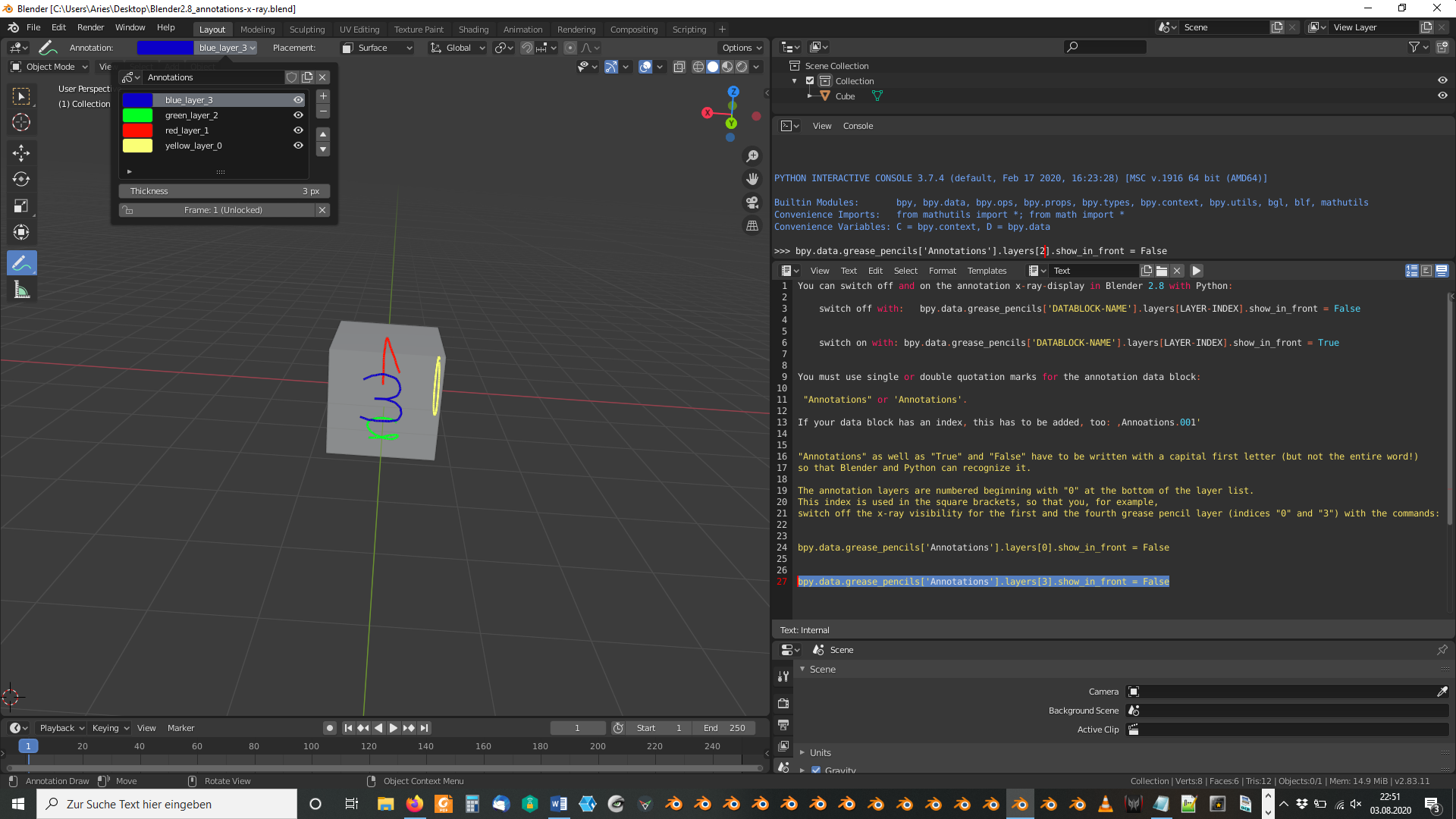
You can switch off and on the annotation x-ray-display in Blender 2.8 with Python:
- switch off with: bpy.data.grease_pencils[‘DATABLOCK-NAME’].layers[LAYER-INDEX].show_in_front = False
- switch on with: bpy.data.grease_pencils[‘DATABLOCK-NAME’].layers[LAYER-INDEX].show_in_front = True
You must use single or double quotation marks for the annotation data block:
“Annotations” or ‘Annotations’.
If your data block has an index, this has to be added, too: ,Annoations.001′
“Annotations” as well as “True” and “False” have to be written with a capital first letter (but not the entire word!) so that Blender and Python can recognize it.
The annotation layers are numbered beginning with “0” at the bottom of the layer list. This index is used in the square brackets, so that you, for example, switch off the x-ray visibility for the first and the fourth grease pencil layer (indices “0” and “3”) with the commands:
bpy.data.grease_pencils[‘Annotations’].layers[0].show_in_front = False
bpy.data.grease_pencils[‘Annotations’].layers[3].show_in_front = False
An example file is here. To switch x-ray off for the third layer (green color with layer index 2, type in:
- bpy.data.grease_pencils[‘Annotations’].layers[2].show_in_front = False

