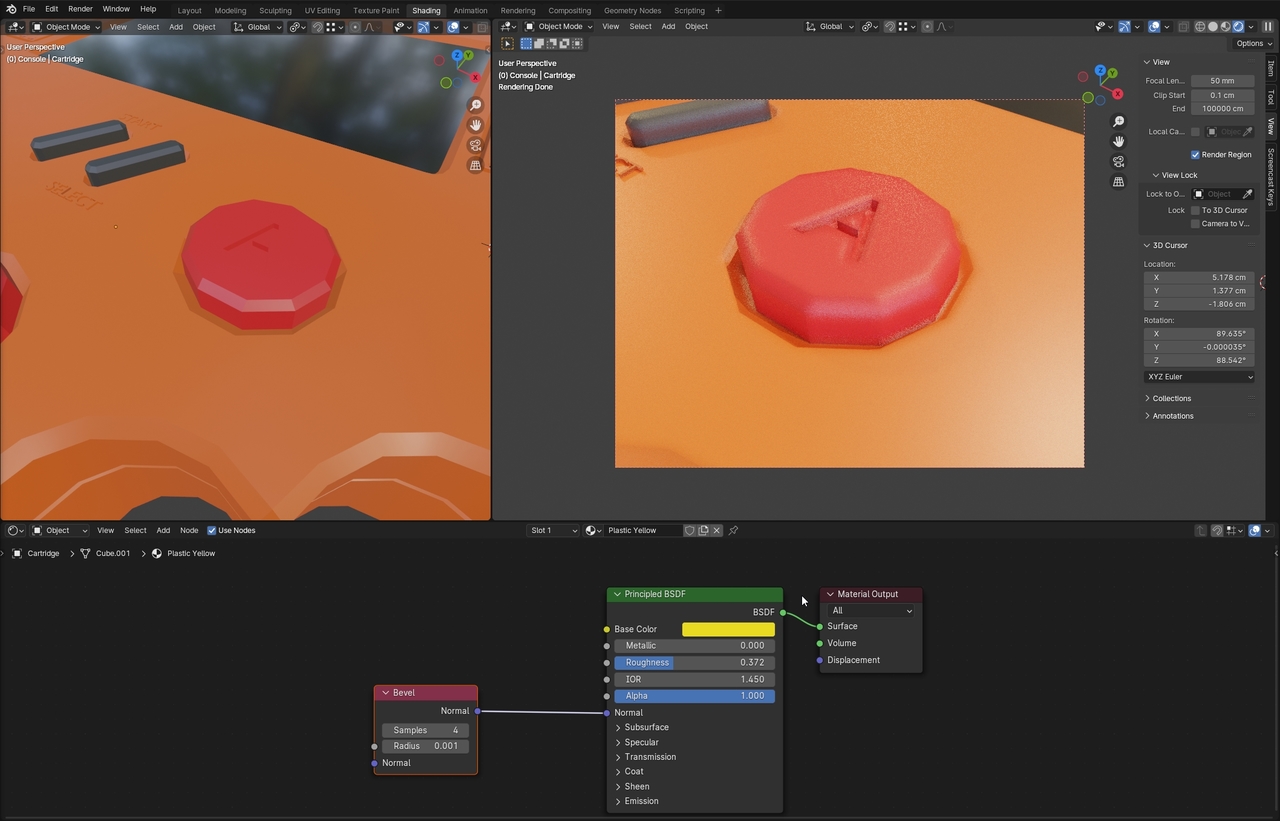
I’m not sure if the bevel in the shader depends too much on how many polygons the object has, but I tend not to use the bevel in the shader. I don’t know why I think it is too taxing on the render calculations and I overall it’s better to have bevel either in the modifier or in the actual geometry. Even if JL uses it on the tutorial, you can do it differently.
Right, I understand your point that it might not be the best way in future workflow. My question was to understand why the Bevel Shader didn’t fully smooth out my buttons, and I was assuming that it was due to the lower edge/poly count of my button
The Input > Bevel fakes Geometry that isn’t there:
Right, my issue was that it isn’t smoothing out my buttons as it does in the tutorial. I did use a lower edge-count for my buttons when I created it’s circles. If my edge-count is lower then the fake geometry that the Shader tries to create will not have much geometry to work with from the start.