@colorofblack Glad it helped!
About your questions:
– You can adjust the autosmooth angle to make sure angle above this value will be sharp. In your case it doesn’t really matter since you will mark them as sharp later, but for those which arn’t marked, it can be worth doublechecking it (this is just details).
– The “funky” 5 edged-beveled corner looks normal to me, try reducing the bevel radius value to see how it goes ?
– The subsurface issue is due to the fact that this vertex is a pole (more than 4 edges joining). You can workaround by selecting the whole face and add an inset (make sure it doens’t mess with the bevel):
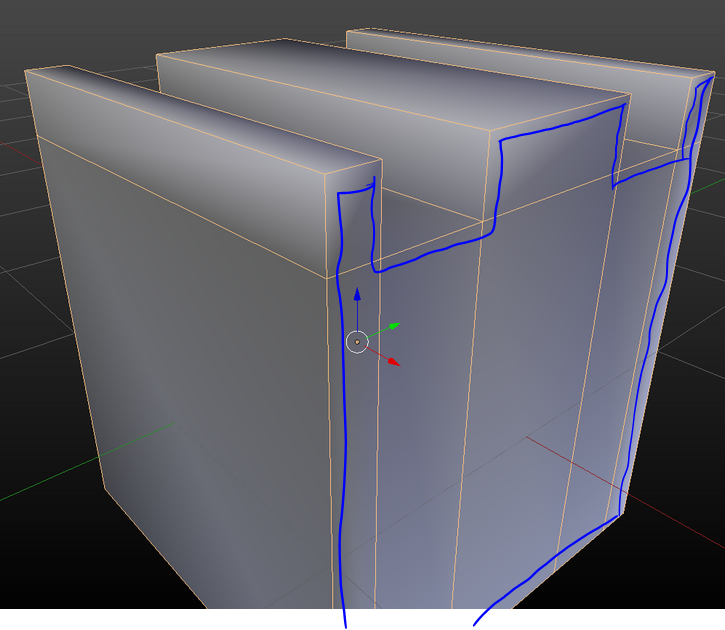 Inset (I button) – admire the very straight lines I draw.

