@smurfmier1985
Hey, thanx!
(images will follow in a few moments)
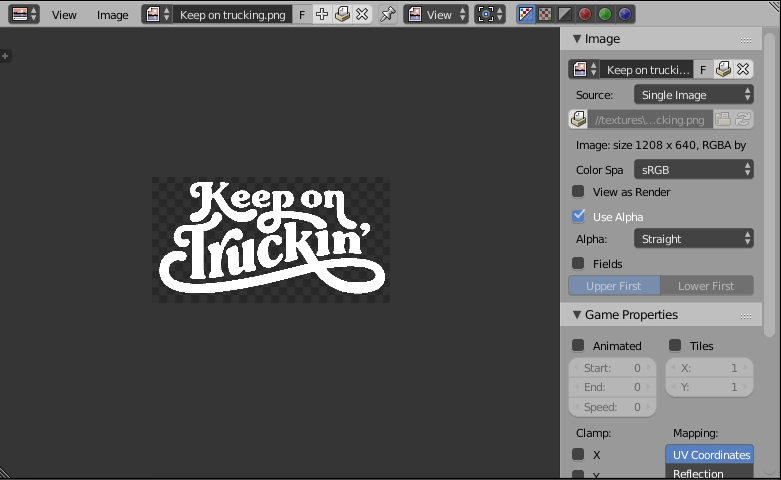
1. To add stickers I do the following: First I load the picture in the UV/Image Editor:
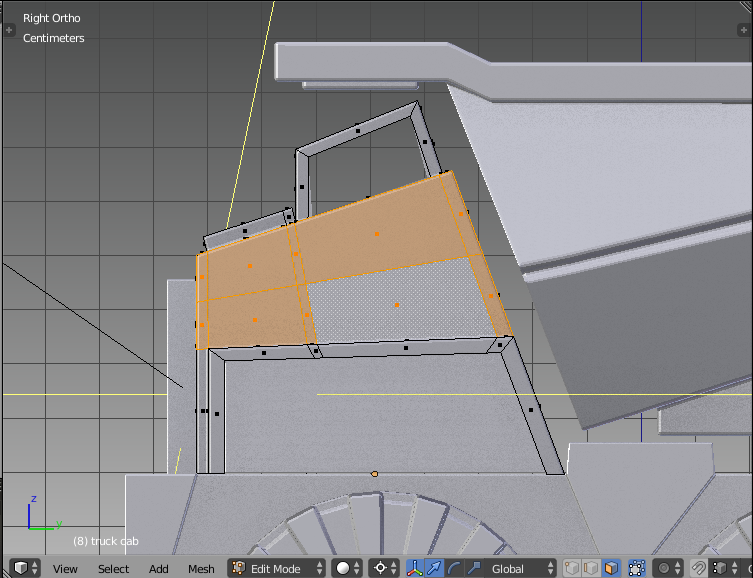
2. Then I select the faces that I want to use for the sticker:
3. I press U to UV-unwrap the selected faces. I use the option Project from View (So the view must be aligned correctly):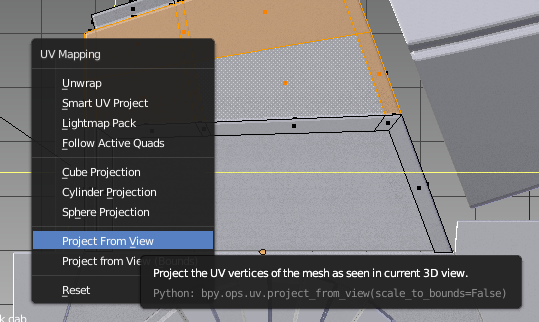
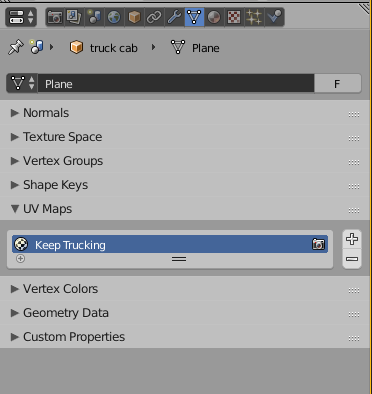
4. Then I name the new UV-map in the Data tab from the Properties Window:
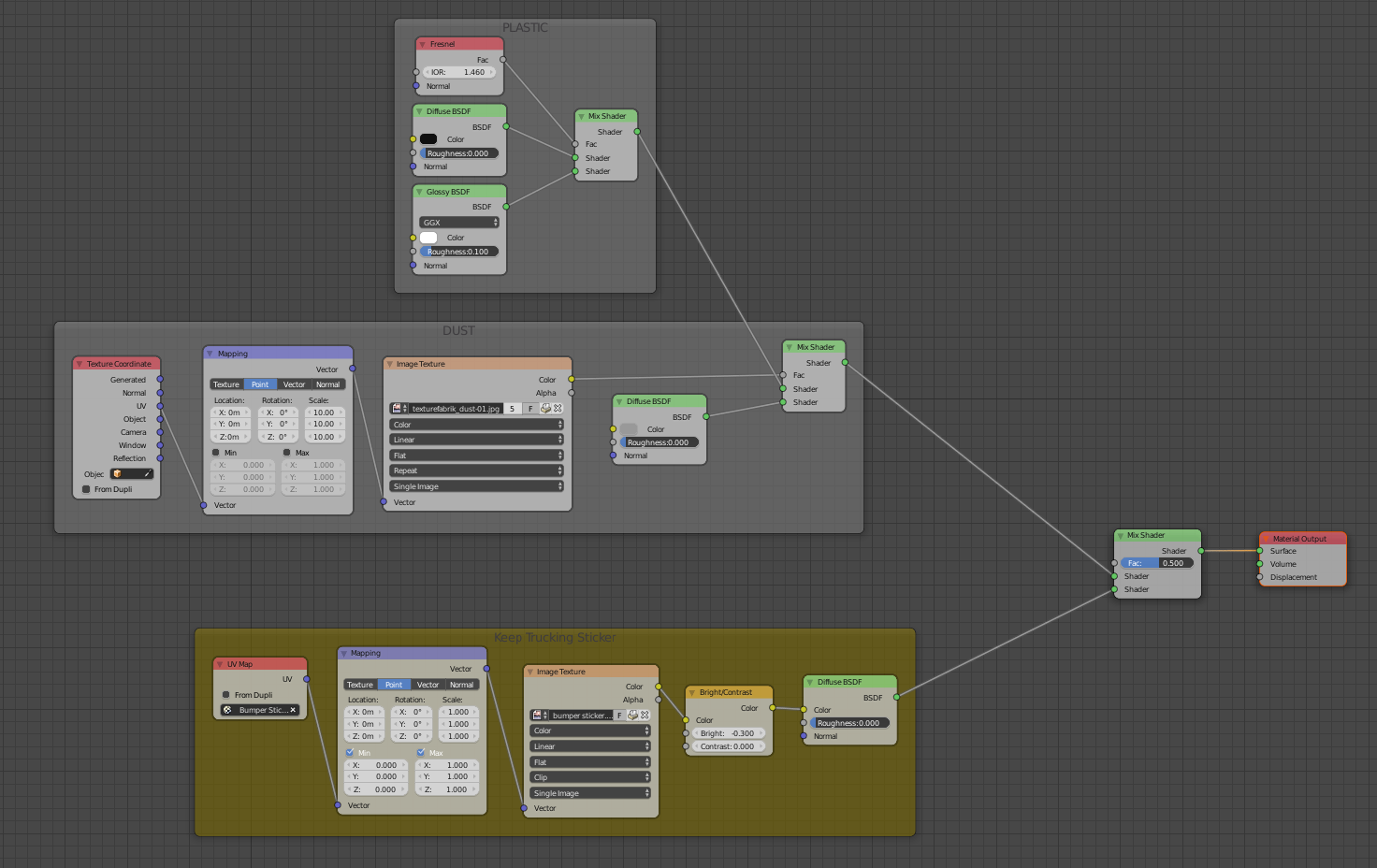
5. I setup the following node setup (look at the bottom (yellow) framed nodes). The first node chooses the UV-map. Don’t forget to choose the correct image from the dropdown menu in the Image-Texture node:
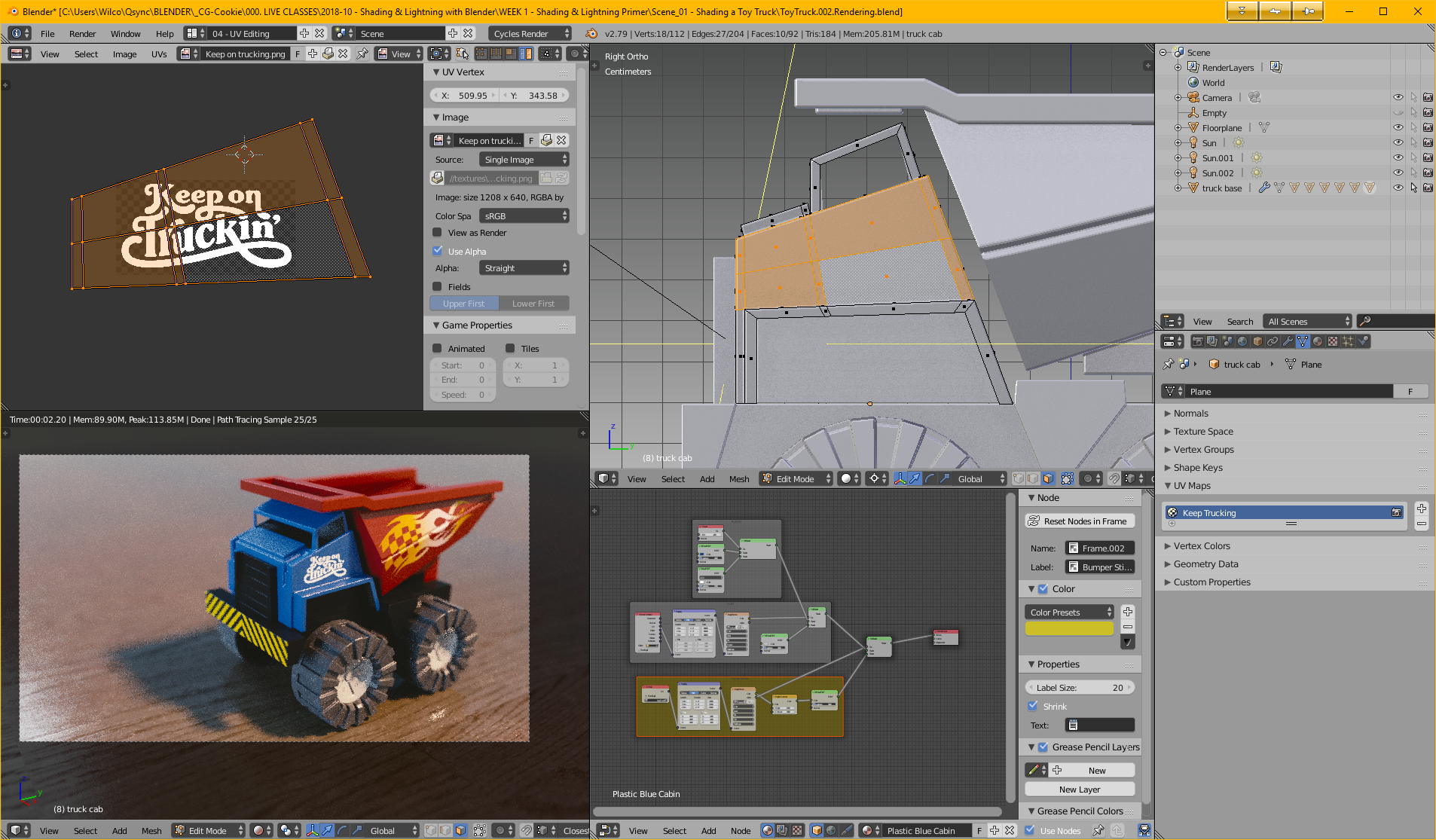
6. I align the unwrapped faces in the UV/Image Editor, while keeping an eye at the 3D View:
I hope this explained it a bit. 😃

