Hi Dwayne,
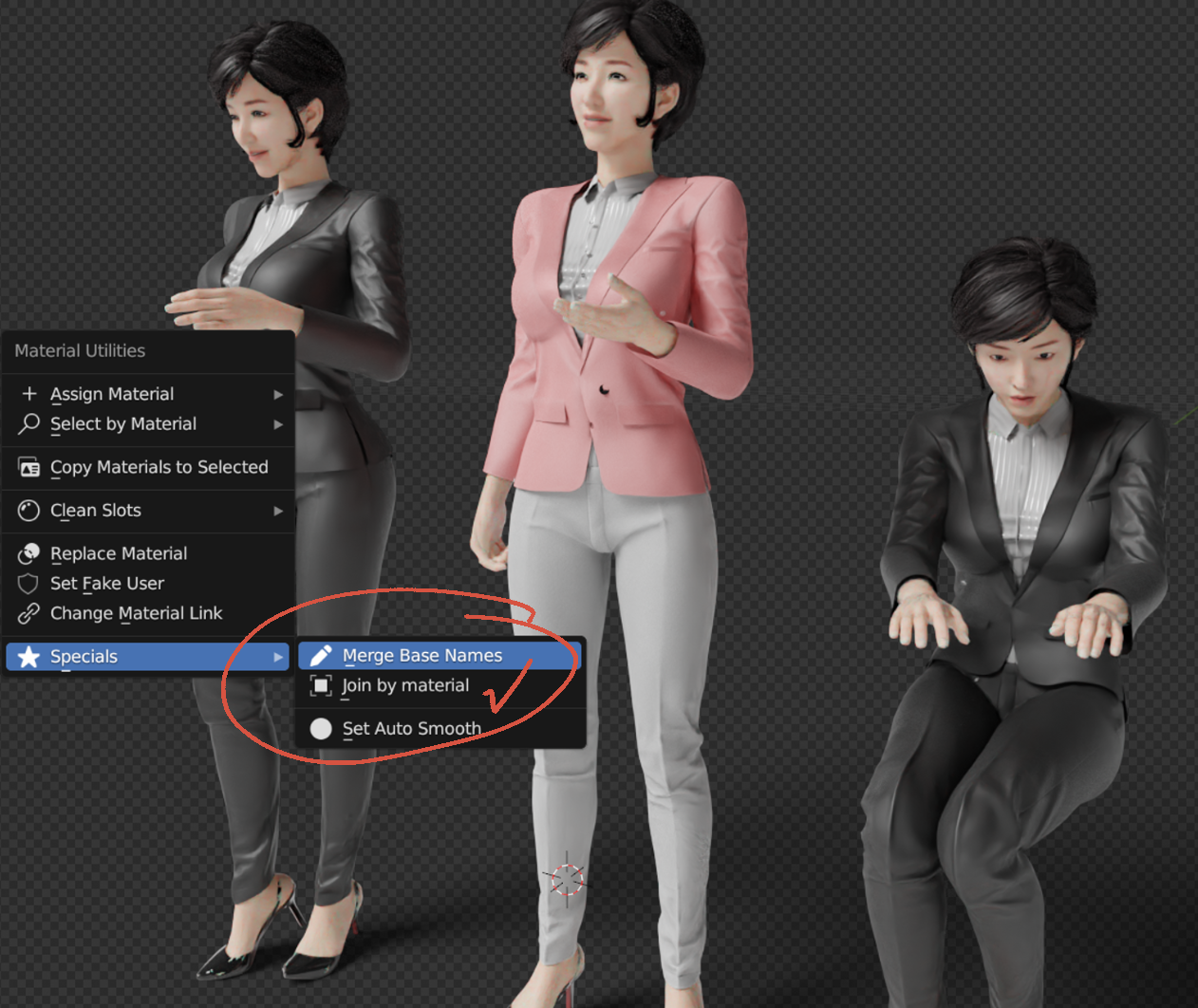
Thank you very much for your help. Your guidelines have been very helpful. I just learned about merging duplicate materials today.
1. Merge Duplicate Materials:
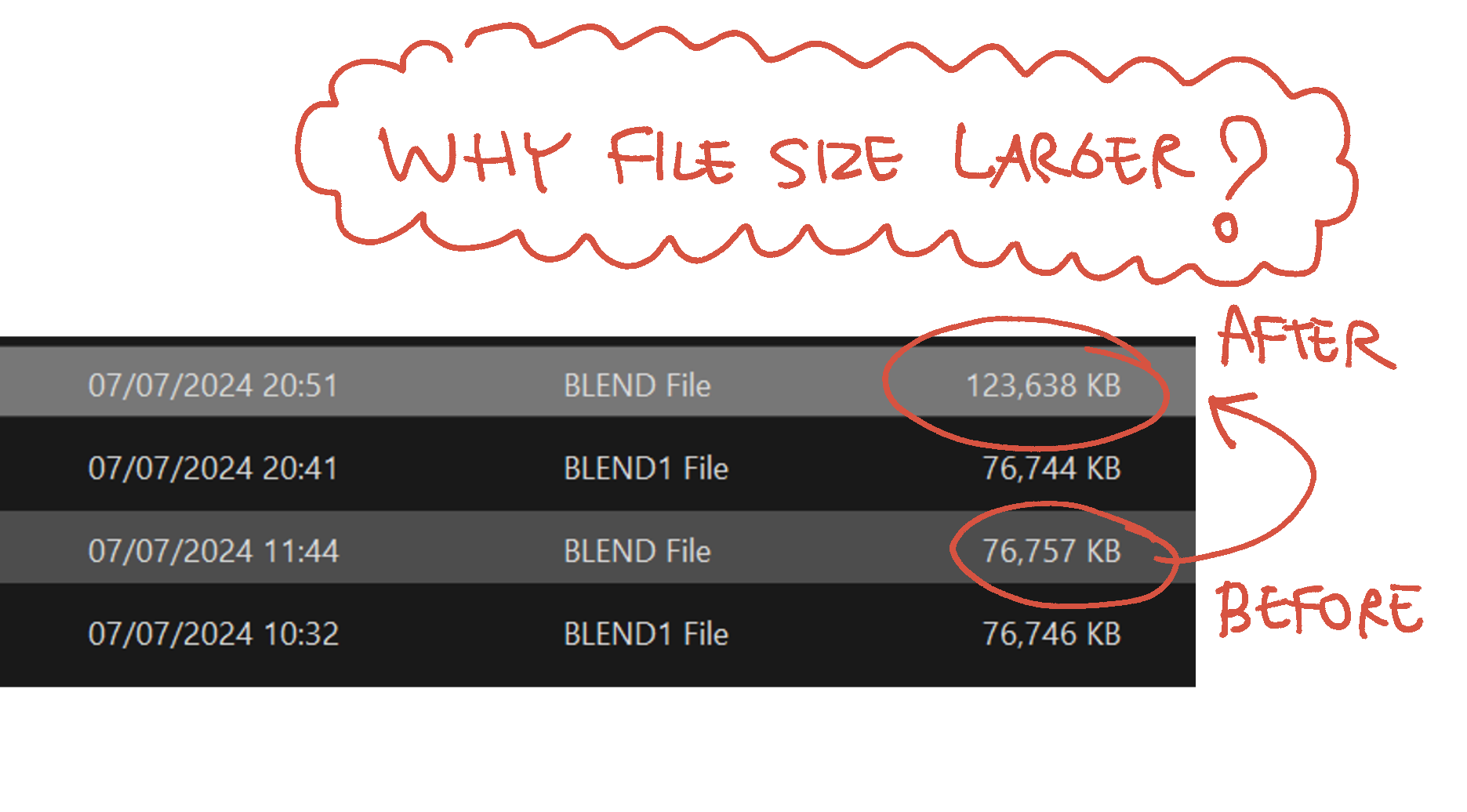
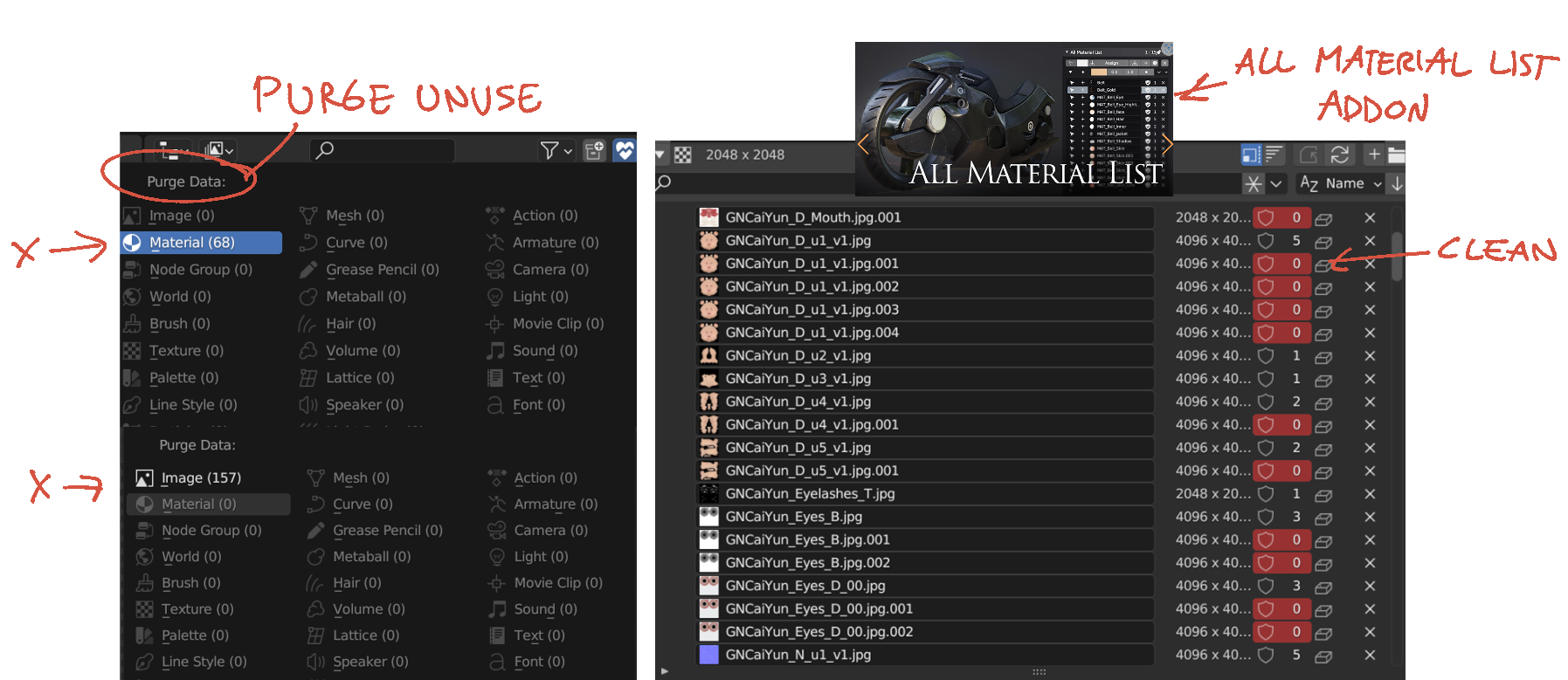
I have tried using “Material Utilities” and another Add-On called “All Material List” to merge duplicate materials and images. However, after purging unused materials, I noticed that the file size almost doubled instead of becoming smaller and lighter !. Do you have any insights into why this might be happening?
2. Batch Resize Textures:
Thanks for sharing information about BIMP. I have checked it out and will test the file size after resizing image textures with another test file. I noticed that Blender links textures to the original Daz library file instead of creating another copy. If I resize the entire folder, I might lose the original texture quality and won’t be able to revert to a higher quality if needed. I will test with another model first to see if performance can be improved after resizing textures.
Thank you very much for your time answering this topic.
1. MERGE BASE NAMES
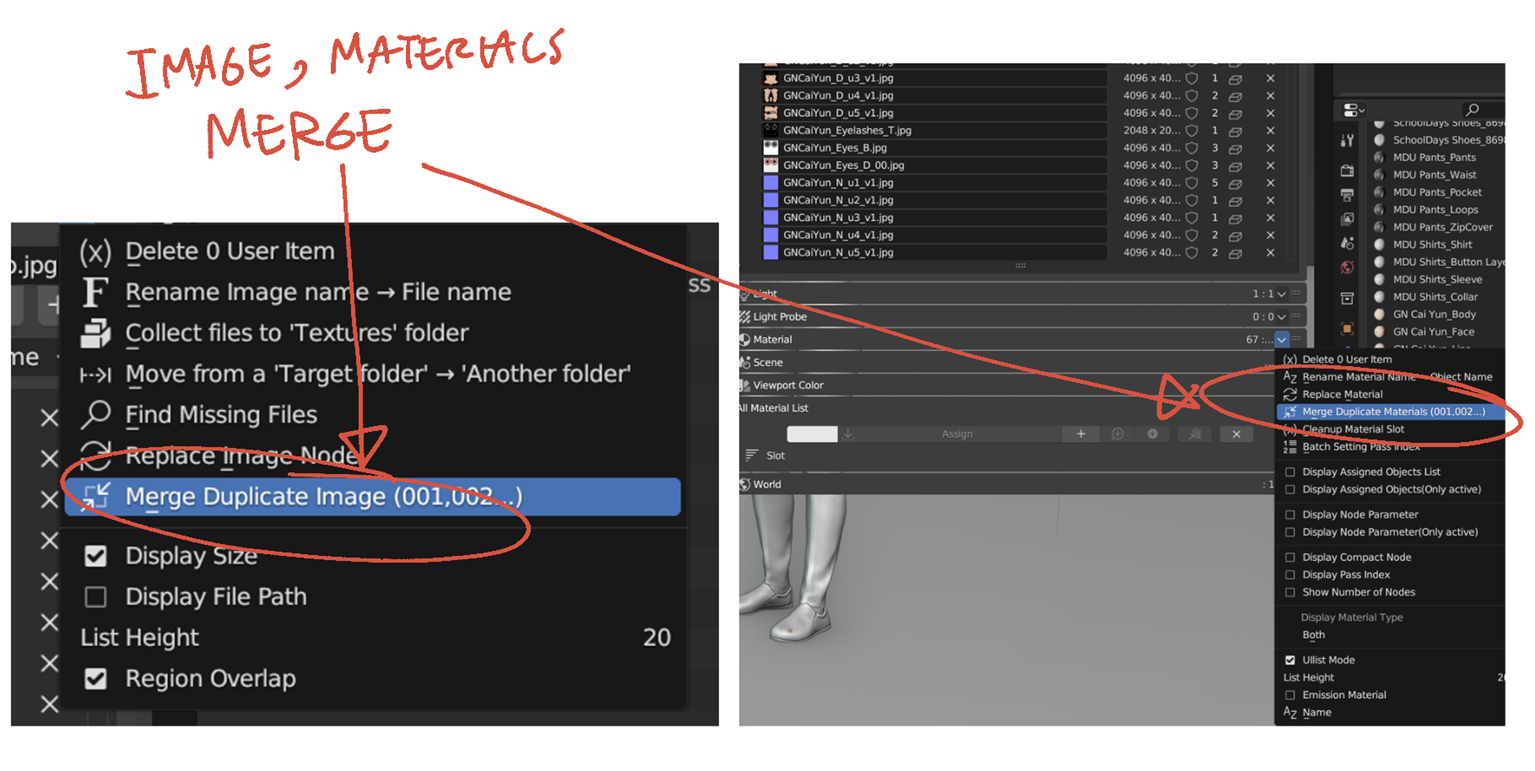
2. PURGE UNUSE
3. BEFORE VS AFTER
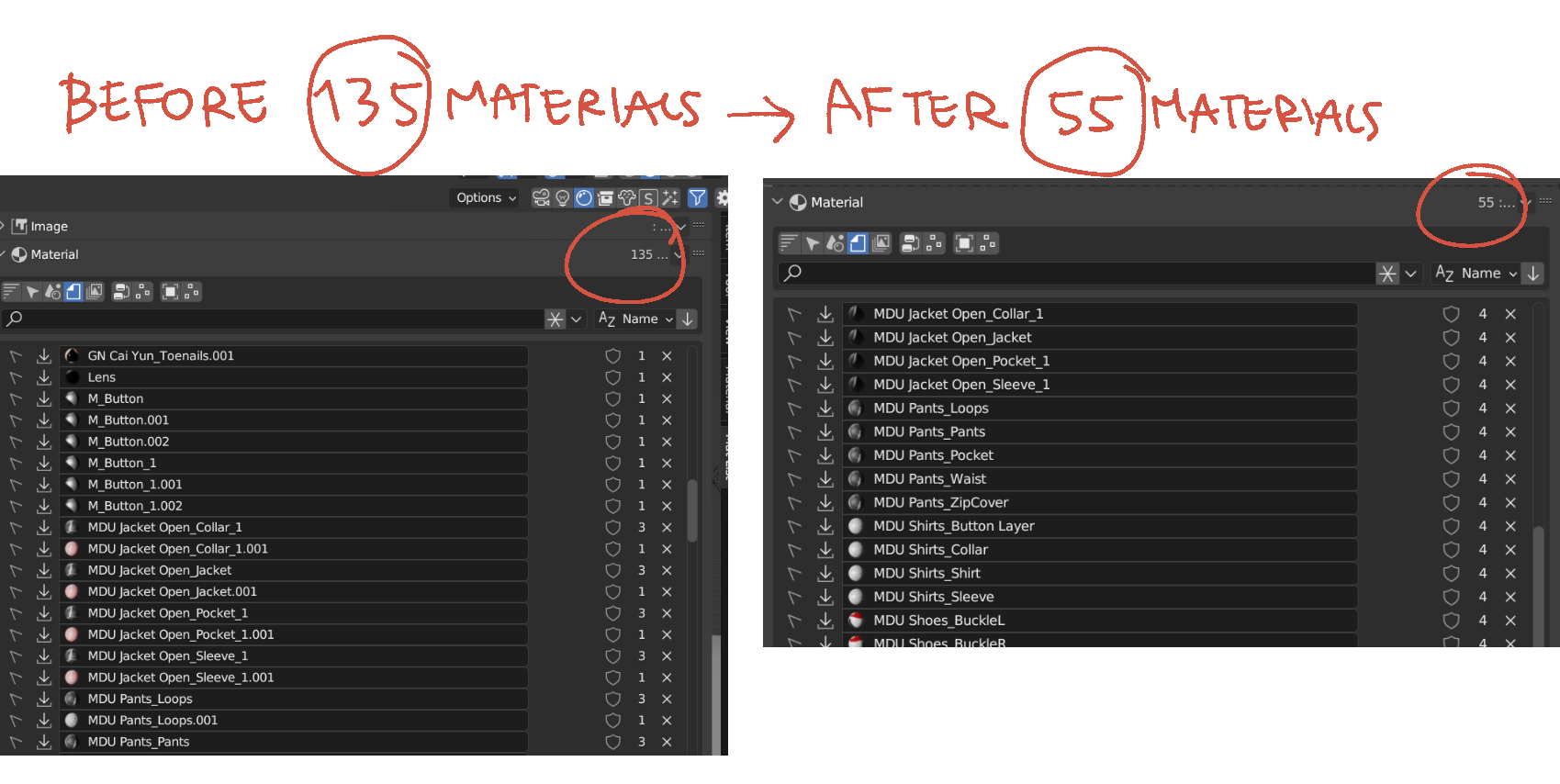
4. The file size increased after deleting unused duplicate materials !