
Reply To: ATTENTION ALL PROBLEM-SOLVERS: How would you approach this scenario?
Forum Archive › ATTENTION ALL PROBLEM-SOLVERS: How would you approach this scenario? › Reply To: ATTENTION ALL PROBLEM-SOLVERS: How would you approach this scenario?

@spikeyxxx Could you explain step by step from the beginning how you would do it? Sorry, I think I am missing the point. I believe that I understand what you meant though; you are talking about animating the sun’s elevation with an Empty, then using the value of the position of that Empty and converting it into a curve to represent the numbers (if I’m not mistaken). However, that would result in curves that lack a specific format or the desired texture, in this case, the distinctive typeface of a digital clock (that you have to craft manually). So, imagine you create different textures for each hour, from 1 to 9, all in PNG format. How would you make them interchangeable as the sun rises in the object shader editor? It seems like it would involve one texture beind connected, then disconnected, followed by another texture image connected and so on… as the sun / or empty changes its elevation/rotation.
Your method is quite clever Spike. There would also be additional steps required, such as setting the value range from 0 to 24 and many other details, including assigning some arbitrary values that could probably lead us to the ultimate conundrum / Confusion.
Findings: The Nishita Sky textures seems incapable of achieving this, there’s no valid mapping input, therefore is impossible (as far as I’m concerned) to assign the texture coordinate of an Empty. You can do it with the Hosek / Wilkie sky texture but when you move your Empty you change the value of the geometry (Good!) but you don’t change the sunset appearence (Womp womp!), creating then an unrealistic scenery…
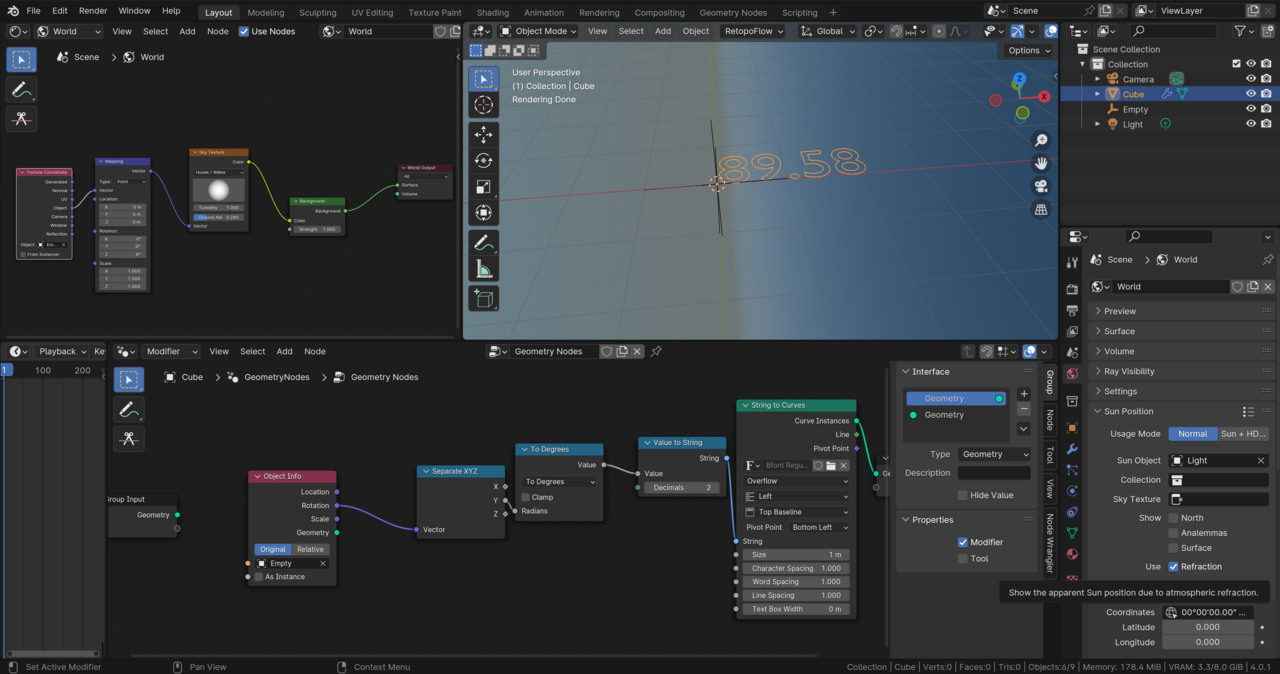
Wanna give it a try and lend us a hand @dostovel?
Thank you again guys!