Hi Philip @CookieGoatieBoy ,
Don’t forget to set the Object to Shade Smooth. Just adding the Smooth by Angle Modifier by itself does nothing if the Object is set to Shade Flat.
The easiest is, to not add the Modifier yourself, but go to Object > Shade Auto Smooth. (Then Blender sets the Object to Shade Smooth and adds the Smooth by Angle Modifier for you.)
Also make sure the Angle is high enough:
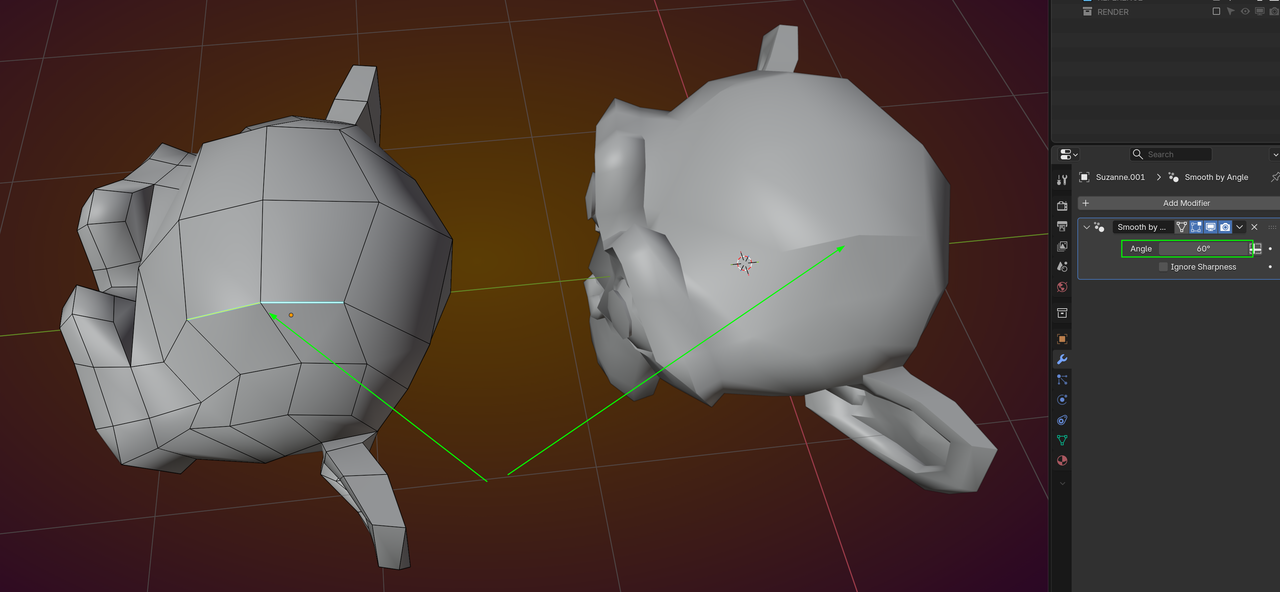
In Edit Mode, Edge Select, CTRL+E > Mark Sharp.

