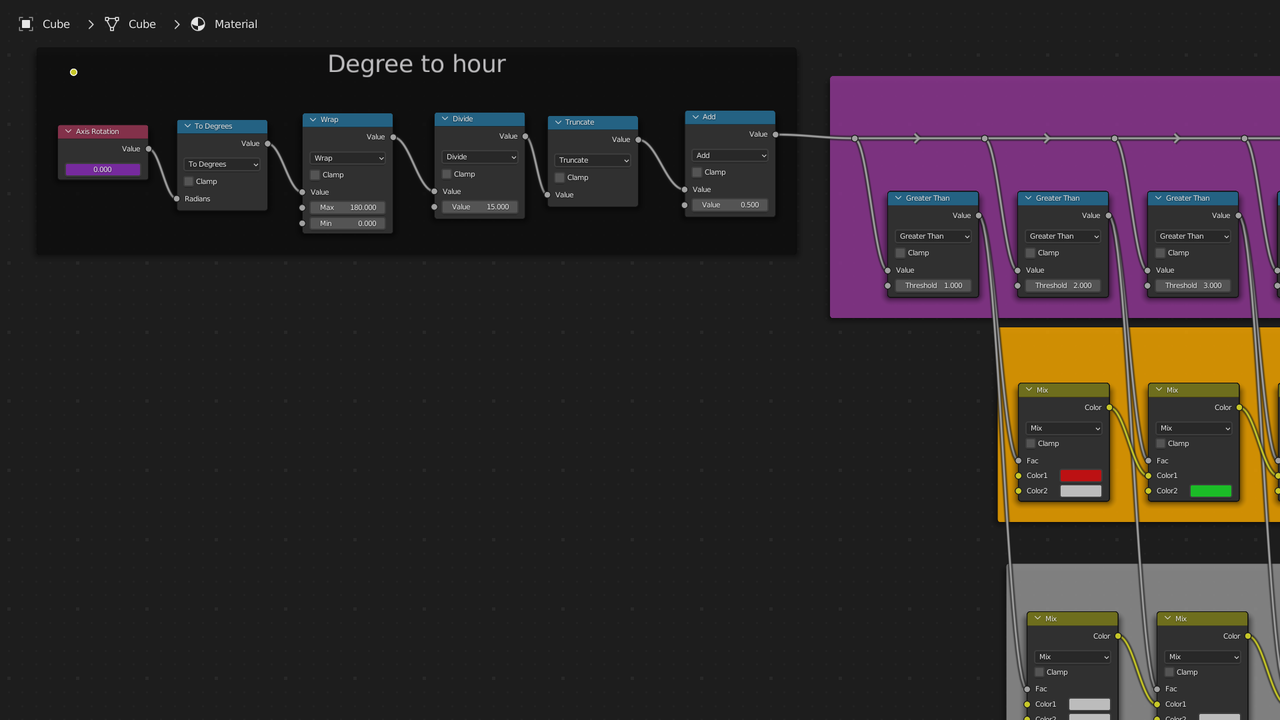
Thinking in terms of textures/materials the first thing is to convert the degrees to hours. Going based off a sundial it’s 15 degrees for each hour. Blender uses radians so we have to deal with the conversion problem for degrees over 180 and map this to the hours from 1 to 12. So here is what I came up with. The axis rotation is just a value node. I copied as driver the axis of an empty. You’d use the axis of your sun lamp or the elevation setting if using the addon. You might have to do some additional math to get the exact timing. Mine just goes 0-14 degrees is 01. 15-29 is 02 and so on until 180-194 which starts at 01 again. 195-209 is 02. The last add node adds 0.5 just so I can use hole numbers in the greater than nodes.
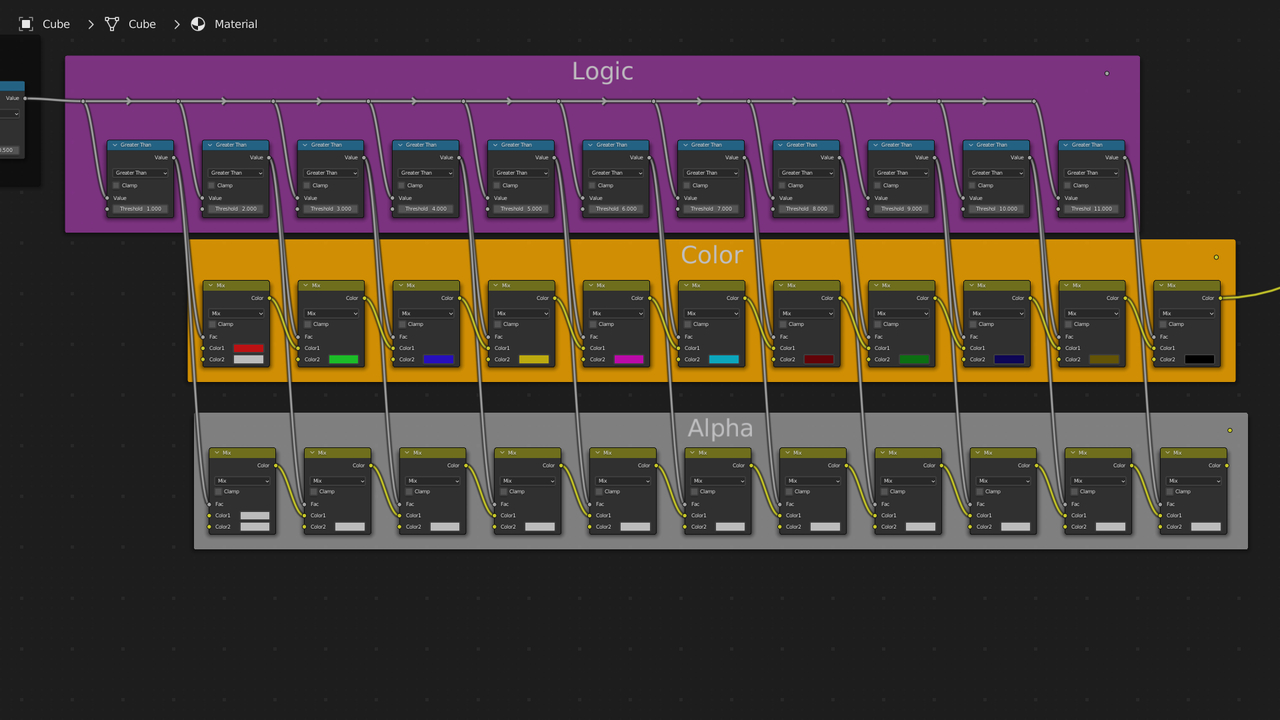
Then we have the texture selection section which is divided into 3 parts the logic, the color, and the alpha. If you don’t need to pass thru the alpha channel then you can skip the bottom section. Greater than produces a 0 if it’s less than the threshold and a 1 if it’ greater than the threshold. A MixRGB(Color mix in newer version of blender. I did this in 3.2) set to mix will be all the top if fac is 0 and all bottom if fac is 1.
You can do it easier in geometry nodes. Just note if you use 180 or higher you will need to correct for the conversion, which inverts the value. 180 becomes -180, 270 becomes -90, etc.

