Okay Brandon,
Some straightening tips and tricks for your toolbox. Usually, you can use S, Y (or the relevant Axis), 0 to get Verices in a straight line (use Active Element to control where they are ‘going to end up’).
Lets say you have a really unfortunate situation, where you have no relevant Axis, like here:
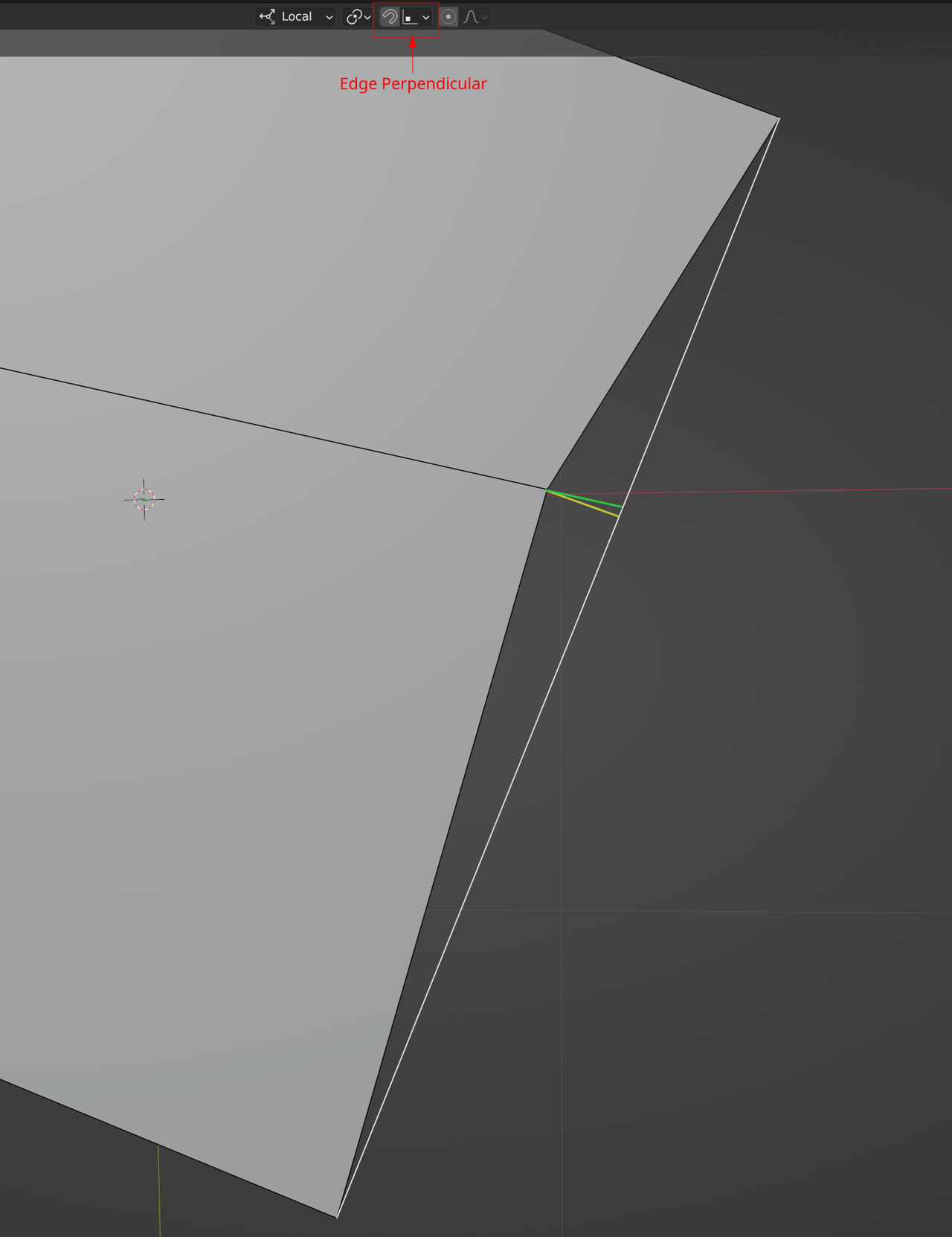
First make the white Edge by connecting the two Vertices with F.
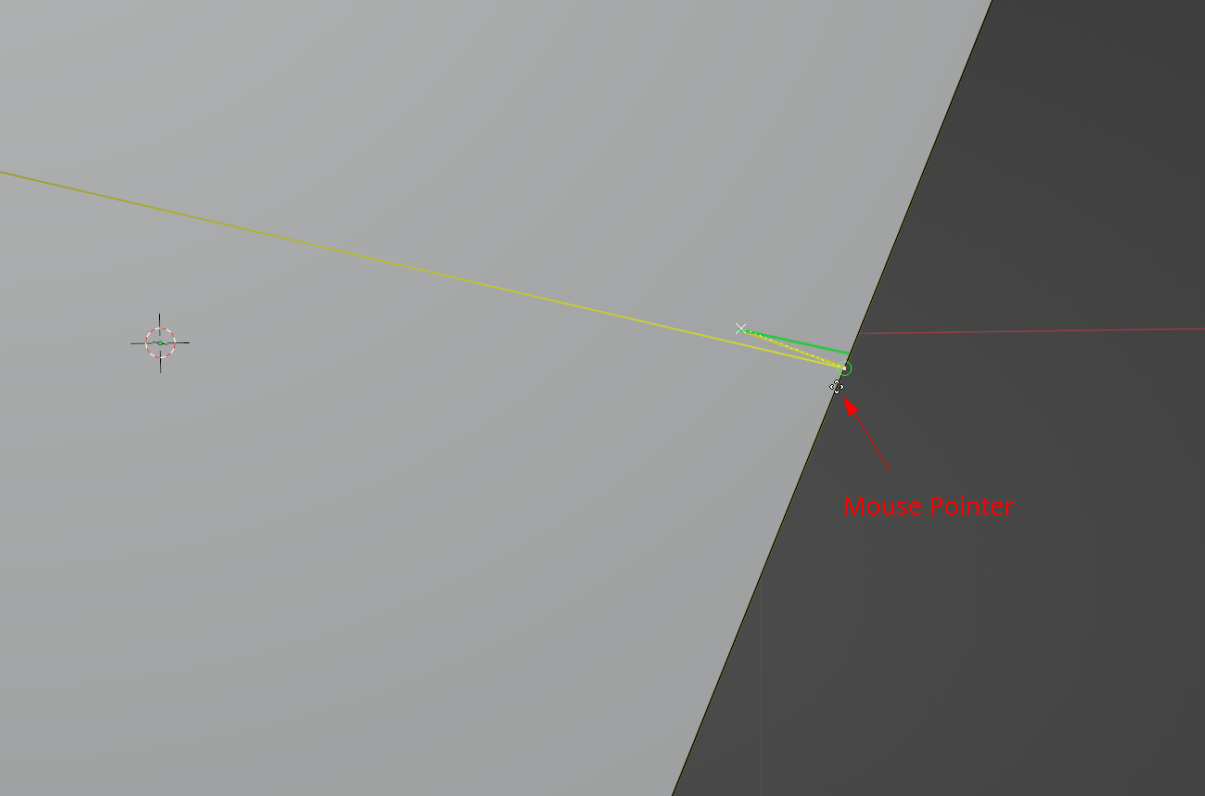
Now, if you want to move the Vertex along the yellow line, set your Snapping to Edge Perpendicular and G, move the Vertex and holding CTRL (or enabling the magnet), hover your Mouse over the Edge, close to where the Vertex is supposed to snap to:
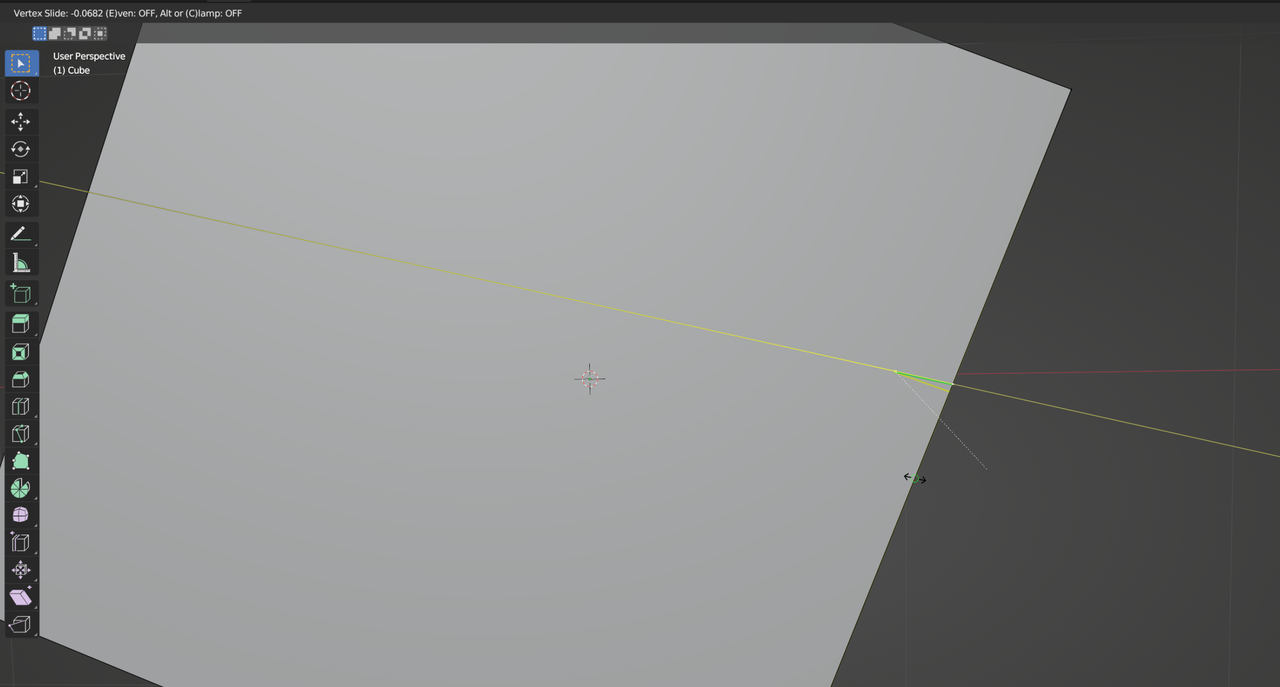
If you want to go along the green line, Enable Edge Snapping and then you can press G, G to enable Vertex Slide, make sure you slide along the corrrect Edge (to the left) and, holding ALT to disable Clamping, you can move to the right and hover over the Edge you created:
Hope this helps a bit (I recommend to practice the different ways and (bonus) see if you can come up with other methods).

