@spikeyxxx
I can not appreciate enough on how much you have helped me! Big thank you!
For your 1st method, which is to enter into the Edit mode, and works great for the linked object data, but provides no information for the linked material data.
The linked Cubes will also ‘jump’ in Edit Mode
The ‘jump’ feature must be a new feature for Blender 3.0. This feature is missing on Blender 2.90. I notice the yellow arrows pointing to some white icons on your first screenshot. Blender 2.90 does not have such white icons in the edit mode. I will try this on my Blender 3.0 next time.
Your 2nd method, which uses SHIFT + L, is much more powerful, because it not only works for the linked object data, but also linked material data, as the following screenshot.
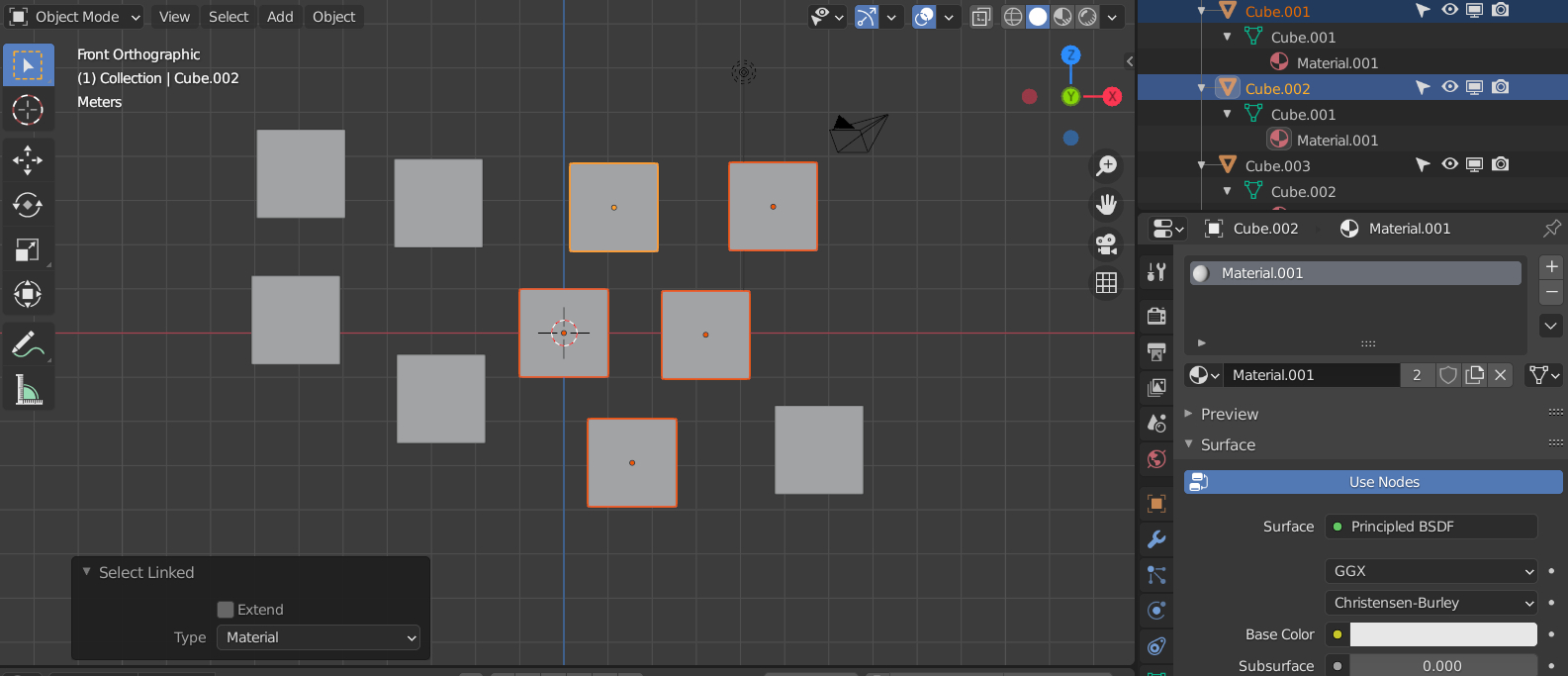
BTW, (for those who wonder) from my screenshot, the Material.001 are linked and used only twice, but there are 5 cubes actually selected. That is because 4 out of the 5 cubes are linked in the object data and the 4 linked cubes are only counted to use the Material.001 once.

