I’m not sure what tool/brush would work best to achieve that look.
@createtaiwan I think, it’s the “Scrape Brush” used by Kent @theluthier here (already in minute 1; Kent renamed the brush to “Carve”) with the “View Plane” set as “Sculpt Plane” which has to be locked.
In Blender 2.9x check “Use Original Normal” for the locking:
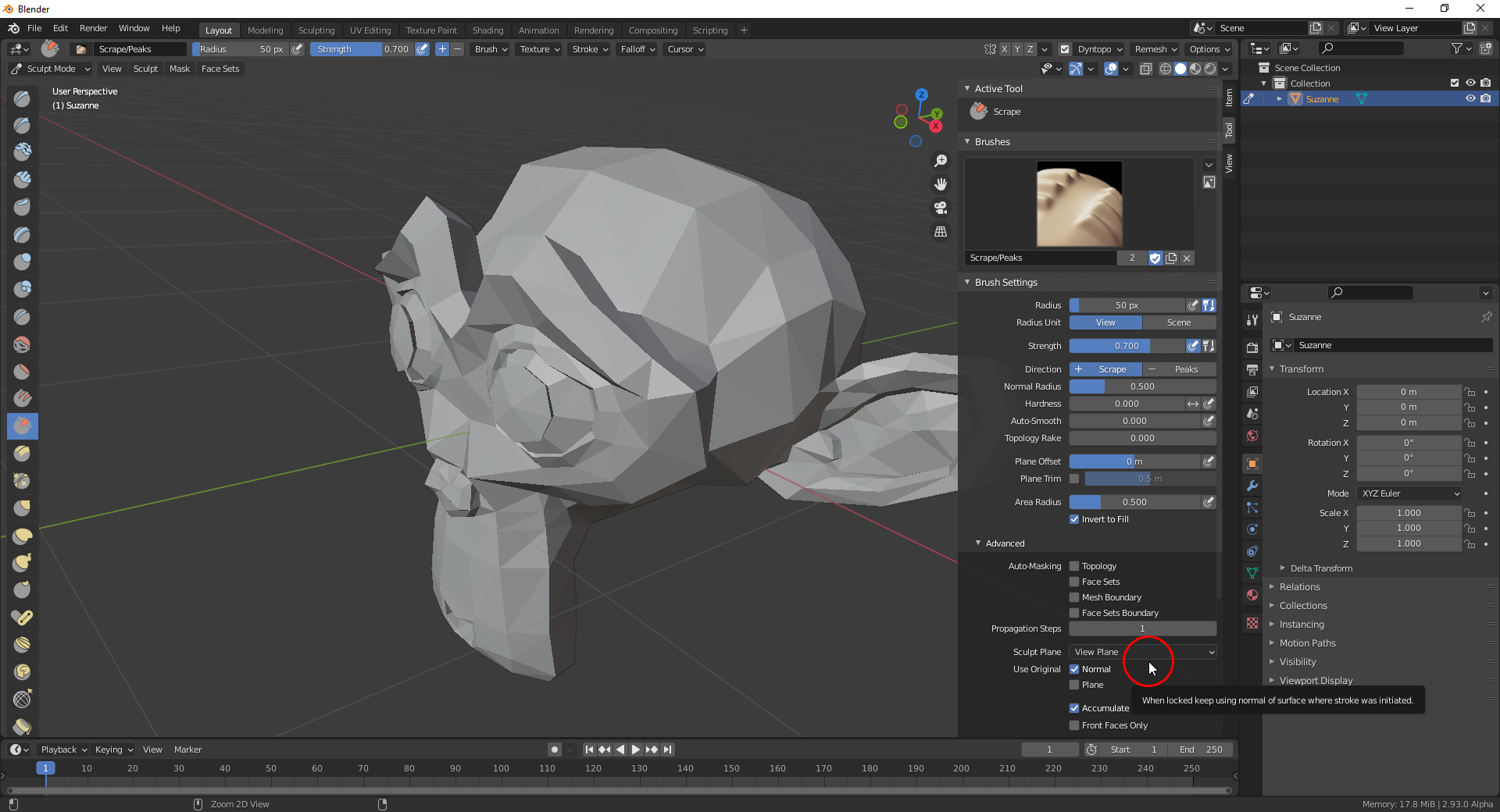
What these settings do, as far as I understand it, is that the brush projects the mesh along the “Face Normal” that the brush detects directly when the stroke is started to a plane parallel to your screen surface in the 3D scene running through the surface point currently under your brush. You should also check “Use Original Plane” if you don’t want to reduce your mesh to nothing 😉😁! With the last mentioned option checked, the distance from your viewpoint to the surface point where your stroke starts is measured and only mesh parts up to a plane parallel to your screen and running through that “stroke start point” (my naming 😉) are affected. You need that option in your use case.

