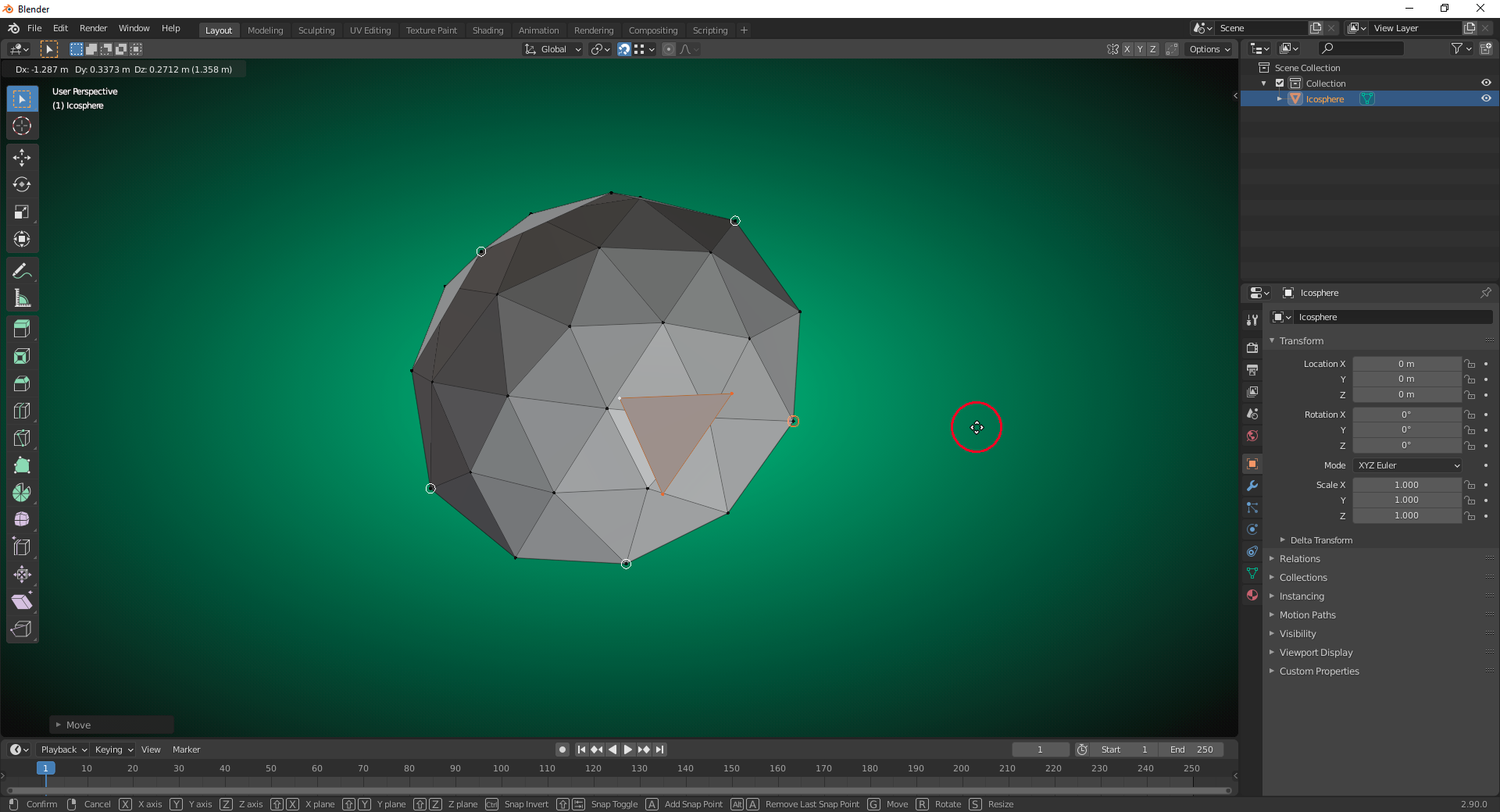
You can also define a selection of “Snapping Targets Elements” by hovering over one of these elements with your mouse pointer and pressing “a” each time. It’s even possible to repeat this with one element in order to assign it a higher “Influence/Weight” in that “Snapping Target Elements Selection”. After your selection is complete, move your mouse pointer away from any “Snapping Target Element” and confirm with “RETURN”. This method only works with the “Magnet Button” activated (indicated by the blue color), NOT with the “CTRL” key!
The image below shows this with “Vertices” as “Snapping Target Element”. The white circles and and the red-orange double circle for the last selected element show the yet unconfirmed selection: