Thanks @abm3010, but that didn’t work either. But I have solved the problem and using an empty works this way as well.
I was playing around this morning, opened a new scene with a modified cube added the edge scratch nodes through an emission node and this was the result.

so far so good, and then rotate
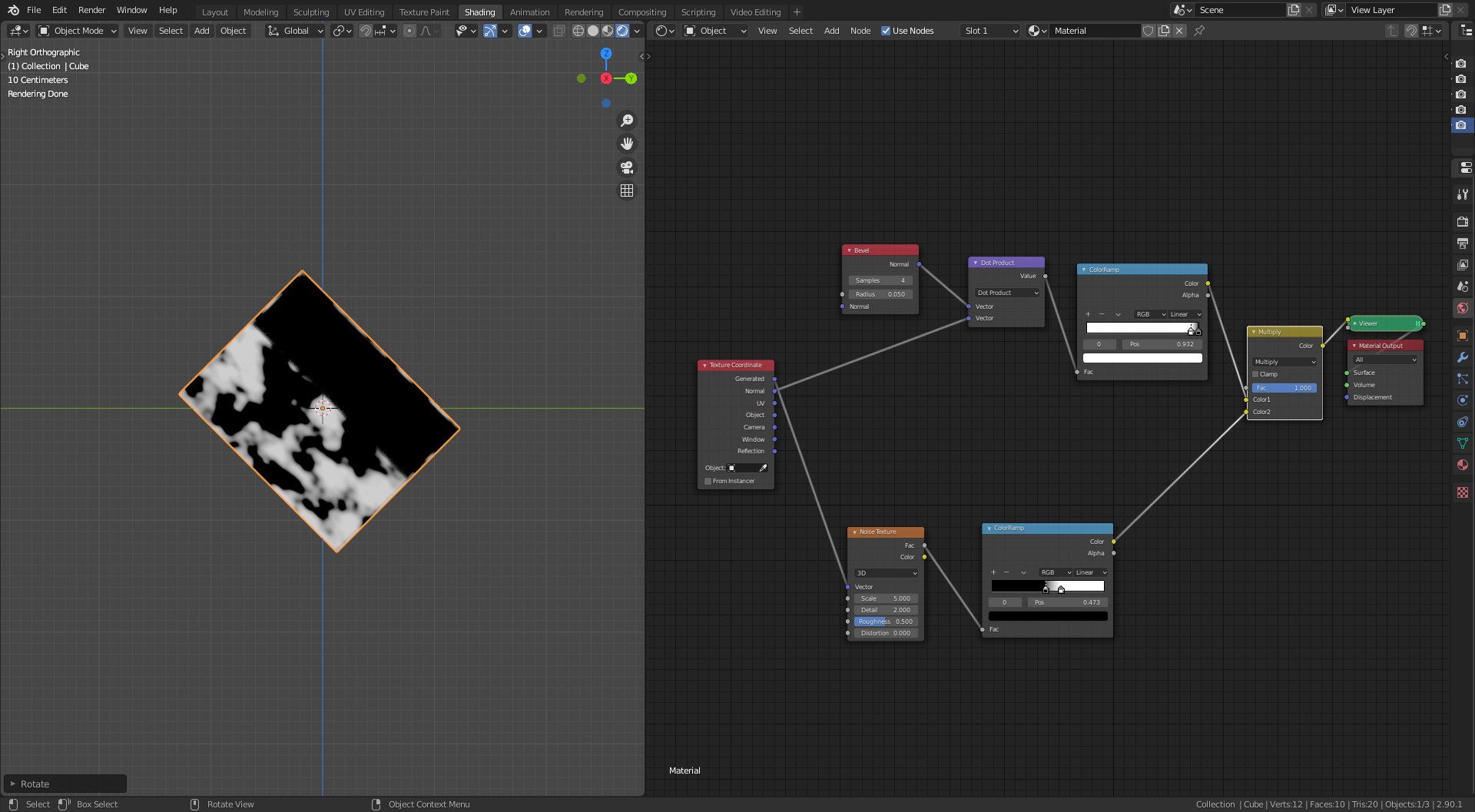
so I know the issue is here some where, try changing the multiply node to add, screen and same or worse
so I add the pointiness node setup and swap between the two just in case there was some confusion and to see if Blenders brain is not as smart as @spikexxx.
Nothing worked.
But then while deleting the pointiness nodes I accidently used the geometry node normal output instead of the texture coordinate node normal output into vector math second input.
and hey presto
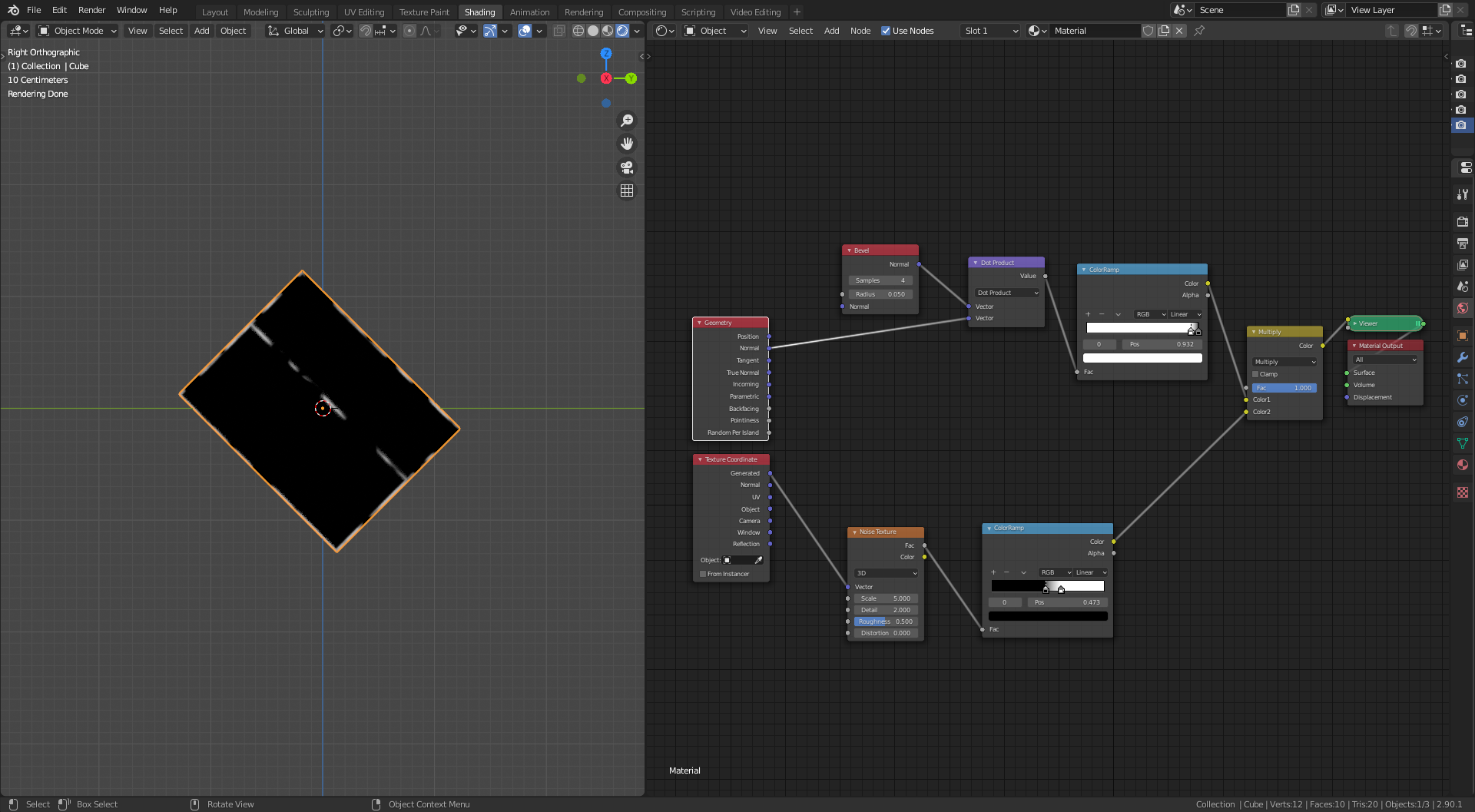 Note the word accidently, just in case you thought I was as smart as @spikeyxxx
Thanks for the help. With out you all I would have just settled for the pointiness option, I think the dot product option is better.

