Solution After:
Made use of @spikeyxxx elegant solution which covers most of the comments below:
Added more geometry to circular cross sections. I think I really needed this many due to the “holding edges” needed for good corners.
After adding more sides to the circles (gone from 8 to 16 edges) used Shift+Alt+S on individual circle loops to turn them back into perfect circles (the Edit Loop Tools: Circle macro was moving the circles around on me and causing headaches)
Dealt with pesky 5 sided poles to get them away from harsh edges (made use of inset in ways I haven’t done before haha) and I was able to keep the shoulder I was concerned about losing at the side of the cylinder (this was really the big pain point).
Found 1 stray edge that was going the length of the cylinder and connecting in places it shouldn’t. Deleted it.
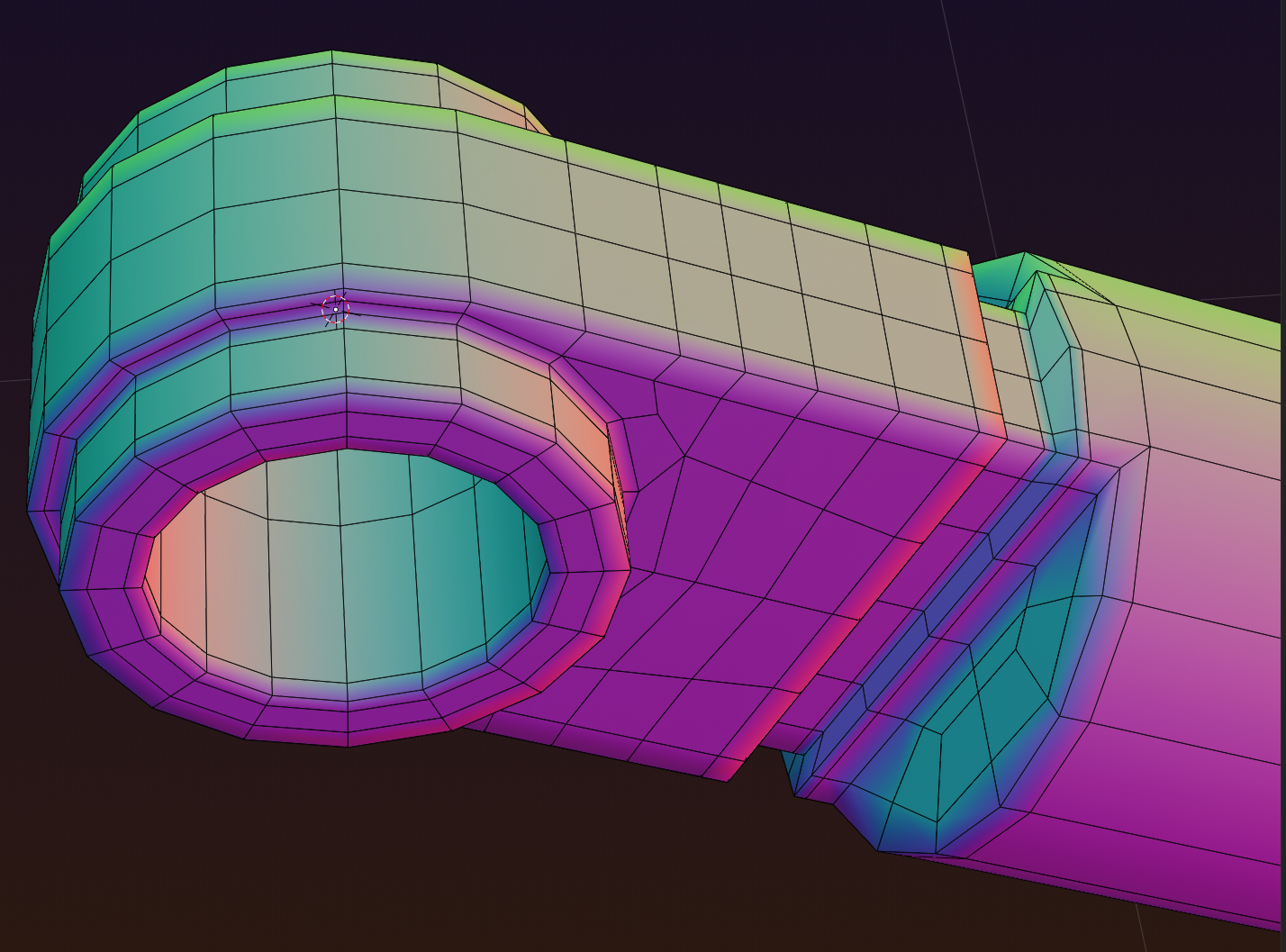 Actual Verts: with 5 sided pole moved to the cylinder. This was actually quite tricky for me to do properly even with Spikey’s example.
With a glassy matcap and subdiv “On Cage” preview on to show how light catches it:
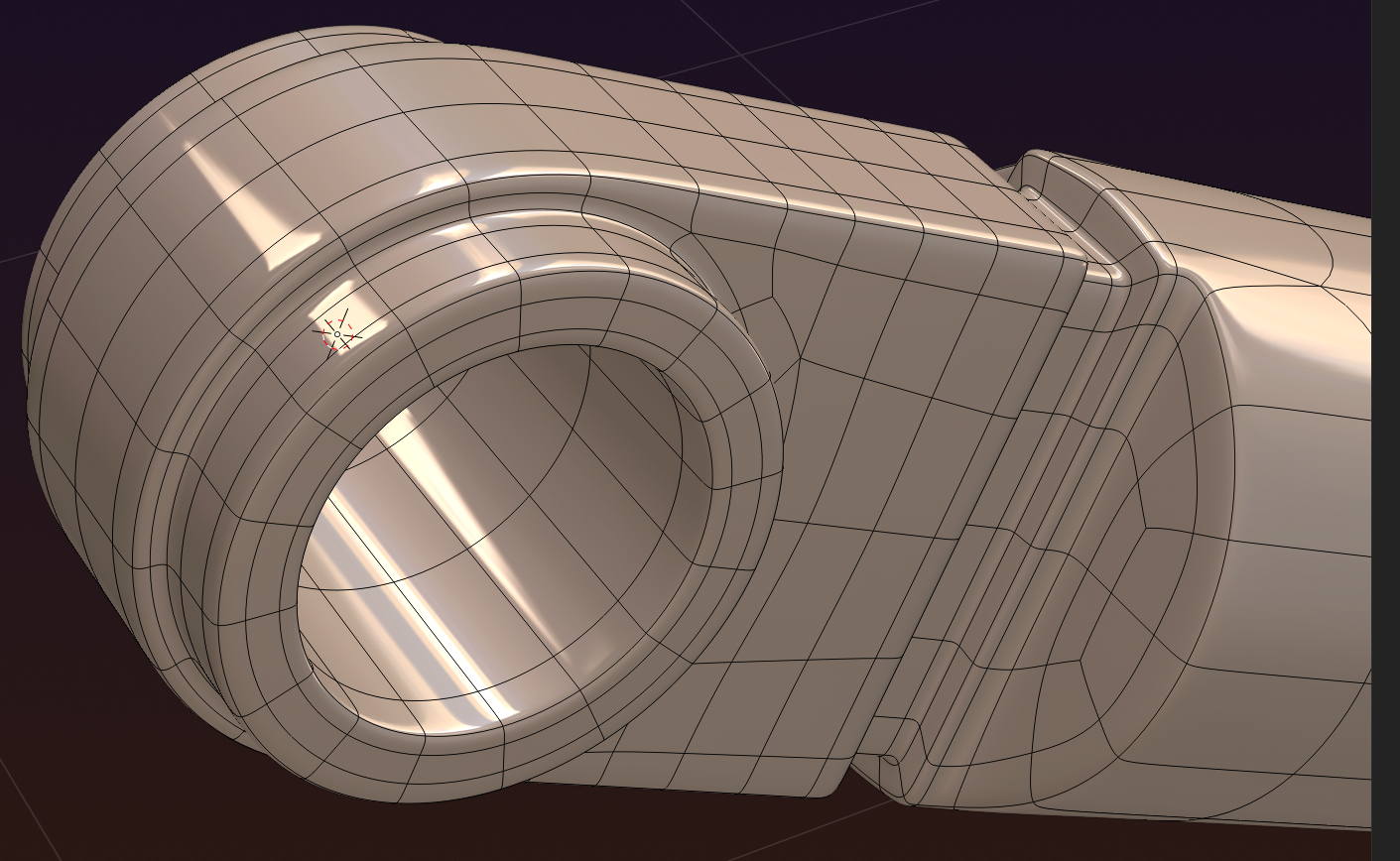 Much more elegant look with the light smoothly transitioning around the circumference.

