Hey Sean, the shader editor edits only the active material for the active object and not all selected objects. If it’s changing multiple objects than it’s because those objects all share the same material. If you go to the material tab in the properties editor you’ll see a list of one or more materials that are assigned to the active object. Clicking on those will switch which of the object’s materials is shown in the shader editor. Select a different object and notice if it has the same or a different material applied.
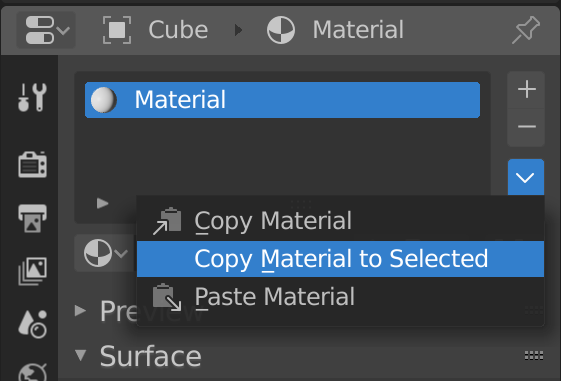
If you want all objects to share one material, a quick way is to select them all, make sure the object whose material you want to copy is the active object by selecting it last, and then using the dropdown arrow to copy the material to all other selected objects:
Hope that helps clear things up!

