I’m not sure why your wireframe mode is looking so strange, Omar. Mine works just as it should:
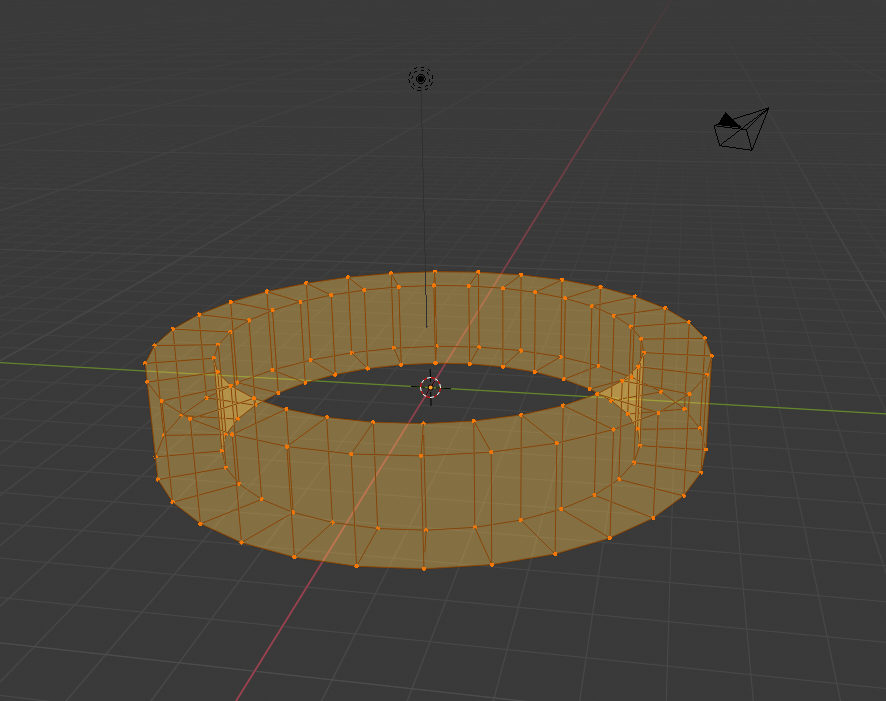
I suggest to you, perhaps download the very newest build of 2.8 from the Blender website, and in the Preferences click Load Factory Settings (it’s in the 3-bar menu at the bottom left corner) and try to completely reset 2.8. Then maybe it should work right.
Set Origin is in your right-click menu, when in Object Mode!
The LookDev mode is useful for making your materials – while in LookDev, Blender uses an internal HDRi map to light the object, without you having to establish one by yourself. This HDRi will not appear in your renders, it is internal to Blender only. There are a few different HDRi’s you can use; in the top right corner of the viewport, click the drop-down arrow next to the viewport select buttons and click the globe to change between the different environments. You use this same method to change matcaps when in solid shading mode.
ETA: If resetting Blender to factory doesn’t do the trick, then while in Wireframe mode, click the Show X-Ray button, which is here:
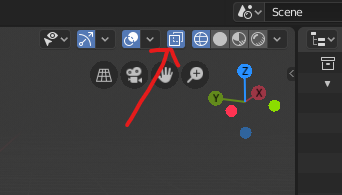
Blender should remember to turn this on every single time you switch into Wireframe mode again thereafter.

