Reply To: Is this hard surface geometry ok?
Forum Archive › Is this hard surface geometry ok? › Reply To: Is this hard surface geometry ok?

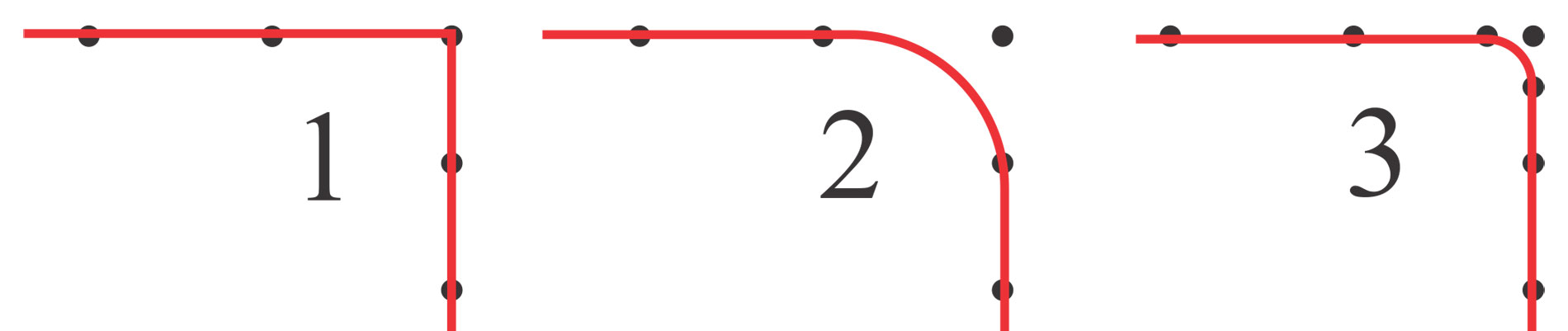
To understand if it is the general design and an industry best practice of having a ring of faces around screw holes (and the C-shaped hole), you need to know why this ring is for. I’m afraid you do not really understand what subdivision is all about. Here is a drawing.
The black dots are the point or vertices. The red line is the mesh.
Figure 1 does not have a subdivision modifier. Blender draws the mesh –red line- from point to point.
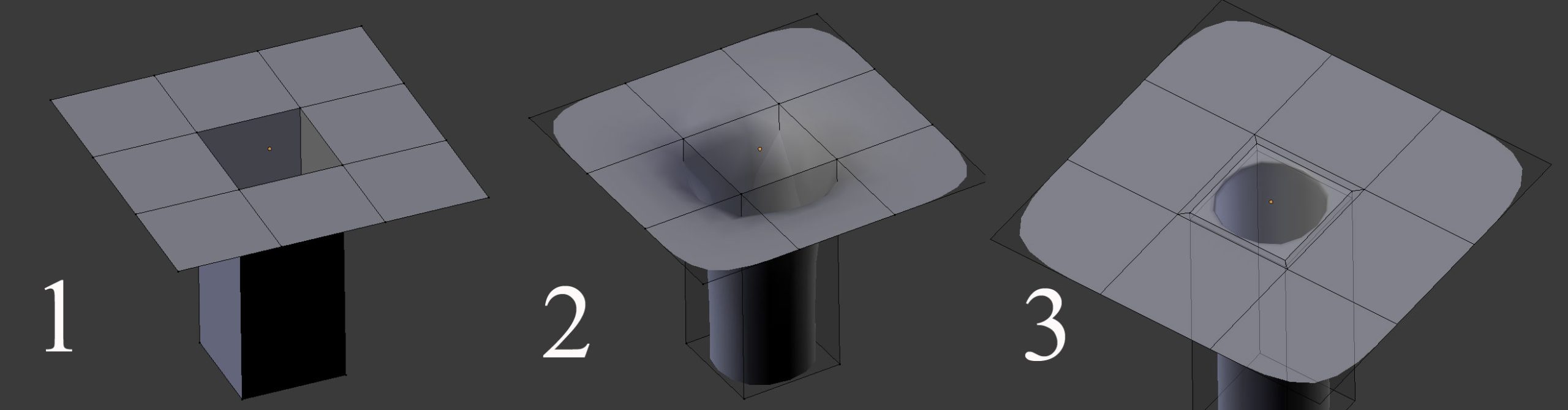
Figure 2 does have a subdivision modifier. But what happens with a subdivision modifier is that blender goes round in corners. The whole idea of a subdivision modifier is to make a smooth surface. This may be kinda inconvenient, it makes a screw hole looks like a sink hole. Therefore you add 2 extra vertices at the corner to force Blender to make the rounding smaller. Figure 3.
Of course the drawing is a 2 dimentional drawing and we work in 3D. Those two extra point translate in 3D by 2 extra loopcuts that create two rings of faces.
Those rings of faces have nothing to do with the general design and an industry best practice. They are there because they are needed.
So, If you are modeling a piece, no subdivision modifier is needed and the hole needs to be square, this ring of faces is not needed. Fig 1.
Check out this video.
(Right click on the images and select ‘open in new tab’ to see it bigger. (This forum still is a work in progress 🙂