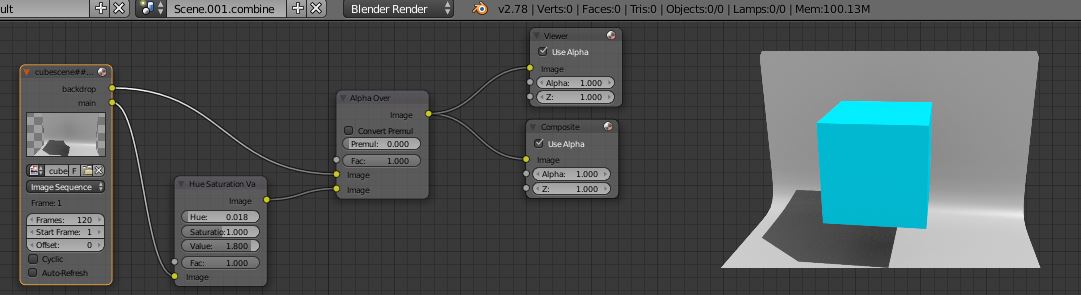
OpenEXR for animation is fairly straighforward, but requires a few extra steps.
Generate raw animation
1. In node editor (compositor), delete Composite output and replace with File Output.
2. Change File Output format to OpenEXR. Set the folder and file name base.
3. Add/rename inputs to match render layers.
4. Connect render layers to File Output. Render.

Combine and process layers (in another scene or blend file)
1. In node editor (compositor), replace Render Layers input with Image Sequence. Select OpenEXR images generated above.
2. Add processing nodes as required. Connect processed image to a Composite or File Output node.
3. Render processed animation.