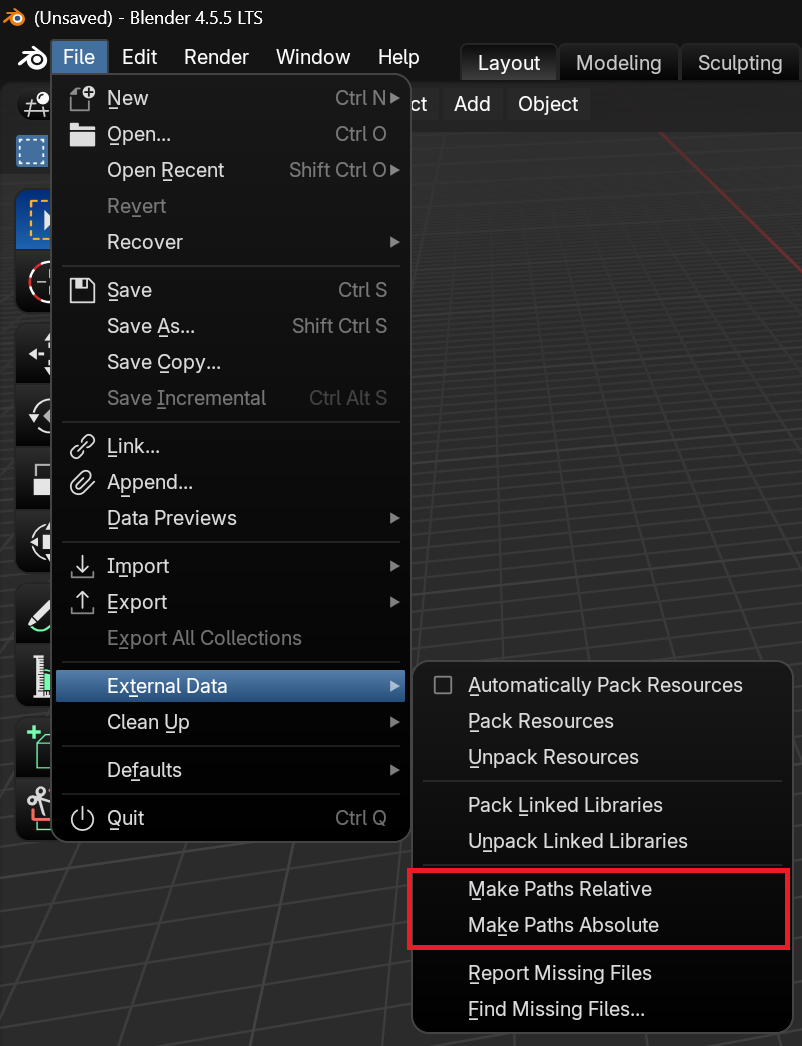
A simple way to switch from absolute to relative paths is to make sure all your files and materials live inside one main project folder, then update your references so they point to locations relative to that folder instead of your full system path (for example, change something like C:\Users\You\Project\textures\image.png to textures/image.png or ./textures/image.png); once everything is linked this way, you can zip the entire main folder and anyone who extracts it on their computer will be able to open and use the project without broken paths, as long as they keep the same internal folder structure.

.