Need help to adjust top right side edge of console

Forum Archive Need help to adjust top right side edge of console

Viewing 15 posts - 1 through 15 (of 23 total)
  • Author
    Posts
  • #20042
    Patty Hatfield
    Participant

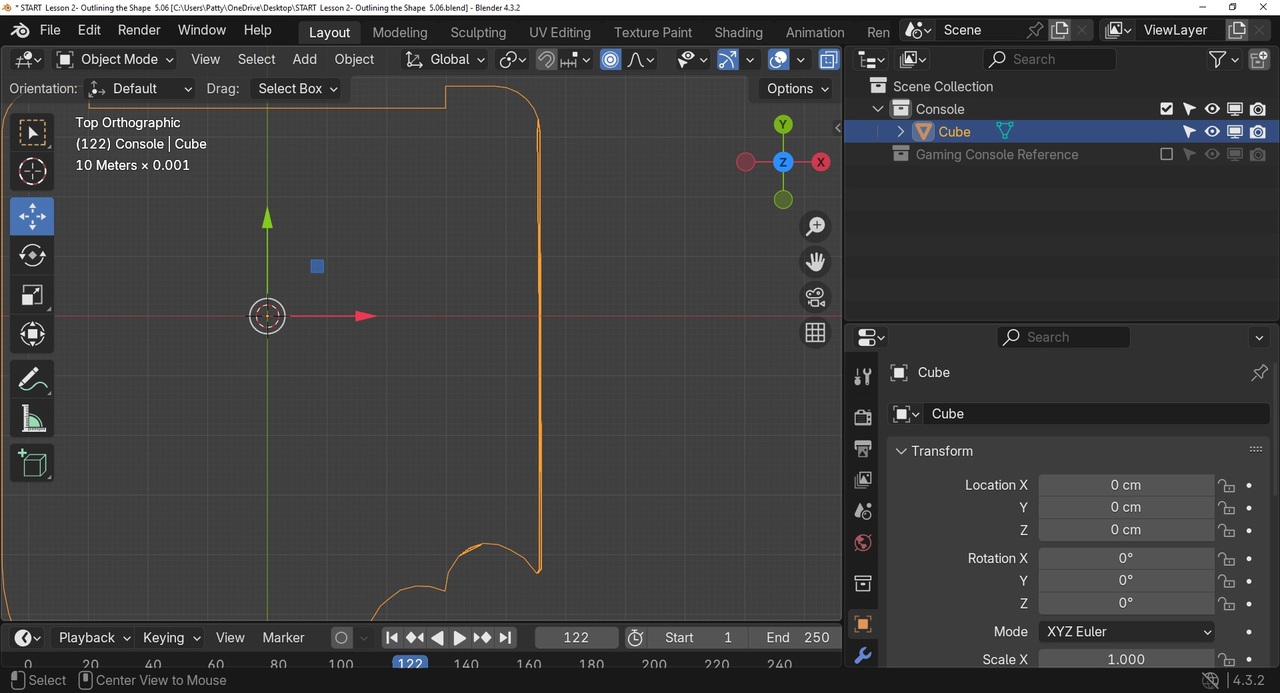
      It been awhile since I last worked on my project: Reviewing my project thus far, I noticed the top right side of console is off. It looks thicker viewing from top view. Then I remembered I tried to adjust this when it was first formed.  Now I see that this might be an issue later. 

      I have a screen shot saved to pain, It is now a file on my desktop.  Not sure how to proceed.  I see the Link and Pic icon above but not sure how to This page won’t let me drag and drop it here, or will it?

      Patty

      #94466
      Omar Domenech
      Participant

        I suggest you start over. Like when in a videogame you come back to it after a while and you lost the plot, you just start from scratch and have some fun again.

        #94467
        Dwayne Savage
        Participant

          You can click the pic icon and then drag and drop into the box that says drop file here. Once it finishes uploading then you will need to click the image to actually add it to the post. When you post under a video it doesn’t usually work. So just add an answer here then do add the image. I think you can also edit your original post and it will let you add the image. It is a known issue. 

          #94468
          Patty Hatfield
          Participant

            4 Patty Hatfield.jpg

            #94469
            Patty Hatfield
            Participant

              Great advice thanks! Now, reviewing my steps I noticed from the top view, the right side of the console seems slightly thicker than the left side. . Plus, one of the round bites also seems off.  When I orbit in Object mode, orthographic  it seems a little thicker (from Top view).  Maybe its not a big deal, not sure. Des the image look correct? or am I off and does it really matter with this project?

              Anyway , my next step is to cut out the little curved notch top center of console. 

              #94470
              Patty Hatfield
              Participant

                ape RENDER IMAGE.png

                #94471
                Patty Hatfield
                Participant

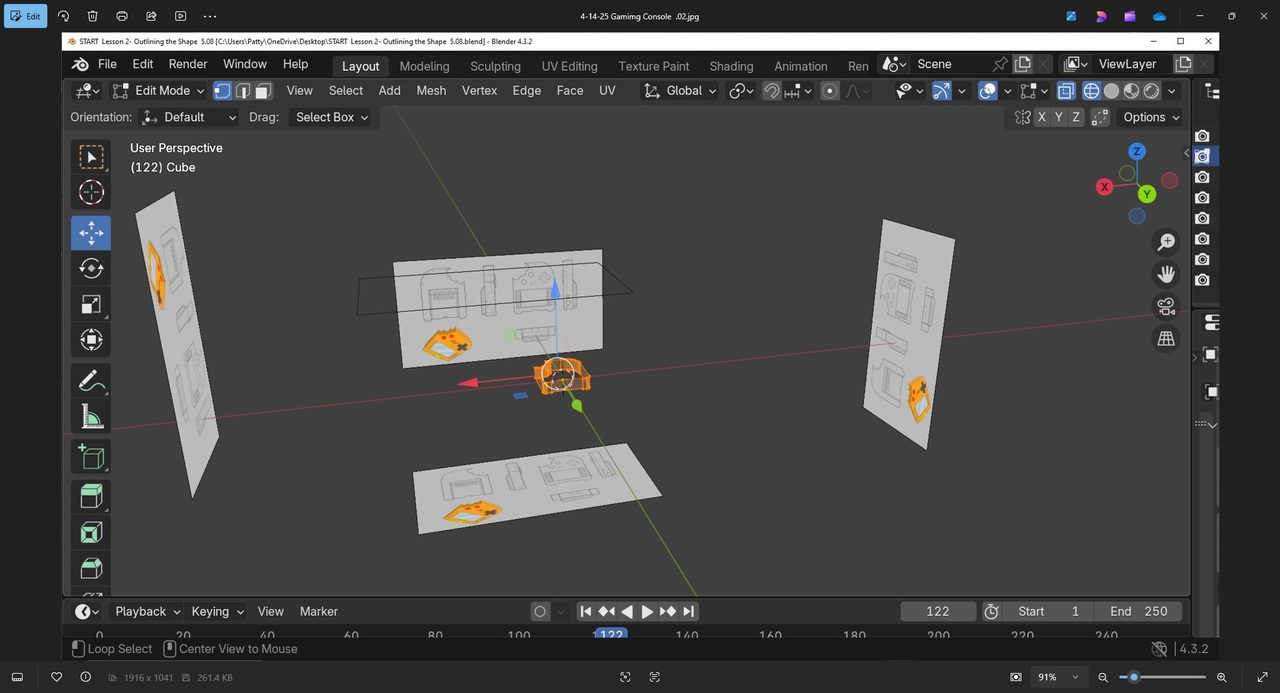
                  - Gamimg Console.jpg

                  #94472
                  Martin Bergwerf
                  Participant

                    Hi @pattybhat ,

                    maybe a bit late, but your model certainly seems to have some Vertices ‘misaligned’..

                    The easiest fix, would probably be, to Delete all the top (in Z) Vertices and then A, E, Z, to Extrude the bottom Vertices straight up.

                    #94473
                    Patty Hatfield
                    Participant

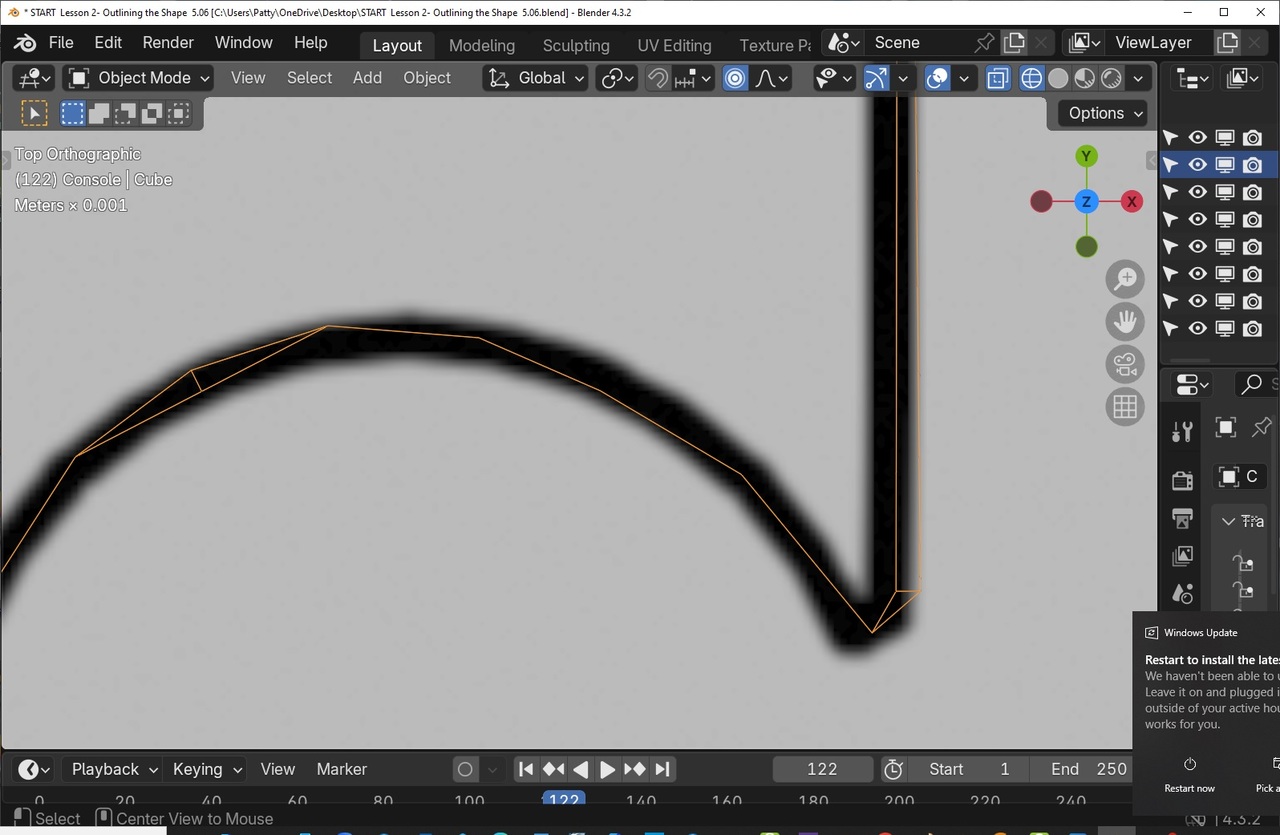
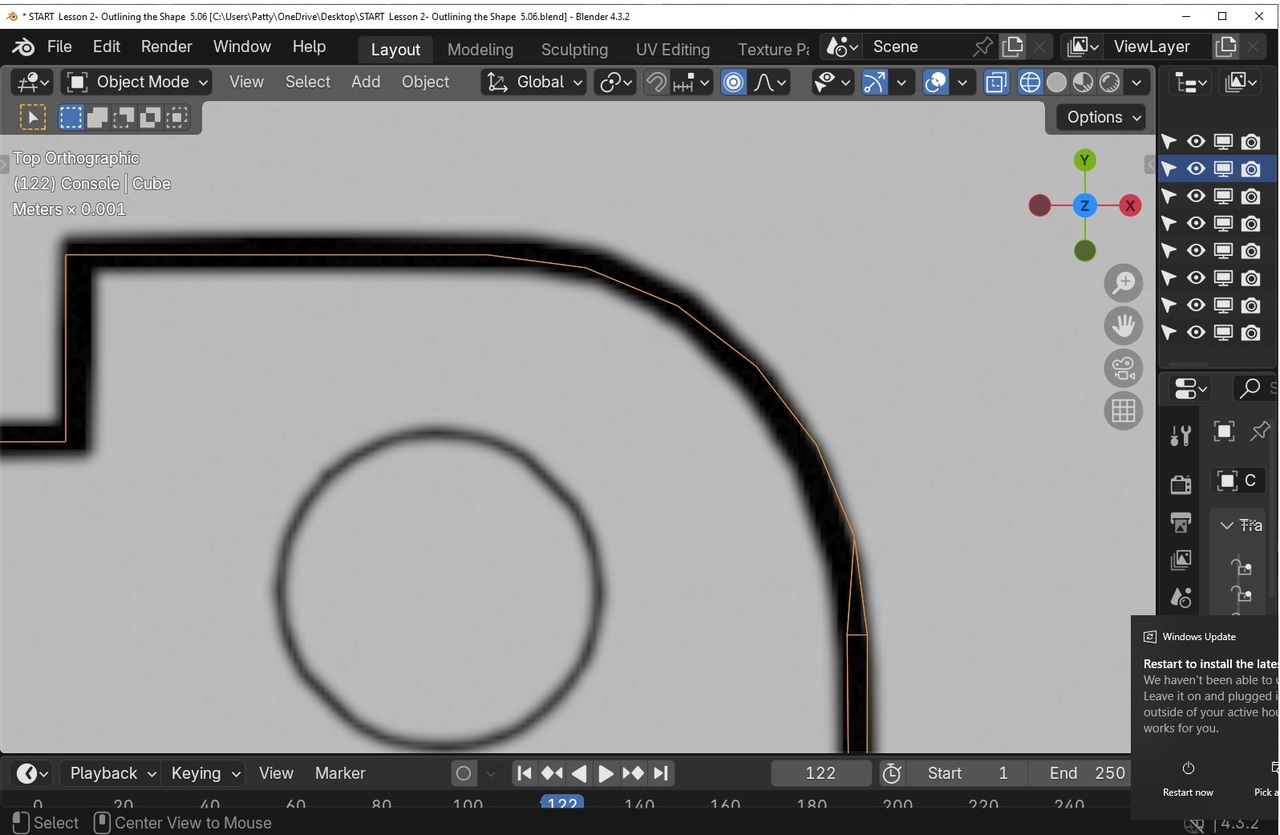
                      ok. it’s been a while since I first made this error.  I need to think about this. I am not remembering the process.   A family member just found out she has both liver and pancreatic, so I have been distracted.   I will send some pics so I can better understand whist you mean. from: Top view, Object mode.  Highlighted orange. gned vertices .1.jpggned vertives .2.jpgnged vertices .3.jpggned vertices .4.jpggned vertiecs .5.jpggned Vertices .6.jpggned Vertices .7.jpg

                      #94474
                      Patty Hatfield
                      Participant

                        Perhaps, you can help guide me through this!   Help to ‘tame this vertex jungle’! 

                        #94475
                        Martin Bergwerf
                        Participant

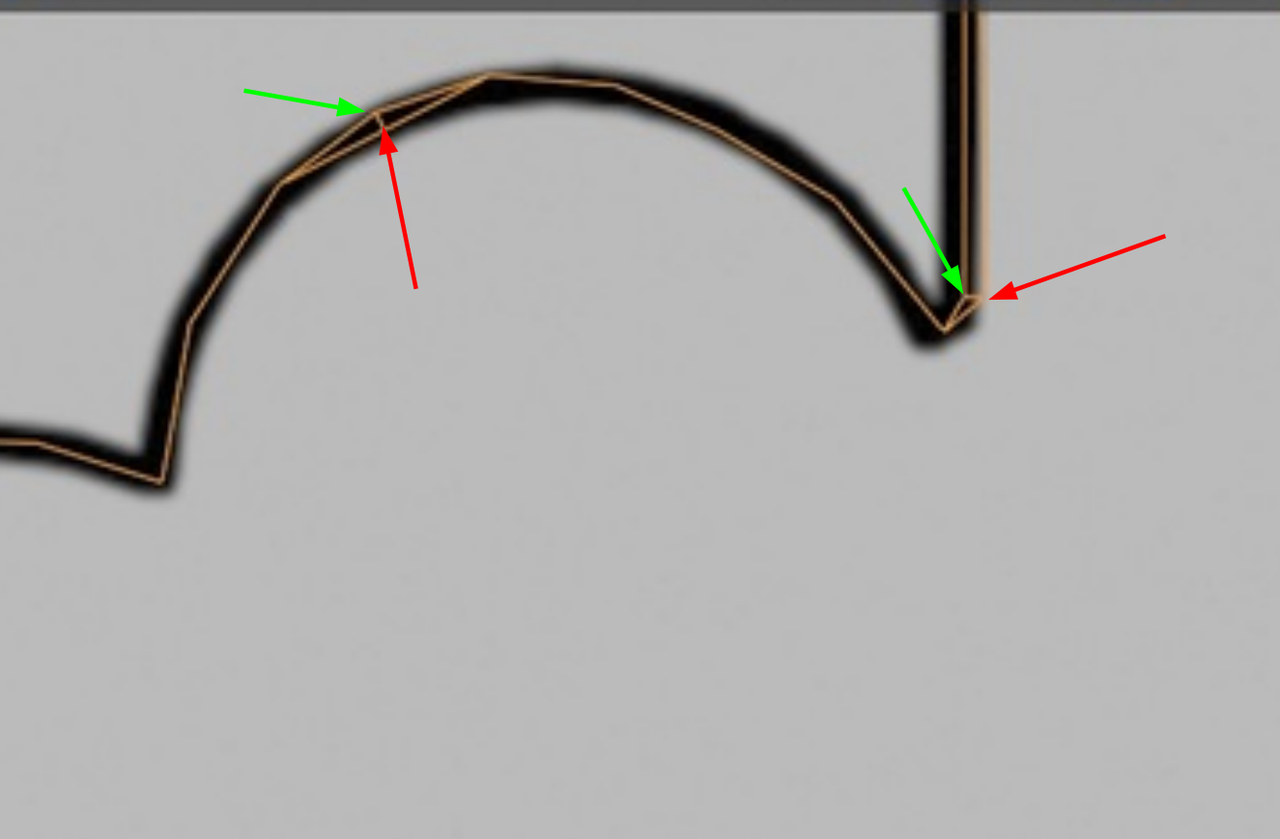
                          So, it looks like either the top (in Z-direction) Vertices are misaligned, or the bottom ones. If that is the case, you can Delete the top or bottom (which ever is wrong), just like I mentioned above.

                          If some of the wrong Vertices are in the top and some in the bottom, the best thing would be to start over, which is probably the best anyway.

                          #94476
                          Patty Hatfield
                          Participant

                            Question:: With pic .8, … Comparing the two ends corner/points of the bites, the bottom left point….is this correct? So, the upper right point is off.  I was trying to follow the pattern underneath. exactly.  I guess this wasn’t needed to be ‘that’ exact.  I believe the ‘bottom’ edge/vertices of the console was done correctly, but the top is where I had issues.

                            To fix this, I believe I need to ‘box select’ the entire length of the corrupted right edge/vertices, staring with the first corrupted vertex down to the corner/point of the right-side bite….and delete.  And start over with a new edge/vertices.gned vertices .9.jpggned vertices .9.jpg
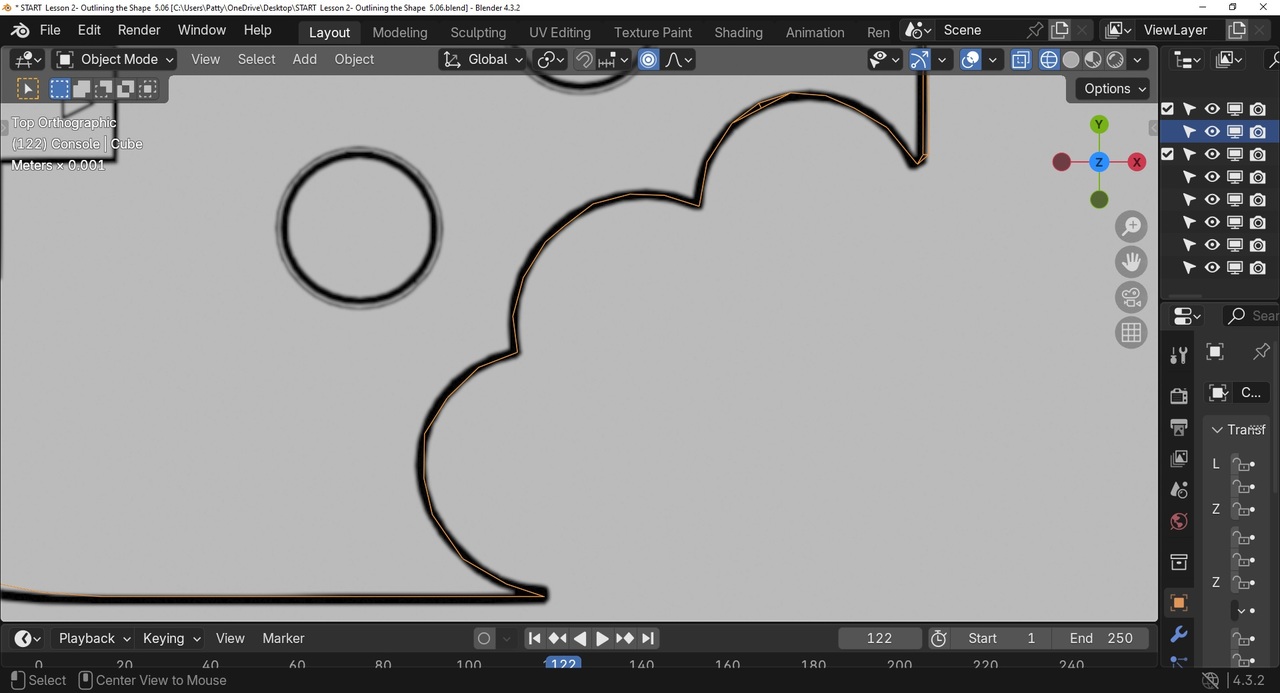
                            Then, to fix the bite: Can I just select the existing edge loop from Top view and bring it in, so it lines up with the bottom?

                            #94477
                            Patty Hatfield
                            Participant

                              Opps! Sorry for the double pic!

                              #94478
                              Martin Bergwerf
                              Participant

                                Hi @pattybhat ,

                                I can’t see from top view, which Vertices belong to the top and which to the bottom, but the red ones are ‘wrong’:

                                Verts.png

                                #94479
                                Patty Hatfield
                                Participant

                                  I succeeded in fixing my vertex jungle! Thanks for your advice!  Is it possible to delete some of my pics from the ‘Image List’ on the portal?  

                                Viewing 15 posts - 1 through 15 (of 23 total)
                                • The topic ‘Need help to adjust top right side edge of console’ is closed to new replies.