
How to create a video with a transparent background
Forum Archive › How to create a video with a transparent background
- This topic has 26 replies, 4 voices, and was last updated 1 year, 8 months ago by
Marie Delagrave.
-
AuthorPosts
-
December 20, 2024 at 3:12 pm #19409
I have an object with a moving camera and I want to render this animation with a transparent background. But I can’t find any RGBA anymore. And if I try with QuickTime (Container) and QuickTime Animation (video codec), I still get a black background. What can I do to resolve that issue? (I don’t think that exporting my images in PNG would be the best solution but I may be wrong.)
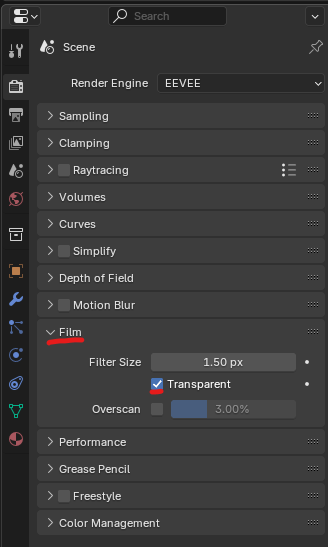
December 20, 2024 at 3:39 pm #92116Under Film, you have to enable transparent and then save the image with an alpha channel. It’s both the same for Eevee and Cycles:
 December 20, 2024 at 3:54 pm #92117
Most video formats don’t have an alpha channel. QuickTime mov does have an alpha channel, and it will show as black in a video player, but when you use a video editor that supports the alpha channel of the mov it will then show as transparent. In the film industry, you would export as an image sequence. PNG or TIFF for general production and openEXR for more advanced and/or higher quality productions. Note: I left out DPX, because I’m pretty sure blender doesn’t export DPX.
December 20, 2024 at 4:25 pm #92118Omar Domenech: I knew about the Transparent in Film. But how can I save the animation in an alpha channel???
Dwayne Savage: I work with Final Cut Pro and it doesn’t seem to show the alpha channel as transparent…
December 20, 2024 at 4:29 pm #92119I usually do not save it as a movie file, I save it all as high quality PNG’s sequence or EXR sequence. That way I get the alpha channel in my compositing app, do anything I want to do, then export as a final video.
December 20, 2024 at 4:36 pm #92120I thought it would be easier. I’ve just tried to import a PNG image in Final Cut and it’s still black even if I put a white background… (sigh).
Thank you anyway for your help, guys.
December 20, 2024 at 4:57 pm #92121Oh! I’ve just found a video explaining a trick for Final Cut: I group the PNG images as a compound clip and then, I can see the background I want. 👍🏻
December 21, 2024 at 2:36 am #92122Just as a side note, you can expect problems, when trying to use Bloom against a Transparent Background (problems meaning, that the Bloom disappears).
But you might be able to add bloom in Final Cut (I don’t know the software.)
December 21, 2024 at 9:16 am #92123Martin Bergwerf: Bloom??? You mean the bloom effect of my little Christmas lights (for which I’ve worked so hard 😉 with you on Wednesday)? Oh no! I don’t want to loose that! I want a kind of ferric winter background for my «cat-Christmas tree» but I haven’t found an HDRI looking like that. That’s why I want to do it with Final Cut Pro (which is a video-editing application for Mac users)…
December 21, 2024 at 10:35 am #92124Hey Marie,
If you have any background Image?video that you want to add, you can do that inside Blender and add bloom after a Color > Mix > Alpha Over Node, something like this:
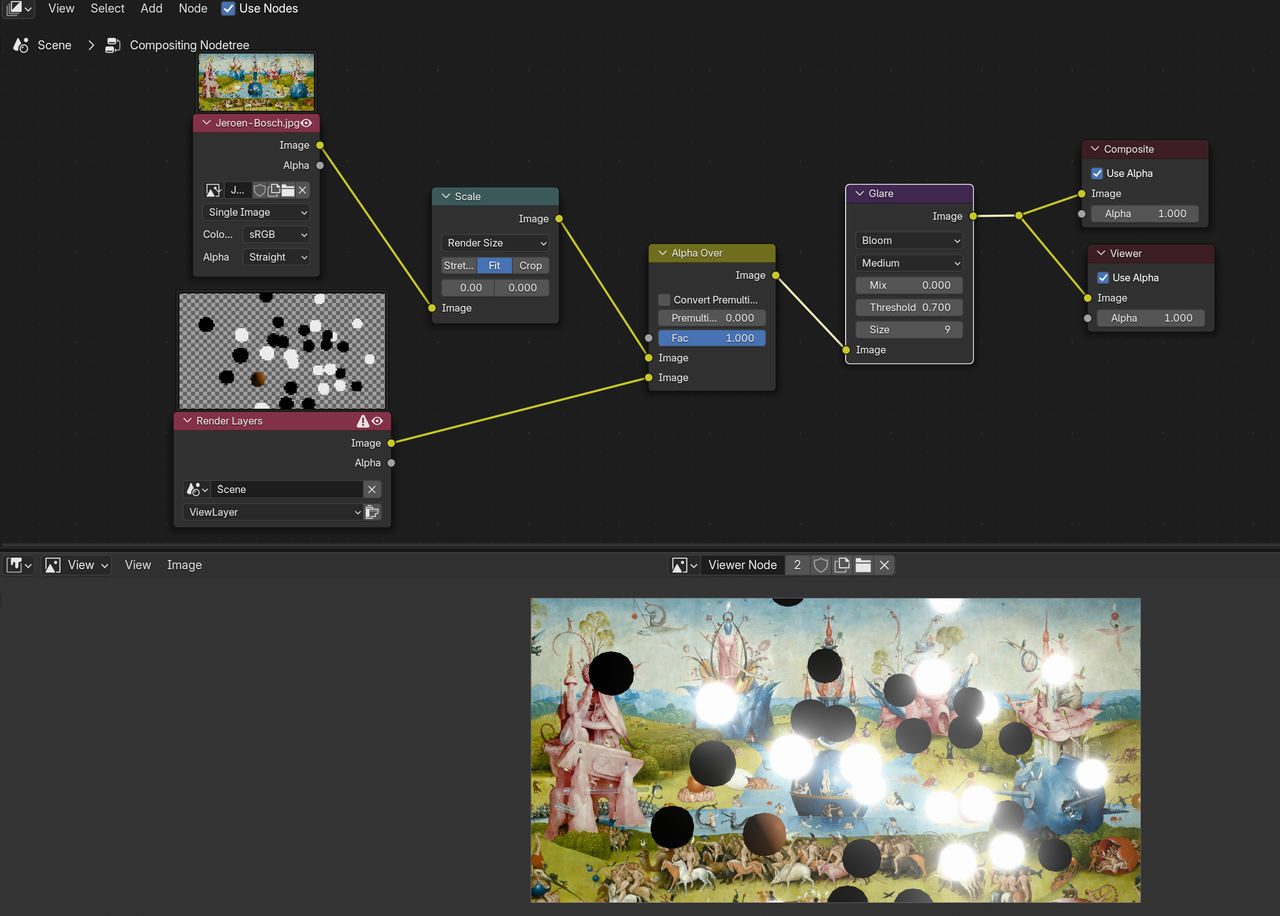
You can probably do something like that in Final Cut as well.
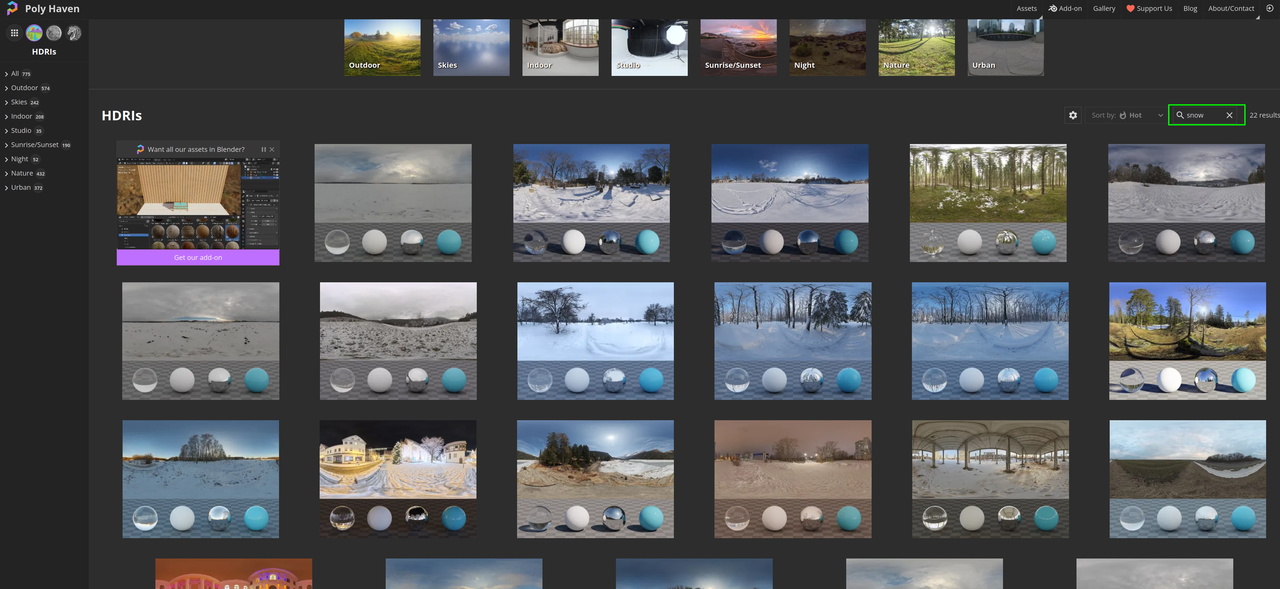
And did you look at Poly Haven for HDRI’s? They have a few (very high quality, but maybe not what you are looking for):
 December 21, 2024 at 10:42 am #92125
Martin, do you mean that these nodes can be applied to a background image or to the lights (which already bloom)?
About PolyHaven: I have downloaded the files but never worked with them… If I choose one, can I adjust the luminosity in order to make a more night effect?
December 21, 2024 at 11:26 am #92126You’d use them to the combined Render (with Transparency, that doesn’t have Bloom) and Background Image or Video. Adding the Bloom after mixing them.
When using an HDRI, you can change some Values in the Shader Editor (set to World), to make it darker:
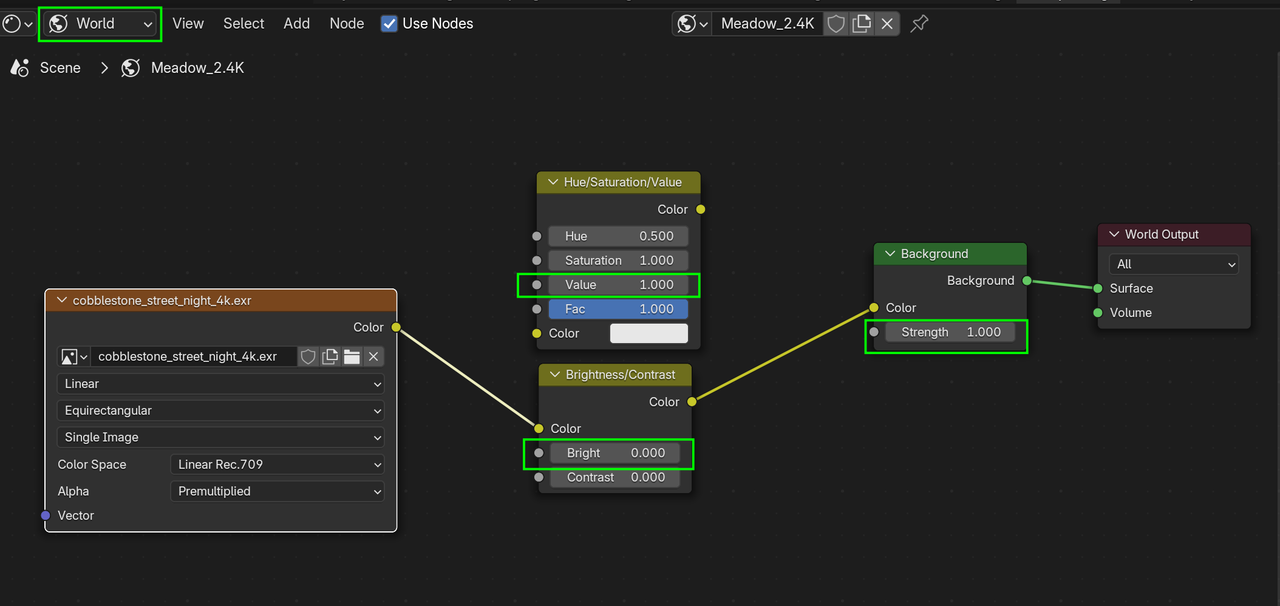
Not sure how that would turn out though…
If you Render the (HDRI) Background separately, you can make adjustments in the Compositor, which has more Nodes for that and is a lot more powerful.
December 21, 2024 at 11:28 am #92127Thank you. I will see what I am able to do with my little knowledge (and your big help)!
December 21, 2024 at 11:43 am #92128Here’s a small test, only adjusting the Exposure of the HDRI (there are many other Color Adjustment Nodes in the Compositor):
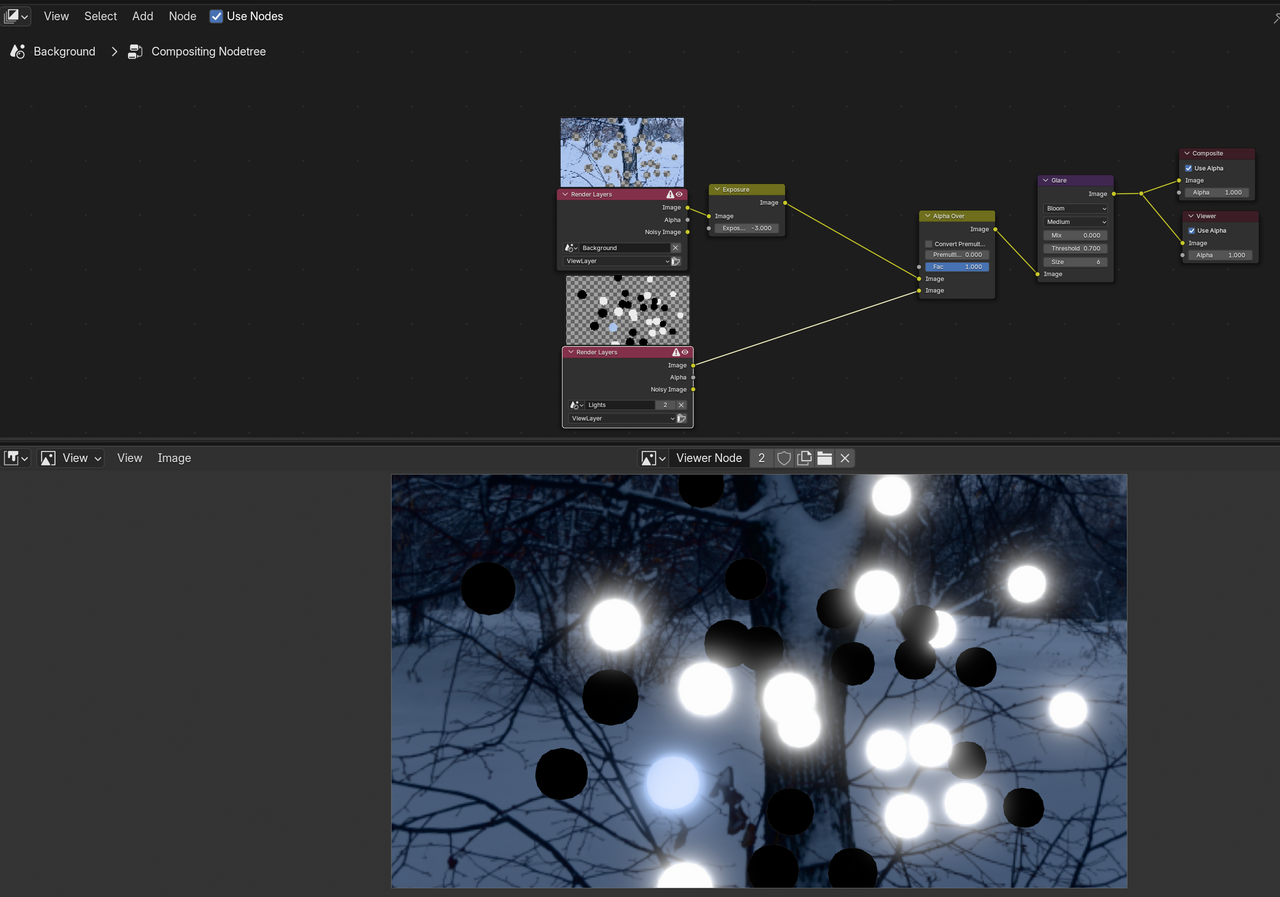 December 21, 2024 at 11:49 am #92129
Interesting! ☺️ But I notice that the off lights (black dots) are not very interesting (I mean: it’s also the case in my project). What should I do for that?
And by the way (!): how can I adjust the camera’s depth of field? Because I make it turns around my cat-Christmas tree (I try to do that with a spiral path…), now I get some parts out focus. 🫤
-
AuthorPosts


- The topic ‘How to create a video with a transparent background’ is closed to new replies.