having trouble with grid fill

Forum Archive having trouble with grid fill

Viewing 9 posts - 1 through 9 (of 9 total)
  • Author
    Posts
  • #19365
    Adam Tracksler
    Participant

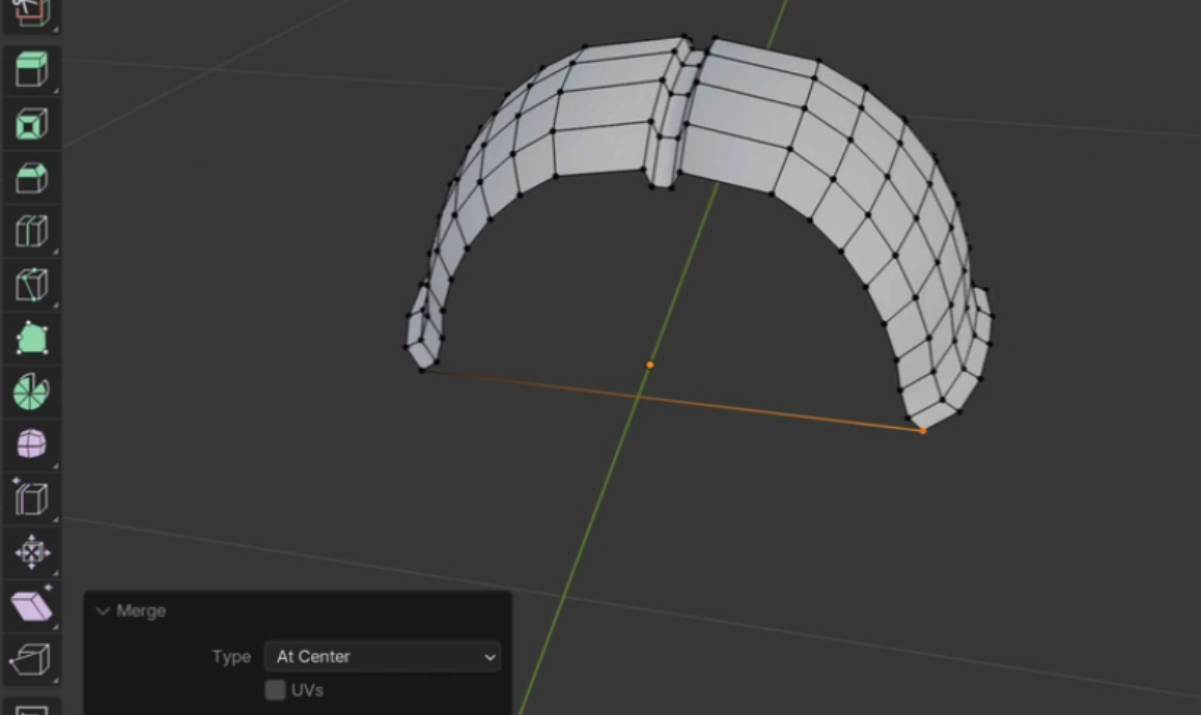
      I’m on the part making the head. I have 21 verts and 20 edges in my newly created horizontal edge. The curved edge of the shell has 21 verts and 20 edges as well. When I do the grid fill, I get no new faces created. I do get an error that says “select two edge loops or a single closed edge loop from which two edge loops can be calculated.” I do have two edge loops… I’m a bit stumped.

      #91835
      Omar Domenech
      Participant

        I think it has to be an even number of vertices. Try making the count 20 vertices and try filling again and see if that helps. 

        #91836
        Martin Bergwerf
        Participant

          Hi Adam @atracksler ,

          could you post a Screenshot of what you are trying to fill, please?

          Trying to describe Topology leaves to many questions unanswered.

          (Also make sure, that the two Edge Loops belong to the same Object.)

          #91837
          Adam Tracksler
          Participant

            https://vimeo.com/1038964049/54cdb6437b?share=copy

            Here’s a video of everything I’m doing. 

            #91838
            Martin Bergwerf
            Participant

              HI Adam,

              Thanks for the video!

              Here’s where you go wrong:

              Bug.png

              You have only 1 Vertex Selected, when you try to Merge.

              #91839
              Omar Domenech
              Participant

                It seems the issue is, when you extrude the vertex and you merge, you forgot to select both vertices for they could be merged. You have to go into wireframe so you can select them both vertices that are one on top of the other in order for them to merge properly. 

                #91840
                Adam Tracksler
                Participant

                  It looks like the issue is when I extrude and lock to the second vertex. When I select the vertices that should be overlapping, only one vertex is selected. If I move one vertex, I can select two, and the whole thing works (albeit changing the geo a bit). Why cant I select both verts when I snap them?

                  #91841
                  Adam Tracksler
                  Participant

                    Sorry – I missed Omar’s reply. That worked!!!

                    Thanks. 

                    #91842
                    Martin Bergwerf
                    Participant

                      Another method would be to Extrude the one Vertex (just a bit, don’t move it all the way over the other Vertex) and then SHIFT+Select the other one and then M > Merge > At Last.

                    Viewing 9 posts - 1 through 9 (of 9 total)
                    • The topic ‘having trouble with grid fill’ is closed to new replies.