Funky Quad colors and Follow Active Quads now working

Forum Archive Funky Quad colors and Follow Active Quads now working

Viewing 15 posts - 1 through 15 (of 22 total)
  • Author
    Posts
  • #17369
    wrongwright
    Participant

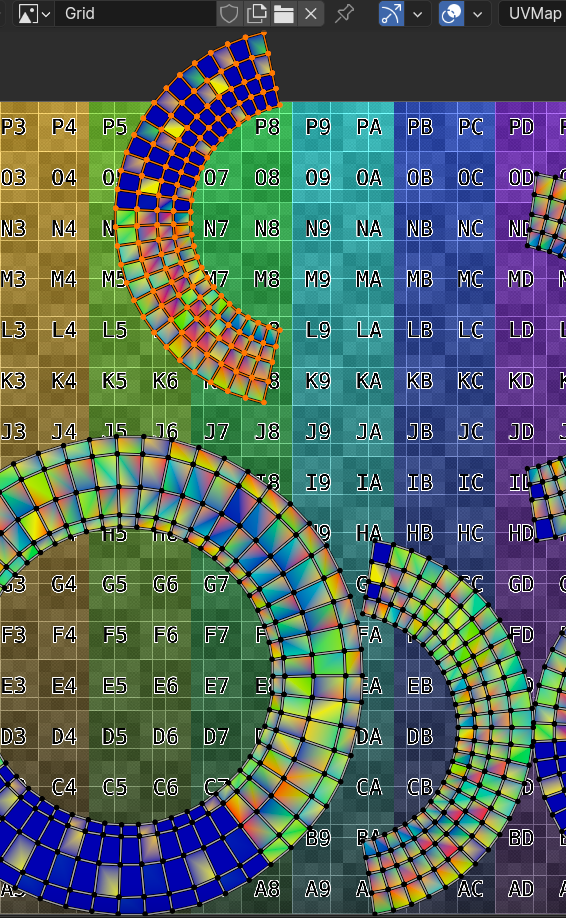
      I turned on the Display stretched in the overlays in the UV Edit screen.  Instead of getting blue quads, I got some funky colors and some blue-ish quads.  I continued and Auto Aligned a quad into a square and tried to apply the Follow Active Quad.  Nothing happened.  Is this a 4.0.2 thing or did my Blender version drop some acid?  (For whatever reason now I can submit a photo?). Will try again after posting this.

      #83526
      wrongwright
      Participant

        Pasted Graphic 6.png

        #83527
        Adrian Bellworthy
        Participant

          When using follow active quad, make sure when selecting all the quads, the quad/face you auto aligned is the active quad.

          Straighten the quads first, if the stretched UV’s persist, you may have issues with your model, double verts, flipped normals or something else.

          #83528
          Martin Bergwerf
          Participant

            Indeed @wrongwright ,

            like Adrian said…you don’t seem to have any quad active in your screenshot…

            …and as for the colors, try changing the Stretch Overlay to Area (default is Angle, I think).

            #83529
            wrongwright
            Participant

              The picture I used wasn’t a good one to illustrate the Follow Active Quad, I had tried it a few times but didn’t take picture.  Martin, I did change to Area, got mostly blue on the two side faces and green for top or tread part of the tire.  I checked the model for doubles, I haven’t found any.  I’ve been watching the normals so no problems there.  I am trying several quads at once but that doesn’t work either.

              Reverting back to previous save just because I couldn’t undo anymore..but now that’s going to take some time to redo.  Back after dinner or so.  Or will start fresh tomorrow.

              #83530
              Omar Domenech
              Participant

                Did you apply the scale? Also it would be helpful if you could make a video of a screen recording showing what you are doing so we can see what might be going on.

                #83531
                wrongwright
                Participant

                  I am following the video as described, step by step. Maybe at the beginning we applied scale, or I did anyway because seems like that’s the cause of most problems.  I checked many times for doubles.  I checked many times for normals.  Nothing.  All good.  I have redone this 2x already.  The next time I do this I’ll make a film.  Sure, why not.  I may not be soon as I need to cool down, this is starting to get to me.  Thanks for the replies.

                  #83532
                  Omar Domenech
                  Participant

                    You can also upload your file and we can try to straighten those UV’s and see what the deal was.

                    #83533
                    wrongwright
                    Participant

                      I’d rather post a file than try to post a video at this point.  Thank you.

                      https://drive.google.com/file/d/1bKLvynyGvBH6xy0WmIzoihnzusaVDb9m/view?usp=share_link

                      #83534
                      Martin Bergwerf
                      Participant

                        So, @wrongwright ,

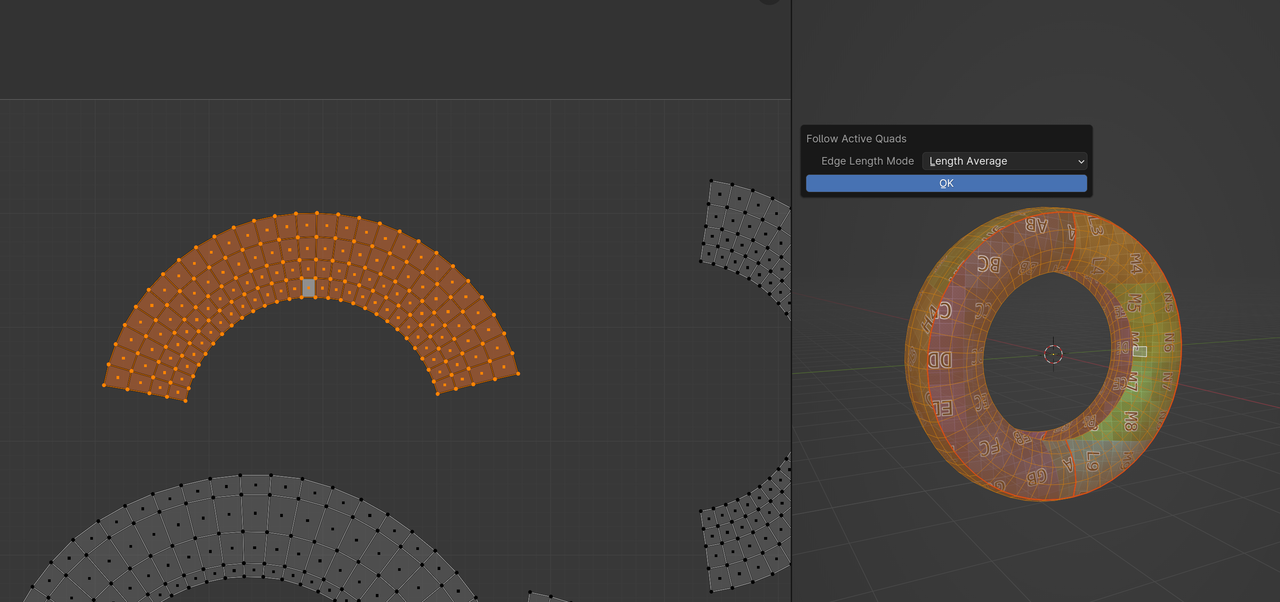
                        What exactly is your problem..it works fine:

                        Active Quads.png

                        Just press OK…(I disabled the Stretch Overlay and the Image, for clarity)

                        #83535
                        Adrian Bellworthy
                        Participant

                          Hey @wrongwright
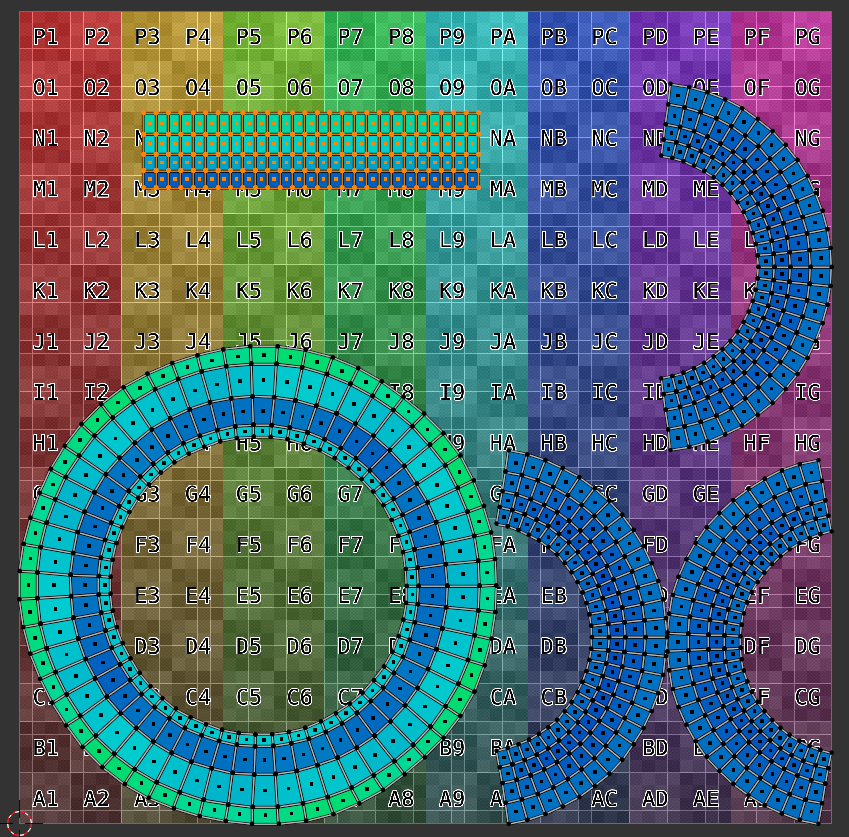
                          I downloaded your file and tried ‘follow active quad’, it worked perfectly for the top island.

                          Make sure you select the whole island and deselect the quad you auto aligned, then select it again to ensure it is the active quad.
                          Then you should have no issue with the follow active quad option.

                          You will need to repeat the complete process for each of the islands.

                          2024.01.15-15.58.png

                          #83536
                          Martin Bergwerf
                          Participant

                            ..and no, it doesn’t matter if you Unwrap > Follow Active Quads in the 3D Viewport, or in the UV Editor.

                            #83537
                            wrongwright
                            Participant

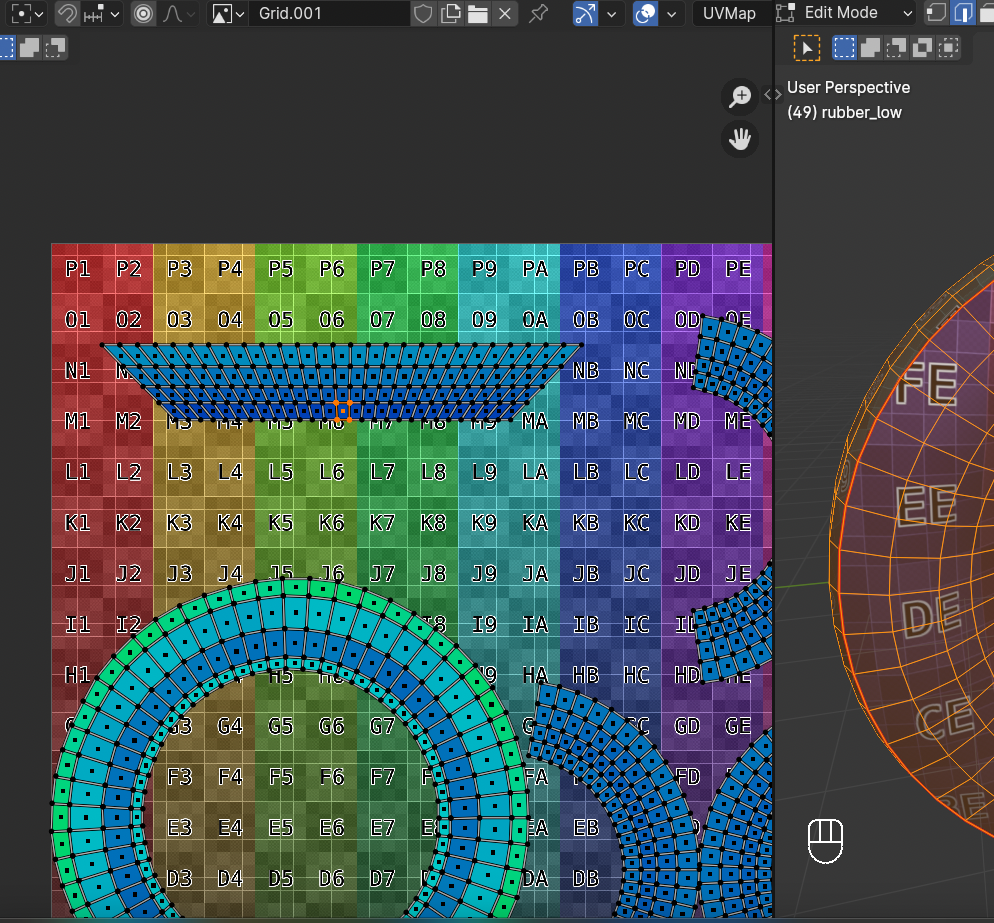
                              What am I doing wrong?

                              #83538
                              wrongwright
                              Participant

                                Odd, I got this by using the UV menu on the right side of the UV Editing window.  It did change but it isn’t so square looking.6 at 12.37.01 AM.png

                                #83539
                                Martin Bergwerf
                                Participant

                                  As Adrian mentioned above:

                                  “When using follow active quad, make sure when selecting all the quads, the quad/face you auto aligned is the active quad.”

                                  In the video (and screenshot), you have an Active Quad, but nothing else Selected.

                                Viewing 15 posts - 1 through 15 (of 22 total)
                                • The topic ‘Funky Quad colors and Follow Active Quads now working’ is closed to new replies.